
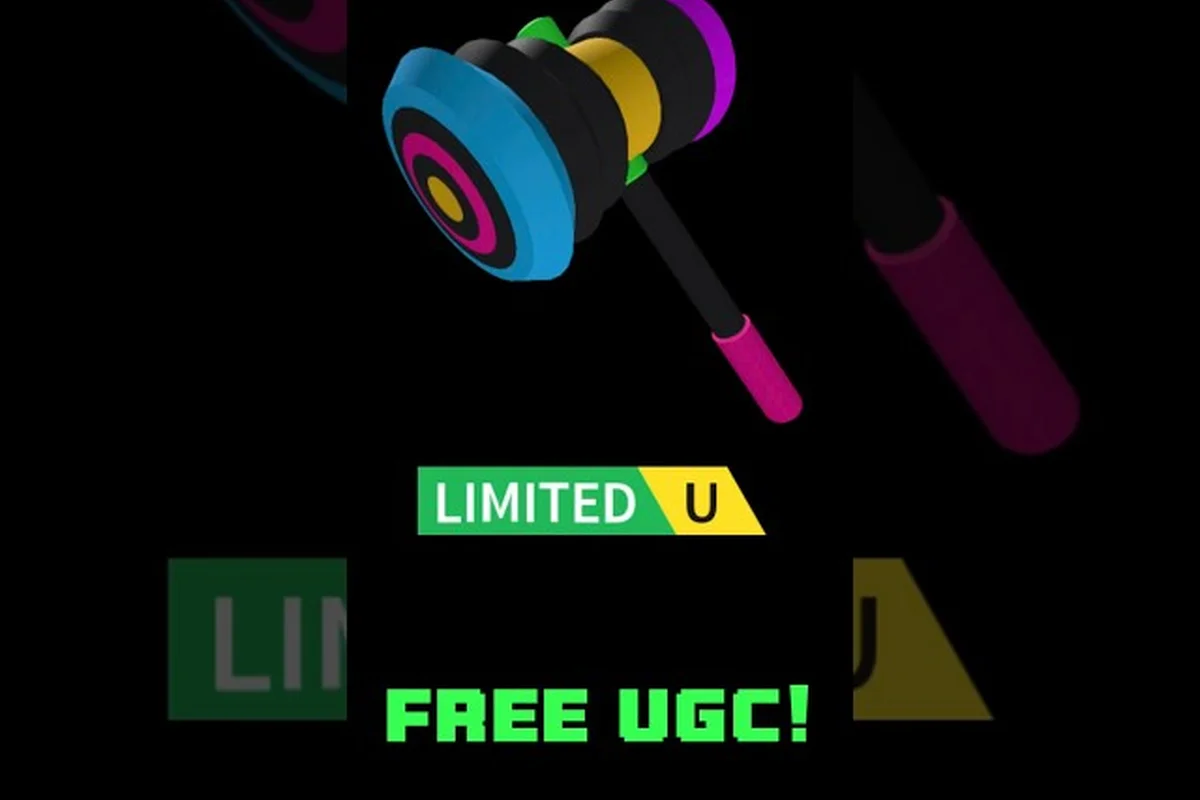
Building a standout avatar doesn't require spending a single Robux, and the Catalog Avatar Creator free accessories catalog proves it. The game's search filters let you pull up thousands of 0-Robux items across every accessory slot, from cat ears and halos to layered neck chains and back wings. Because the free filter spans hats, hair, glasses, face items, and all five body slots, you can assemble a complete look without touching your balance. This guide walks through the best free options, how to find hidden gems, and how to match accessories into cohesive outfits. Once you’ve locked in your full outfit, the finishing touch is often the hair—so if you’re wondering how to swap styles without spending a dime, see our How To Change Hair guide to keep your look fresh and coordinated from head to toe.
Where to Find Free Accessories in the Catalog
The catalog search bar is your primary tool for uncovering free items, but knowing how to use it efficiently makes the difference between browsing for an hour and finding exactly what you need in minutes. The game's search system supports keyword filters, price sorting, and category tags that narrow results to specific slots like hats, hair, or face accessories.
Start by typing a broad term like "cat ears" or "halo" into the search bar, then apply the price filter to show only 0-Robux results. According to the official Catalog Avatar Creator game page, anime and animal accessories are among the most popular try-on items, with cat ears, halos, crowns, and headphones dominating the kawaii and fantasy styles. The free filter turns up plenty of these options because UGC creators frequently release promotional items at zero cost to build their brand awareness.
Beyond the search bar, the Featured tab occasionally highlights free items during seasonal events, and the Community Feed often showcases outfits built entirely from 0-Robux pieces. Players who follow popular UGC creators on the platform can also catch limited-time free releases that disappear after a few days, which makes checking the catalog regularly worthwhile.
Using Filters to Narrow Results
The filter system supports multiple simultaneous criteria, so you can combine a slot type with a price range and a style keyword. For example, selecting "Hat" as the category, "0 Robux" as the price, and typing "cat" as the keyword returns every free cat-ear option currently available.
| Filter Combination | What It Returns | Best For |
|---|---|---|
| Category: Hat + Price: 0 Robux | All free hats | Building headwear variety |
| Keyword: "cat ears" + Price: 0 Robux | Free animal ear options | Kawaii and fantasy looks |
| Category: Hair + Price: 0 Robux | Free hairstyles | Completing a head look |
| Category: Face + Price: 0 Robux | Free face accessories | Adding personality |
| Keyword: "wings" + Price: 0 Robux | Free back items | Fantasy and angel themes |
The sort by relevance option works best when you have a specific item in mind, while sort by updated reveals the newest free drops from UGC creators. Because the catalog refreshes constantly, an item that costs Robux today might become free tomorrow if the creator runs a promotion, so checking back weekly pays off.
Best Free Hats and Head Accessories
Hats occupy the most visible slot on your avatar, and the free catalog offers surprising variety here. Classic options like beanies, caps, and crowns appear alongside UGC creations ranging from animal ears to floating halos, and the quality gap between free and paid items is often minimal.
The 0-Robux cat ears mentioned in the title are among the most sought-after free items because they instantly transform a basic avatar into a kawaii-style character. Community reports suggest that black and white cat ears are the most common free variants, while pastel colors appear less frequently and tend to sell out faster when they drop. Halo options also rank highly, with gold and silver versions appearing regularly in the free filter.
For players who prefer a more subtle look, free beanies and berets provide solid everyday options that pair well with casual outfits. The key is to search for specific styles rather than browsing the entire hat category, because the free filter returns thousands of results and the most interesting pieces often hide on later pages.
Rare Free Hat Drops Worth Watching
While most free hats remain available indefinitely, some UGC creators release limited quantities that disappear once claimed. These Catalog Avatar Creator rare hats generate significant community interest because they offer exclusivity without the Robux price tag, often selling out within hours of a drop announcement. For example, the "Glitched Crown" release capped at 500 copies vanished in under 40 minutes, with resale demand spiking in trading hubs. Tracking creator profiles or Discord announcements is the most reliable way to catch these Catalog Avatar Creator limited hats, as the in-game catalog rarely surfaces them before they are gone.
| Hat Type | Rarity Level | Typical Availability |
|---|---|---|
| Cat ears (black/white) | Common | Always available |
| Cat ears (pastel colors) | Uncommon | Rotates weekly |
| Gold halo | Uncommon | Frequent drops |
| Crown variants | Rare | Limited releases |
| Seasonal event hats | Very rare | Event windows only |
Players who want to track these rare drops should follow popular UGC creators on the Roblox platform and join community Discord servers where free item alerts get posted. The Catalog Avatar Creator limited hats category includes both time-limited releases and quantity-limited items, and both types generate significant buzz when they appear.
Free Hair and Face Accessories
Hair completes the head silhouette, and the free catalog includes dozens of styles ranging from short crops to long flowing locks. The hair editor also supports color customization, which means a single free hairstyle can serve multiple outfits when you adjust the shade to match your overall palette.
The Catalog Avatar Creator hair colors system lets you apply virtually any color to your chosen hairstyle, from natural browns and blacks to neon greens and pastel pinks. This flexibility makes free hair particularly valuable because one base style can adapt to any outfit theme you build. Community testing suggests that longer hairstyles benefit most from color customization because they show off the shade across a larger surface area.
Face accessories add the final layer of personality, and free options include glasses, masks, earrings, and facial markings. Round glasses and cat-eye frames appear frequently in the free filter, while more specialized items like cybernetic visors and face paint show up during themed events.
Building a Cohesive Head Look
Matching hair, hats, and face accessories requires attention to color harmony and silhouette balance. A good rule of thumb is to limit your head area to two dominant colors, then use the third accessory slot for a small accent piece.
-
Hair + Hat: Choose a hat that sits behind or above the hair rather than covering it entirely, so both items remain visible.
-
Hair + Face: Match the face accessory metal or frame color to your hair color for a unified look.
-
Hat + Face: Keep one item subtle when the other makes a strong statement, such as pairing a bold crown with simple round glasses.
-
All Three: Use the how to match accessories Catalog Avatar Creator approach of picking one focal piece, then supporting it with neutral companions.
The community feed is a goldmine for head-combo inspiration, but the real trick is learning to deconstruct the layering logic—most featured outfits pair a rare hat (like a limited-time drop) with a simple base hair color from the free catalog. When you spot a look you love, screenshot it and cross-reference the item tags: if the hat is a paid exclusive, swap in a free Catalog Avatar Creator rare hat with a similar silhouette, then match the hair color to the accessory's secondary tone rather than its main color. This reverse-engineering approach works because the game's color-matching system prioritizes the dominant RGB value of the hat, so a free accessory with a slightly darker shade can still pass as a near-identical match in the avatar preview.
Free Body Accessories Across All Slots
Beyond the head, the catalog offers free items for the neck, shoulders, waist, front, and back slots. These body accessories add depth to your avatar and transform a simple outfit into a layered creation, and the free filter includes plenty of options for each position.
Neck accessories like scarves, collars, and chains appear frequently at 0 Robux, with chokers and pendant necklaces being the most popular free choices. Shoulder items range from simple pads to elaborate capes, though free capes tend to be simpler in design than their paid counterparts. Waist accessories include belts, sashes, and hip bags, while front items cover badges, ties, and chest straps. The back slot offers the most dramatic options, with wings, backpacks, and weapon sheaths appearing regularly in the free catalog.
According to community data, the back slot delivers the highest visual impact per item because wings and large accessories immediately draw the eye. Free wing options include feathered angel wings, mechanical robot wings, and bat-style demon wings, each suited to different outfit themes.
Layering Body Accessories Effectively
The accessory system attaches items to dedicated slots, which means you can stack a neck chain, shoulder cape, waist belt, front badge, and back wings simultaneously. This layering capability is what separates basic avatars from detailed ones, and it costs nothing when you use free items.
| Slot | Free Item Examples | Best Outfit Themes |
|---|---|---|
| Neck | Chokers, chains, scarves | Streetwear, gothic |
| Shoulders | Pads, small capes | Military, fantasy |
| Waist | Belts, sashes, hip bags | Casual, adventure |
| Front | Badges, ties, chest straps | Formal, punk |
| Back | Wings, backpacks, sheaths | Fantasy, sci-fi |
The best free accessories Catalog Avatar Creator approach involves picking one statement piece per outfit, then filling the remaining slots with complementary items. A full set of matching free accessories creates a more polished look than mixing five unrelated pieces, even if each individual item looks good on its own.
Advanced Strategies for Free Accessory Hunters
Finding the best free accessories requires more than just browsing the catalog, and experienced players develop specific strategies for discovering hidden gems. One effective approach involves searching for misspelled item names, because UGC creators sometimes tag their items inconsistently and these items appear in fewer search results.
Another strategy focuses on tracking creator pages directly. When you find a free item you like, visit the creator's profile and browse their other releases, because many creators maintain a consistent style across their catalog. Some creators release entire free accessory sets that coordinate with each other, and finding one piece often leads to discovering the complete collection.
The Catalog Avatar Creator free accessories ecosystem also includes community-run databases where players share links to active free items. These databases update regularly and often include items that are difficult to find through the in-game search, making them valuable resources for dedicated collectors.
Seasonal Events and Limited Releases
Seasonal events represent the best opportunity to acquire exclusive free accessories, because the game typically releases themed items during holidays and special occasions. Halloween events feature gothic and horror-themed accessories, winter events offer cozy and festive options, and summer events include beach and vacation styles.
| Event Season | Typical Free Accessories | Rarity |
|---|---|---|
| Halloween | Bat wings, pumpkin hats, skull masks | Limited |
| Winter | Santa hats, scarves, snowflake crowns | Limited |
| Summer | Sunglasses, beach hats, flower crowns | Limited |
| Anniversary | Exclusive commemorative items | Very rare |
Players who want to build a comprehensive free accessory collection should mark event dates on their calendar and log in during the first hours of each event, because the most popular free items tend to get claimed quickly. The community feed during event periods also showcases creative uses of the new items, providing inspiration for your own outfits.
Frequently Asked Questions
How do I find Catalog Avatar Creator free accessories?
Use the search bar and apply the 0-Robux price filter to see all free items. Combine the price filter with category filters like Hat, Hair, or Face to narrow results. Check the Featured tab and follow popular UGC creators for limited-time free releases.
Are free accessories lower quality than paid ones?
No, many free accessories match the quality of paid items because UGC creators use free releases as promotional tools. The main difference is variety, since paid items outnumber free ones, but the best free options are visually indistinguishable from their paid counterparts.
How often do new free accessories appear?
New free accessories appear daily, as UGC creators pair 0-Robux promotional items with paid limited hats to drive catalog traffic. Checking the free filter every few days reveals fresh options before rotation. Seasonal events like Halloween add 30–50 themed free items across three days, including rare tradeable collectibles.
Can I use free accessories in outfit codes?
Yes, free accessories work exactly like paid items in outfit codes and the outfit sharing system. You can include them in your published outfits, and other players can load your code to see the complete look even if they don't own the items yet.
What are the rarest free accessories?
The rarest free accessories are seasonal event drops like the 2024 Anniversary Crown, which never return after their release window closes. This scarcity pushes their trading value above standard rare hats, so you must track unannounced login windows and event schedules to secure them before they disappear permanently.