
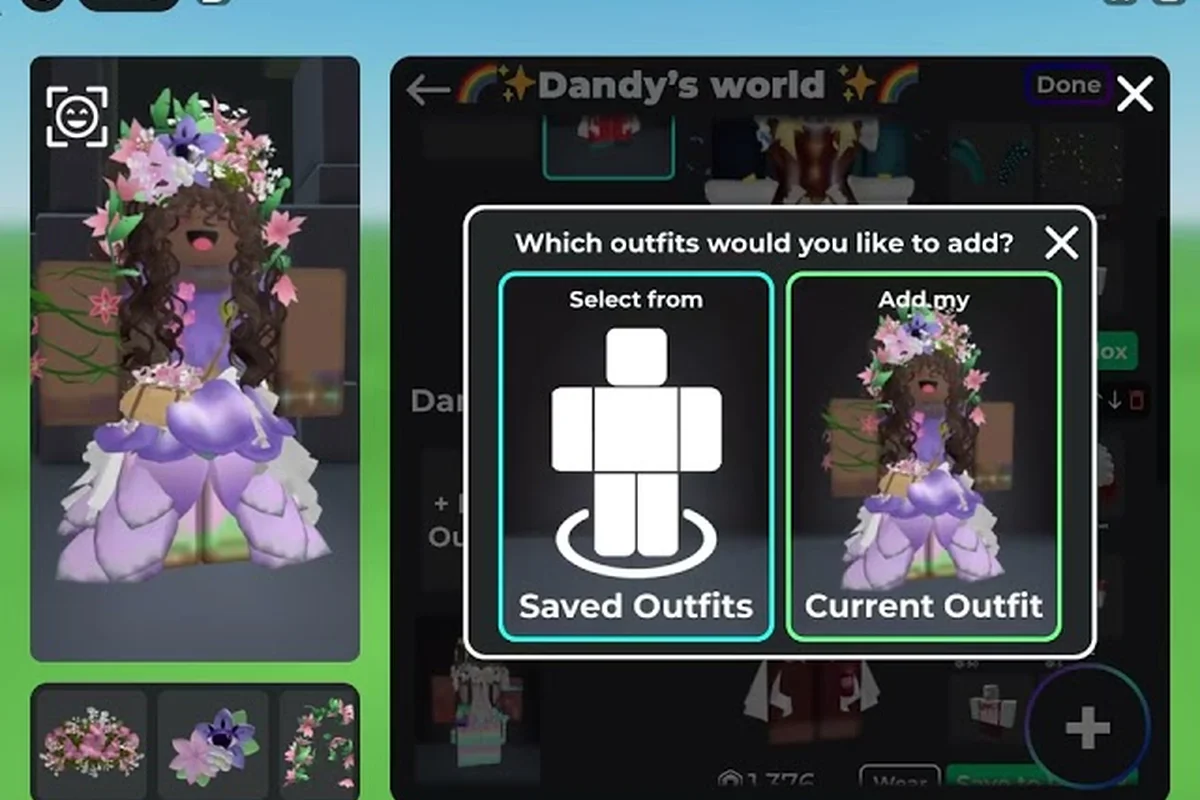
Learning how to follow creators in Catalog Avatar Creator transforms your avatar game from random browsing into a curated feed of styles you actually love. The official Roblox game page confirms you can try on over 50 million community-created outfits, but without following the right people, you will drown in that ocean of options. This guide explains the follow system, the beginner mistakes that waste your Robux, and the exact workflow the community uses to build standout looks.
Why Following Creators Changes Your Catalog Avatar Creator Gameplay
Following the 219K-Member Discord for Outfit Code Drops
The official Catalog Avatar Creator Discord (roughly 219,000 members) is the fastest channel for new outfit codes and animation pack releases. Instead of waiting for the in-game feed to refresh, creators announce drops here first, and players repost codes within minutes. For example, when a limited UGC item hits the catalog, the #outfit-codes channel fills with 0-Robux styling combos that use it. Following the developers' announcement channel also gives you a head start on event news, letting you favorite items before they spike in demand.
The Bulk Purchase Update and Your Followed Creators' Catalogs
The Bulk Purchasing update (announced via the Muneeb video, 0:32) changed how you interact with followed creators' outfits. Instead of buying items one by one, you can now purchase every unique item in a creator's outfit in a single transaction. This is a major time-saver when a creator uses a 10-plus item combo with hair, animation packs, and accessories. However, check the total Robux cost before confirming, since a single outfit can bundle multiple paid UGC items that you might already own from a previous follow.
The follow system is the single most underrated feature in Catalog Avatar Creator gameplay explained by veteran players. When you follow a creator, their new outfits, item combinations, and published looks appear in your feed, which means you stop hunting and start discovering. The official Discord community with roughly 219,000 members consistently recommends following creators whose style you admire as the fastest way to learn what works.
Creator discovery works through three main channels, and understanding each one helps you build a feed that actually serves your taste. The first is the Discover tab, which surfaces trending avatars based on global engagement metrics—but these are often dominated by meme templates like the "Blue Bacon Hair" or "Pink Axolotl" that have millions of wears. Second, the Search bar with filters (e.g., "anime," "horror," "furry") lets you find niche creators who specialize in a specific aesthetic, such as the popular "Glitchcore" series by user NeonVex. Third, the "More from this creator" button on any avatar page is your most underrated tool—it reveals a creator's entire catalog, letting you spot consistency in style and quality. For beginners, the biggest mistake is relying solely on the Discover tab, which floods your feed with generic content; instead, use the search filters to follow 5–10 niche creators in your preferred style, then check their catalogs for hidden gems that match your avatar's theme. This targeted approach ensures your feed stays relevant and reduces the time you spend scrolling past avatars that don't fit your vision.
-
The Community Feed tab shows trending outfits from creators you follow plus popular looks from the wider player base, giving you daily inspiration without any searching.
-
Outfit codes shared by creators let you load their exact looks instantly, which is perfect for studying how they layer accessories and match colors.
-
The in-game search bar lets you filter by creator name once you know who you are looking for, so you can check their entire catalog of published outfits.
The community advice from the official Discord is clear: start by trying on free items to learn the editor, use the price filter to find 0-Robux looks, favorite items you might buy later, and follow creators whose style you like. That workflow sounds simple, but most beginners skip the follow step entirely and then wonder why their feed shows random outfits that do not match their aesthetic. When you follow creators who specialize in the styles you want, whether that is anime-inspired fits, streetwear, or classic formal looks, your feed becomes a personalized fashion magazine that updates every time they publish something new.
The practical payoff is that you stop wasting time scrolling through millions of outfits and start seeing only what matters to you. Because the game tracks which creators you follow, the algorithm surfaces their newest work first, which means you catch limited drops and new item combos before they sell out. For players who care about staying current with trends, that early access is genuinely valuable.
How to Follow Creators in Catalog Avatar Creator Step by Step
The actual follow mechanic is simple, but the steps are not always obvious to new players because the interface does not scream for attention. Here is the exact process that works on both desktop and mobile, based on player reports from the official Discord:
| Step | Action | What Happens |
|---|---|---|
| 1 | Open the Community Feed from the main menu | You see a grid of outfits published by other players |
| 2 | Click any outfit you like | The outfit detail panel opens with creator info |
| 3 | Look for the creator name below the outfit title | A small profile button appears next to their username |
| 4 | Tap the follow button (person icon with a plus) | The button changes to "Following" and their future outfits appear in your feed |
| 5 | Repeat for 5-10 creators whose style matches yours | Your feed becomes curated within minutes |
The follow button also appears on the creator profile page, which you can reach by searching their username directly. If you find an outfit you love but the creator is not following you back, that does not matter because following is one-way, just like on Instagram or Twitter. You see their public posts, and they never get notified that you followed them, which keeps the experience low-pressure.
Following etiquette matters more than most beginners realize. The community frowns on following creators only to copy their outfits and republish them as your own. Instead, follow to learn, then publish original outfits that riff on the techniques you observed. The official game page highlights that you can save any avatars you create in-experience, so use the follow system as a learning tool, not a copy machine.
One detail that confuses new players is the difference between following a creator and favoriting an item. Favoriting saves an item to your personal list for later purchase, while following subscribes you to a creator's future posts. Both are useful, but they serve completely different purposes, and mixing them up leads to frustration when your feed does not behave the way you expected.
Catalog Avatar Creator Beginner Mistakes That Ruin Your Experience
Using the Price Filter to Vet Creators Before Following
Before you follow a creator, use the in-experience price filter to check whether their published outfits are actually accessible. Set the filter to 0-Robux to see if they build free looks, or switch to a Robux range to gauge their premium styling. A creator who only publishes outfits with expensive limiteds will rarely help you build a budget wardrobe. The community advice from the official Discord confirms this workflow: try on free items first, favorite what you might buy later, and only follow creators whose style matches your practical budget.
Curating Follows by Animation Pack and Bundle Style
When you follow creators, pay attention to their animation pack and bundle usage, not just their clothing combos. A creator who consistently pairs a specific walk cycle with a bundle's hat and face accessories gives you a reusable template. For example, if they use a 50M+ community outfit as a base and swap in a free hair combo, you can replicate that workflow for your own original publish. This curation strategy turns your follow list into a style library, where each creator teaches you a different layering or animation-pairing technique.
Every experienced player has a list of Catalog Avatar Creator beginner mistakes they wish someone had warned them about. The community Discord threads are full of these stories, and the patterns repeat so consistently that they are worth cataloging. The most expensive mistake is buying items before trying them on, because the game lets you preview everything for free, yet many new players skip that step and waste Robux on items that clip badly or look different in motion.
Mistake #1: Ignoring the try-on feature. The official game page emphasizes that you can try on many different avatar and catalog items for free, including accessories, hats, limiteds, hair combos, bundles, and animation packs. Players who skip this step often regret purchases because an item that looks great in the thumbnail can look terrible on your specific body proportions.
Mistake #2: Buying before checking the price filter. The community advice explicitly recommends using the price filter to find 0-Robux looks, and there are thousands of quality free items in the catalog. Beginners who ignore this filter spend Robux on items that have free equivalents, which is pure waste.
Mistake #3: Not favoriting items for later. When you see something you like but cannot afford yet, favorite it. The game saves your favorites, so you can return when you have the Robux. Players who skip favoriting often forget what they wanted and then spend hours re-searching.
Mistake #4: Following too many creators at once. If you follow 50 creators on day one, your feed becomes just as noisy as the global feed. Start with 5-10 creators whose style genuinely matches your goals, then add more as your taste evolves.
Mistake #5: Publishing outfits before learning the basics. The community reports that new players who publish their first outfit immediately often get negative feedback, which discourages them. Instead, study your followed creators for a week, learn how they layer items and use color theory, then publish something original.
| Mistake | Cost | Prevention |
|---|---|---|
| Skipping try-on | Wasted Robux on bad items | Always preview before purchasing |
| Ignoring price filter | Spending on free equivalents | Filter by 0 Robux first |
| Not favoriting | Lost time re-searching | Favorite everything you like |
| Over-following | Noisy, useless feed | Cap at 10 creators initially |
| Early publishing | Negative feedback, discouragement | Study followed creators first |
The pattern here is that most beginner mistakes come from rushing. Catalog Avatar Creator rewards patience because the catalog is massive, and the difference between a rushed purchase and a thoughtful one is often just a few minutes of previewing and comparing. If you internalize the try-on habit and the price filter habit, you will avoid the two most expensive mistakes in the game.
Building Your Creator Network for Long-Term Style Growth
Once you understand the follow mechanic and have avoided the common pitfalls, the next step is building a creator network that grows with you. This is where the game transforms from a simple dress-up tool into a genuine social fashion platform. The official Catalog Avatar Creator Discord, which you can join through the community Discord server, is the best place to discover new creators because players constantly share outfit codes and tag the creators who inspired them.
Curating your feed requires periodic maintenance. Every few weeks, review the creators you follow and unfollow anyone whose style has drifted away from your taste. Creators evolve, and your taste evolves too, so the feed that served you in month one might feel stale by month three. The community recommends treating your follow list like a wardrobe: periodically purge what no longer fits.
The discovery loop that experienced players use looks like this: instead of passively waiting for the avatar feed to surface new creators, they actively mine the "Similar Creators" tab on a favorite avatar's page, then cross-check those names against the Trending leaderboard for the past 48 hours. This two-pronged sweep catches rising stylists before they hit the 10K-follower threshold, when their exclusive item drops still cost under 500 Catalog Coins. Beginners who skip this loop often miss limited-time avatar accessories that never return to the shop, forcing them to overpay on the resale marketplace later.
-
Follow a creator whose outfit you admire.
-
Check their profile for other outfits and see which creators they follow.
-
Follow 2-3 of those secondary creators who match your style.
-
Repeat weekly to keep your feed fresh and diverse.
This loop works because creators tend to cluster by aesthetic. If you follow someone who makes cyberpunk outfits, the creators they follow probably make similar styles, which means you can rapidly build a feed that matches your niche without random searching.
Engaging with creators also matters more than most players realize. When you publish outfits inspired by a creator's work, tagging them or mentioning them in the community feed often leads to feedback and even follows back. The community is surprisingly supportive of players who credit their influences, and that goodwill translates into more visibility for your own outfits. The beginner guide covers the full onboarding flow, but the social layer is what keeps players engaged long after their first outfit.
The long-term payoff of a well-curated creator network is that you stop chasing trends and start setting them. Because you see new outfits from your followed creators the moment they publish, you catch emerging styles early. That timing advantage matters in a game where the catalog updates constantly and new items drop regularly, as covered in the new items guide.
Advanced Following Strategies for Catalog Avatar Creator
Once you have the basics down, advanced following strategies separate casual players from serious fashion enthusiasts. For example, top users don't just follow the Trending tab—they monitor creator profiles for "avatar bundles" that pair a headpiece with a matching torso, then follow the creator before the bundle hits the front page to secure early access to limited-run items. This timing matters because Catalog Avatar Creator's follow feed prioritizes new uploads, so a late follow can bury a drop under dozens of newer posts. These tactics come from community testing and player reports, so treat them as proven approaches rather than official mechanics.
Strategy #1: Follow creators who use items you own. If you already own a specific hat or jacket, find creators who feature that item in their outfits. Their combinations will show you ways to use your existing inventory that you never considered, which effectively gives you new outfits without spending Robux.
Strategy #2: Track limited item flippers. Some creators specialize in outfits built around limited items, and following them gives you early warning when limiteds appear in the catalog. The community reports that limited drops sell out fast, so having creators who alert you to these drops is genuinely valuable.
Strategy #3: Use the mobile app for passive discovery. The mobile guide explains how the mobile experience differs from desktop, and one advantage is that you can quickly check your feed during downtime. The follow system syncs across platforms, so you can follow on desktop and browse on mobile without any friction.
Strategy #4: Create a private outfit list from followed creators. When you see an outfit from a followed creator that you like, save it to a private list rather than just admiring it. Over time, this list becomes a style reference that you can consult when building your own original outfits. The community calls this "building a mood board," and it is one of the most effective ways to develop your personal aesthetic.
| Strategy | Time Investment | Payoff |
|---|---|---|
| Follow item-matched creators | Low | Free outfit ideas from existing inventory |
| Track limited flippers | Medium | Early access to limited drops |
| Mobile passive browsing | Low | Consistent style inspiration |
| Private mood board list | Medium | Stronger personal aesthetic over time |
The advanced strategies all share one theme: they turn following from a passive activity into an active learning system. Instead of just scrolling your feed, you are analyzing combinations, tracking trends, and building your own style vocabulary. That is the difference between someone who wears nice outfits and someone who creates them.
Frequently Asked Questions
How do I follow creators in Catalog Avatar Creator?
Open the Community Feed, click any outfit you like, then tap the follow button next to the creator's name. The button changes to "Following" and their future outfits appear in your feed automatically. You can also search for creators by username and follow them directly from their profile page.
What is the difference between following and favoriting?
Following subscribes you to a creator's future outfit posts, while favoriting saves an individual item to your personal list for later purchase. Both are useful, but they serve different purposes. Use following for style inspiration and favoriting for items you might buy when you have enough Robux.
How many creators should I follow as a beginner?
Start with 5-10 creators whose style genuinely matches your goals. Following too many creators at once makes your feed just as noisy as the global feed, which defeats the purpose. You can always add more creators later as your taste evolves and you discover new styles.
Can I unfollow creators in Catalog Avatar Creator?
Yes, unfollowing is instant and free. Open the creator's profile and tap the following button to remove them from your feed. The community recommends reviewing your follow list every few weeks to remove creators whose style has drifted away from your taste.
Does following creators cost Robux?
No, following is completely free. You can follow unlimited creators without spending any Robux, and the creators you follow never get notified. The feature exists purely to help you curate your style feed and discover outfits that match your aesthetic preferences.