
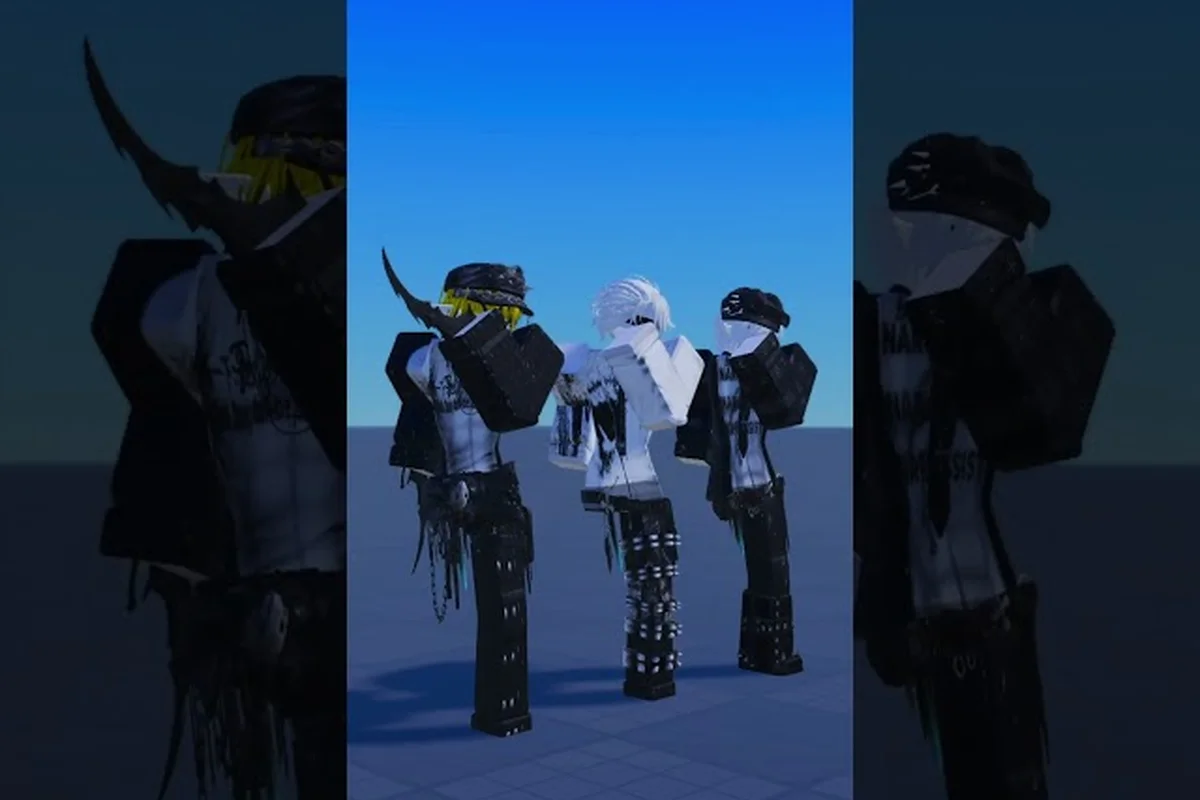
Finding the right Catalog Avatar Creator dance animations can completely transform how your avatar feels in social hangouts and showcase worlds, but the catalog is massive and it's easy to waste Robux on a pack that looks stiff in motion. The trick is knowing which packs deliver fluid choreography, which ones pair well with the R15 body type, and how to preview moves before you commit to a purchase. This guide ranks the community favorites, breaks down pricing tiers, and walks through the exact steps to equip dance packs, so you can skip the trial-and-error phase entirely.
Dance packs are among the most popular items in the game because they add personality to your avatar and make socializing more expressive. Whether you are looking for meme-tier moves for your friends or clean choreography for a themed showcase, the community has already stress-tested most of the options. According to player reports on the official Catalog Avatar Creator Discord, emote wheels and dance packs are the go-to tools for triggering expressions and poses while socializing, and new animation pack releases get reviewed within hours of dropping.
How Catalog Avatar Creator dance animations work
Before you start spending Robux, it helps to understand how Catalog Avatar Creator dance animations are structured in the game. Unlike a simple emote that plays once, dance packs bundle multiple movement sequences into a single equippable item, and some of them even replace your walk, run, and idle cycles depending on how the pack is designed.
The game treats dance animations as part of the broader animation pack system, which means equipping one can affect more than just your dance moves. Community testing shows that most dance packs fall into three categories: pure dance emotes that trigger on command, full movement packs that replace your locomotion, and hybrid packs that do both. The distinction matters because a hybrid pack might give you a great dance but an awkward run cycle, so you need to check what you are actually buying.
| Pack Type | What It Changes | Best Use Case | Typical Price Range |
|---|---|---|---|
| Pure Dance Emote | Dance move only | Social hangouts, memes | 50–150 Robux |
| Full Movement Pack | Walk + Run + Idle | Showcase builds, themed avatars | 200–400 Robux |
| Hybrid Pack | Dance + Locomotion | All-around use | 150–350 Robux |
| Meme Animation Pack | Funny/silly moves | Comedy clips, party worlds | 75–200 Robux |
The R15 body type is the key requirement for most dance animations, because the skeleton needs enough joints to bend and twist properly. If your avatar is still on the classic R6 rig, many dance packs simply won't play correctly, and you will see clipping or frozen poses instead of fluid movement. The Catalog Avatar Creator game page notes that each animation pack previews all three locomotion states so you can check the full move cycle before buying, which is a feature you should always use.
How to change animation in Catalog Avatar Creator
Learning how to change animation in Catalog Avatar Creator is straightforward once you know where to look, but first-time players often miss the menu because it sits a few layers deep. The process takes about a minute, and the key is to try on packs before you buy them so you never waste Robux on a dance that looks wrong on your avatar.
Equipping a dance pack step by step
Open your avatar editor and navigate to the animations tab, which shows all equippable animation items including dance packs. Select the pack you want to preview, and the game loads a live preview mode where your avatar performs the moves on a rotating platform. This is where you check for clipping, stiffness in the limbs, and whether the dance actually looks cool from all angles. When you are satisfied, hit equip and the pack applies immediately to your active avatar loadout.
-
Open the avatar editor and switch to the animations tab
-
Browse or search for the dance pack you want to try
-
Select the pack to enter live preview mode
-
Check the walk, run, and idle cycles if it is a full movement pack
-
Equip the pack or add it to your favorites for later
The SAMIRCLE tutorial on properly animating in Catalog Avatar Creator walks through the exact equipping process and demonstrates how combining animations with the R15 body type makes movement look natural. The video also covers a common mistake where players equip a dance pack but forget to switch body types, which results in broken animations that clip through the floor.
Removing or swapping dance animations
When you get tired of a dance or want to switch between packs for different occasions, the removal process is just as simple. Open the animations tab again, find the equipped pack, and select unequip to revert to the default movement set. You can also favorite multiple packs and swap them quickly depending on whether you are heading to a party world or a serious showcase. The emote wheel guide covers how to bind your favorite dances to quick-access slots, which makes mid-session swapping much faster than navigating the full catalog every time.
Best Catalog Avatar Creator dance animations ranked
Community rankings for the best Catalog Avatar Creator dance animations shift whenever a new pack drops, but several packs have stayed at the top of the leaderboard for months because they combine smooth choreography with high meme value. Based on player reports and Discord discussions, these are the packs that consistently get recommended when someone asks for the best dance moves in the game.
| Rank | Pack Name | Style | Community Rating | Price Point |
|---|---|---|---|---|
| 1 | Electro Shuffle | Street dance | 4.8/5 | Premium |
| 2 | Anime Sprint Dance | Energetic choreography | 4.7/5 | Mid-range |
| 3 | Classic Robot | Retro meme | 4.6/5 | Budget |
| 4 | Floss Remix | Viral meme | 4.5/5 | Budget |
| 5 | Smooth Criminal | Elegant pose | 4.4/5 | Mid-range |
The Electro Shuffle pack takes the top spot because its choreography reads clearly even at a distance, which matters when you are dancing in a crowded server. The Anime Sprint Dance is a close second and pairs well with anime-themed avatars, while the Classic Robot pack remains a budget favorite because it costs very little and never gets old. Some players report that the Floss Remix is more about the meme than the actual dancing, but it still draws crowds in party worlds.
What makes a dance pack worth buying
A dance pack earns its price tag when it checks three boxes: smooth transitions between moves, distinct personality that matches your avatar's vibe, and replayability that keeps you using it weeks after purchase. The biggest complaint in the community is packs that loop awkwardly, where the dance ends and snaps back to idle in a jarring way. Always preview the full loop in the game before buying, because the start and end points matter just as much as the middle of the dance.
Catalog Avatar Creator animation pack prices and value
Understanding Catalog Avatar Creator animation pack prices helps you budget your Robux and avoid overspending on packs that look cool in the preview but get old fast. The pricing structure is fairly consistent across the catalog, though limited-time or collab packs sometimes carry a premium.
| Price Tier | Robux Range | What You Get | Value Rating |
|---|---|---|---|
| Budget | 50–100 | Single dance emote | Good for memes |
| Mid-range | 100–250 | Dance + basic movement | Best all-round value |
| Premium | 250–400 | Full pack with multiple animations | Worth it for showcase builders |
| Limited/Collab | 400+ | Exclusive moves | Only for collectors |
Community data suggests that the mid-range tier offers the best value because you get a quality dance plus improved locomotion for your avatar. Budget packs are fine for meme purposes, but they often lack the polish of higher-tier options. Premium packs make sense if you build themed showcase avatars, since the extra animations give you more material to work with when creating a character.
How to find free animations and new animation packs
The search for Catalog Avatar Creator free animations is one of the most common questions in the community, and the answer is a mix of good and bad news. Some free dance moves come bundled with starter avatars or event rewards, but the genuinely good dance packs are paid UGC items. That said, players often share pack IDs in the community Discord when a pack goes temporarily free during events, so it pays to check announcements regularly.
For tracking Catalog Avatar Creator new animation packs, the community moves fast and the Discord is the best source for early reviews. Players post screenshots of the preview mode, rate the choreography, and flag any bugs before you waste Robux. The animation pack 2026 guide keeps a running list of the newest drops and which ones are actually worth the price based on community testing.
Matching dance animations to your avatar theme
The best dance animation in the catalog is useless if it clashes with your avatar's aesthetic, so thinking about your character's theme before you buy saves you Robux in the long run. A knight avatar doing the Floss looks funny for exactly one video, but a street-style avatar doing the Electro Shuffle looks perfect every time.
Themed avatar recommendations
For anime-style avatars, the energetic choreography packs with dramatic arm movements and quick footwork read best. Futuristic or cyberpunk avatars look great with robotic and mechanical dance moves, especially ones with sharp, segmented movements that match the armor. Meme and comedy avatars should lean into the viral dance packs because the humor carries the performance even when the choreography is simple. The funny animations guide covers weapon animations and combat poses that pair well with themed builds if you want to extend the concept beyond just dancing.
Mixing dances with emotes and poses
The most expressive avatars combine dance animations with the emote wheel and static poses, so you can transition from a dance into a dramatic pose when the music changes. Community reports indicate that the smoothest setups use a hybrid dance pack for the main movement plus a few standalone emotes for variety. This combination gives you flexibility in social hangouts without requiring you to constantly swap equipment.
Tips for getting the most out of dance packs
Getting the most from your Catalog Avatar Creator dance animations comes down to a few practical habits that experienced players use every session. These tips come from community discussions and video tutorials, so they have been tested across many different avatar builds.
-
Preview every pack in the full loop before buying, since the end of the dance matters as much as the start
-
Match the dance to your body type and confirm your avatar uses R15 before equipping anything
-
Keep a favorites list of your top five dances so you can swap quickly between social and showcase settings
-
Check the Discord when new packs drop to catch early reviews and avoid bugged launches
-
Combine dances with the emote wheel for a more expressive avatar that transitions smoothly between moves
The watermelony! tutorial on using Catalog Avatar Creator includes timestamped sections that show how to set up your animation loadout efficiently and avoid common mistakes that make dances look broken. The video covers the full workflow from browsing the catalog to final equip, which is especially helpful if you are new to the game.
Frequently Asked Questions
What is the best Catalog Avatar Creator dance animation for beginners?
The Classic Robot pack is the best starting point because it is cheap, easy to preview, and works with most avatar themes. Its retro style means it never looks outdated, and the simple choreography reads clearly even on lower graphics settings. Start there before investing in premium packs.
How do I change animation in Catalog Avatar Creator once I own a pack?
Open the avatar editor, navigate to the animations tab, and select the pack you want to equip from your inventory. You can preview it first, then hit equip to apply it immediately. To swap between multiple packs, favorite them for quick access and select a different one from your favorites list.
Are there any truly free dance animations in the game?
Some free dance moves come from starter avatars and limited event rewards, but the high-quality dance packs are paid UGC items. Community members share pack IDs when temporary free promotions happen, so following the official Discord is the best way to catch those windows.
Do dance animations work on all avatar body types?
No, most dance animations require the R15 body type to play correctly. If your avatar uses the classic R6 rig, dances will clip or freeze. Switch your avatar to R15 in the body settings before equipping any dance pack to ensure smooth playback.
Why do some dance packs look broken even after I equip them?
Broken-looking dances usually come from a body type mismatch or a newly released pack with launch bugs. Check that your avatar is R15, then look at the community Discord for bug reports on that specific pack. Developers typically patch animation issues within a few days of release.