
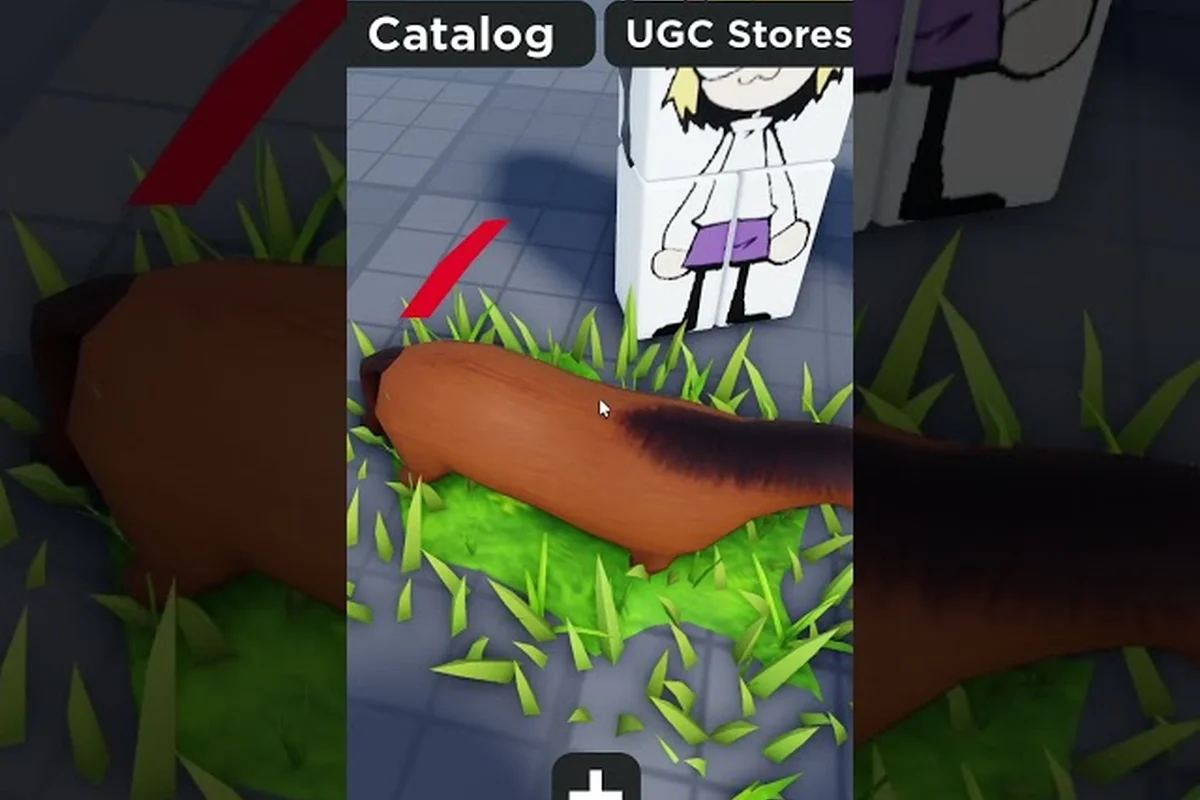
The appeal of Catalog Avatar Creator funny animations goes far beyond making your character walk differently. These packs transform a standard Roblox avatar into a meme machine, a combat-ready fighter, or an anime protagonist with a single equip, which is why knowing which packs deliver the biggest comedic payoff matters before you spend Robux. Get the latest breakdown of meme walks, weapon poses, and hidden animation tricks that most players never discover.
What Makes an Animation Funny in Catalog Avatar Creator
Funny animations in Catalog Avatar Creator work because they break the visual expectations of a normal Roblox avatar. When every other player walks with the default R15 walk cycle, a character shuffling sideways like a crab or sprinting with a Naruto-style arm drag instantly becomes the center of attention in any lobby. The humor comes from contrast, timing, and how well the animation pairs with an absurd outfit or face.
The core animation categories that drive comedic value include pose animations, weapon animations, secret animations, and layered animation combos. Pose animations let you freeze your avatar in exaggerated stances like the "Dab" or "T-pose," which become funnier when paired with oversized accessories from the catalog. Weapon animations add slapstick timing—equipping a banana or laser sword and triggering the swing emote mid-walk produces a janky, physics-defying motion that lands every time in group roleplay. Secret animations, unlocked through specific catalog purchases or hidden button sequences, are the real payoff: they bypass the standard emote wheel and often chain into unexpected transitions, making them the backbone of viral Catalog Avatar Creator funny animations.
-
Meme walks that reference viral dances or exaggerated struts
-
Combat stances that make a cute avatar look absurdly serious
-
Emote poses that freeze your character in awkward or dramatic positions
-
Idle loops that add fidgeting, bouncing, or nervous energy
-
Weapon animations that clash hilariously with oversized or tiny accessories
According to community data from the official Roblox page for the game, the walk animation remains the most visible part of an avatar's movement, followed by run and idle. This means a funny walk pack delivers more comedic value per Robux than a rare idle loop, because other players see it constantly while you move through a server. The try-on system lets you preview the full walk/run/idle cycle in third person before committing, which is essential for judging whether a pack actually looks funny in motion rather than just in the thumbnail.
How Animation Packs Replace Default Movement
Every avatar in Catalog Avatar Creator starts with the same default movement set. When you equip an animation pack, it overrides the walk, run, and idle states with custom keyframes that the pack author designed. Some packs also replace the jump, fall, or swim animations, though these are less common and usually reserved for premium UGC releases.
The preview system matters because a pack can look hilarious in a static screenshot but awkward when blended with the R15 body type. R15 avatars have 15 joints, which gives animation authors more control over limb movement but also creates more opportunities for clipping or unnatural bends. A pack that was authored for R15 will look dramatically different from one ported from an older R6 rig, and community reports suggest that R15-native packs almost always look smoother in motion.
| Animation State | Default Behavior | Funny Pack Replacement | Comedic Impact |
|---|---|---|---|
| Walk | Standard bipedal stride | Crab shuffle, moonwalk, power strut | High (constantly visible) |
| Run | Basic sprint | Anime arm drag, flailing panic run | High (visible during chases) |
| Idle | Static standing | Fidgeting, bouncing, nervous sway | Medium (visible when AFK) |
| Jump | Standard hop | Backflip, belly flop, spin jump | Medium (occasional use) |
| Fall | Straight drop | Flailing limbs, dramatic collapse | Low (rarely triggered) |
The table above shows why experienced players prioritize walk and run packs when hunting for Catalog Avatar Creator funny animations. A crab shuffle walk combined with a panic run creates a character that looks perpetually ridiculous no matter what they are doing, while an idle-only pack gets lost in crowded lobbies.
How to Buy Animation Packs in Catalog Avatar Creator
Learning how to buy animation packs Catalog Avatar Creator requires understanding the in-game catalog interface and the difference between free previews and permanent unlocks. The process is straightforward, but several filters and sorting options can hide the best meme packs if you do not know where to look.
The buying flow works like this: open the in-game Catalog, tap the Animations tab, and filter by Funny or use the search bar to type keywords like "dance," "fall," or "weapon" to surface packs such as the Silly Walk Pack or Combat Fumble Pack. Each pack displays a preview loop before purchase, so you can see exactly how the animation plays on your avatar — including whether it chains into a Catalog Avatar Creator animation combo with an existing idle pose. Once you confirm with Robux, the pack unlocks instantly in your Animation List and can be equipped from the Pose Animations menu without leaving the editor.
-
Open the Catalog menu from the main editor screen
-
Select the Animations category from the left sidebar
-
Use the Sort by dropdown to filter by Newest, Most Popular, or Price
-
Click any pack to open its Try-On preview
-
Watch the full walk, run, and idle cycle in third person
-
Press the Buy button to spend Robux and unlock the pack permanently
The try-on system is the most important step because it covers animations just like it covers clothing and accessories. You can select an animation pack, preview it on your avatar in the editor, and see exactly how the movement looks before spending anything. This makes it easy to compare two packs side by side, which is critical when you are deciding between a meme walk and a combat stance with a limited Robux budget.
Understanding UGC Animation Pack Pricing
UGC animation packs are the newest major catalog category in Catalog Avatar Creator, and their pricing varies significantly based on the author, the number of animations included, and the demand for that specific style. Community reports suggest that basic walk-only packs often sell for 50-150 Robux, while premium bundles that include walk, run, idle, jump, and emote animations can reach 300-500 Robux or more.
| Pack Type | Typical Price Range | Included Animations | Best For |
|---|---|---|---|
| Walk-only meme pack | 50-150 Robux | 1 walk cycle | Budget meme builds |
| Standard movement pack | 100-250 Robux | Walk, run, idle | Everyday funny avatars |
| Premium bundle | 250-500 Robux | Walk, run, idle, jump, emotes | Content creators |
| Combat animation pack | 150-300 Robux | Weapon stances, attack poses | Roleplay and skits |
| Dance and emote pack | 75-200 Robux | Multiple dance loops, poses | Social lobbies |
The Catalog Avatar Creator animation list changes constantly as new UGC creators publish packs, so checking the Newest sort filter regularly is the best way to catch limited releases before they sell out or increase in price. Some creators also release free packs as promotional items, which appear in the catalog with a 0 Robux price tag and can be claimed instantly.
Combining Animations for Maximum Comedy
Catalog Avatar Creator animation combos are where the real creative potential lives. The game lets you mix and match different animation packs across multiple slots, which means your walk can come from one pack while your idle comes from another. This layering system is what separates a basic meme avatar from a genuinely chaotic character that keeps other players guessing.
The key to a good combo is contrast. Pairing a serious combat walk with a goofy bouncing idle creates a character that looks like a soldier who cannot stop fidgeting. Pairing a moonwalk with a panicked run makes your avatar look like they are constantly trying to escape an invisible threat. The humor comes from the mismatch, not from any single animation being funny on its own.
Building a Meme Walk Combo
A strong meme combo starts with the walk animation because it is the most visible — it is the first thing other players see when your avatar enters the frame, and it sets the comedic tone for everything that follows. From there, you layer in complementary run and idle animations that either amplify the joke or create an unexpected contrast. For example, pairing the exaggerated Sneaky Walk from the Ninja Animation Pack with the Zombie Idle creates a “trying to be stealthy but failing miserably” gag that reads instantly in any server. The key is to pick a run animation that matches the walk's energy level; if your walk is fast and frantic, a slow, casual idle will land the punchline harder than another high-energy animation would.
-
The Overconfident Idiot: Confident strut walk + flailing panic run + chest-puff idle
-
The Anime Protagonist: Naruto arm drag run + dramatic hair-flip idle + slow power walk
-
The Nervous Wreck: Shuffling walk + looking-over-shoulder idle + sudden sprint run
-
The Showoff: Moonwalk + spin jump + flexing idle
-
The Chaos Agent: Crab shuffle walk + random dance idle + backwards run
Each combo works because the animations tell a mini story about the character. The Overconfident Idiot looks like someone who talks big but panics the moment anything happens, while the Nervous Wreck looks perpetually paranoid even when standing still. Players who master these combinations report getting significantly more friend requests and lobby interactions than those using a single pack.
Weapon and Pose Animation Layering
Catalog Avatar Creator weapon animations and pose animations add another layer to the comedy system. Weapon animations change how your avatar holds and swings tools or weapons, while pose animations freeze your character in specific positions for screenshots or social moments. When combined with a funny movement pack, these create scenarios that are impossible to take seriously.
The animation slots guide explains how to equip multiple animation types across different slots, but the core principle is simple: weapon animations override the default holding pose, and pose animations trigger on command through the emote wheel. A cute avatar holding a massive sword with a dramatic combat stance while walking with a crab shuffle is peak Catalog Avatar Creator comedy.
Secret Animations and Hidden Gems
Catalog Avatar Creator secret animations are not officially labeled as secrets, but the community has identified several packs that are easy to miss because of poor thumbnails, vague names, or buried catalog positions. These hidden gems often deliver the funniest results precisely because so few players know about them.
The best way to find secret animations is to ignore the Most Popular sort and dig into the Newest and Price: Low to High filters. Many talented UGC creators publish excellent meme packs without marketing them, which means they sit at the bottom of the popularity rankings despite being objectively funnier than top-sellers.
Community-Reported Hidden Favorites
-
The "Lag Walk" pack that mimics a player with terrible ping, complete with stuttering movement and rubber-banding
-
The "NPC Glitch" idle that makes your avatar twitch and reset like a broken non-player character
-
The "Dramatic Faint" emote that collapses your character into a theatrical heap
-
The "Invisible Wall" walk that makes your avatar look like they are pressing against an unseen barrier
-
The "Victory Lap" run that combines a sprint with exaggerated arm pumping
These packs rarely appear in featured sections because their thumbnails do not convey the humor well. The Lag Walk pack, for example, looks unremarkable in a static image but becomes hilarious in motion when your avatar stutters across the lobby. The dance animations guide covers more emote-focused packs if you want to expand beyond movement-based comedy.
Weapon Animations for Combat Comedy
Catalog Avatar Creator weapon animations serve double duty: they make roleplay combat look better and they create absurd visual gags when paired with the wrong accessories. A tiny avatar wielding an oversized claymore with a dramatic two-handed stance is funny because the proportions are wrong. A serious military stance paired with a pool noodle weapon is funny because the context is wrong.
The weapon animation system works by overriding the default holding pose when you equip a compatible tool or weapon. Not all weapons support custom animations, so checking the pack description for compatibility notes is essential before buying. Community reports suggest that sword, gun, and staff animations are the most common, while niche weapons like fishing rods or umbrellas have limited support.
| Weapon Type | Common Animation Styles | Comedic Potential | Compatibility Notes |
|---|---|---|---|
| Sword | Two-hand stance, dramatic draw, anime slash | High (proportion gags) | Most supported type |
| Gun | Tactical aim, gangster hold, clumsy grip | High (context gags) | Works with most gun tools |
| Staff | Wizard pose, martial arts stance, leaning | Medium (roleplay focus) | Limited pack availability |
| Fists | Boxing guard, karate stance, flailing | High (meme potential) | Works with unarmed slots |
| Ranged | Archer draw, sniper scope, slingshot | Medium (situational) | Requires compatible tool |
The clumsy grip gun animation is a community favorite because it makes your avatar look like they have never held a weapon before, which pairs perfectly with a confident walk animation. The contrast between the swagger and the incompetence creates a character that is instantly memorable.
Pairing Weapon Animations with Poses
Catalog Avatar Creator pose animations work best when they are triggered at the right moment. The emote wheel lets you activate poses on command, which means you can freeze your character in a dramatic action pose right before a screenshot or during a roleplay moment. When combined with weapon animations, poses create scenes that look like they belong in a movie poster.
The emote wheel guide explains how to customize your emote slots for quick access, but the core strategy is to assign your funniest poses to the most accessible slots. A victory pose triggered immediately after winning a mini-game, or a defeat pose triggered after losing, adds comedic timing that a passive animation pack cannot deliver.
Frequently Asked Questions
How do I preview funny animations before buying them?
Open the catalog, select any animation pack, and use the Try-On system to preview the full walk, run, and idle cycle on your avatar in third person. This lets you compare multiple packs side by side before spending Robux, which is essential for judging whether a pack actually looks funny in motion.
Can I combine animations from different packs?
Yes, Catalog Avatar Creator animation combos let you mix walk, run, idle, and weapon animations from different packs across multiple slots. The layering system creates unique characters that no single pack can achieve, and the best combos use contrast between serious and goofy animations for maximum comedic effect.
Are there free funny animation packs available?
Some UGC creators release free packs as promotional items with a 0 Robux price tag. Check the catalog's Price: Low to High sort filter regularly to catch these limited releases, because free packs often disappear quickly or convert to paid items after the promotion ends.
What are the funniest weapon animations in Catalog Avatar Creator?
The clumsy grip gun animation and the dramatic two-hand sword stance are community favorites because they create proportion and context gags. Pairing a serious combat stance with an oversized weapon or a pool noodle creates instant comedy that movement packs alone cannot deliver.
How do I find secret animations that most players miss?
Skip the Most Popular sort and check Newest plus Price: Low to High filters. Talented UGC creators publish meme packs without marketing, so they sit buried in the catalog despite being funnier than top-sellers. Also preview packs in the editor before buying to catch hidden gems.