
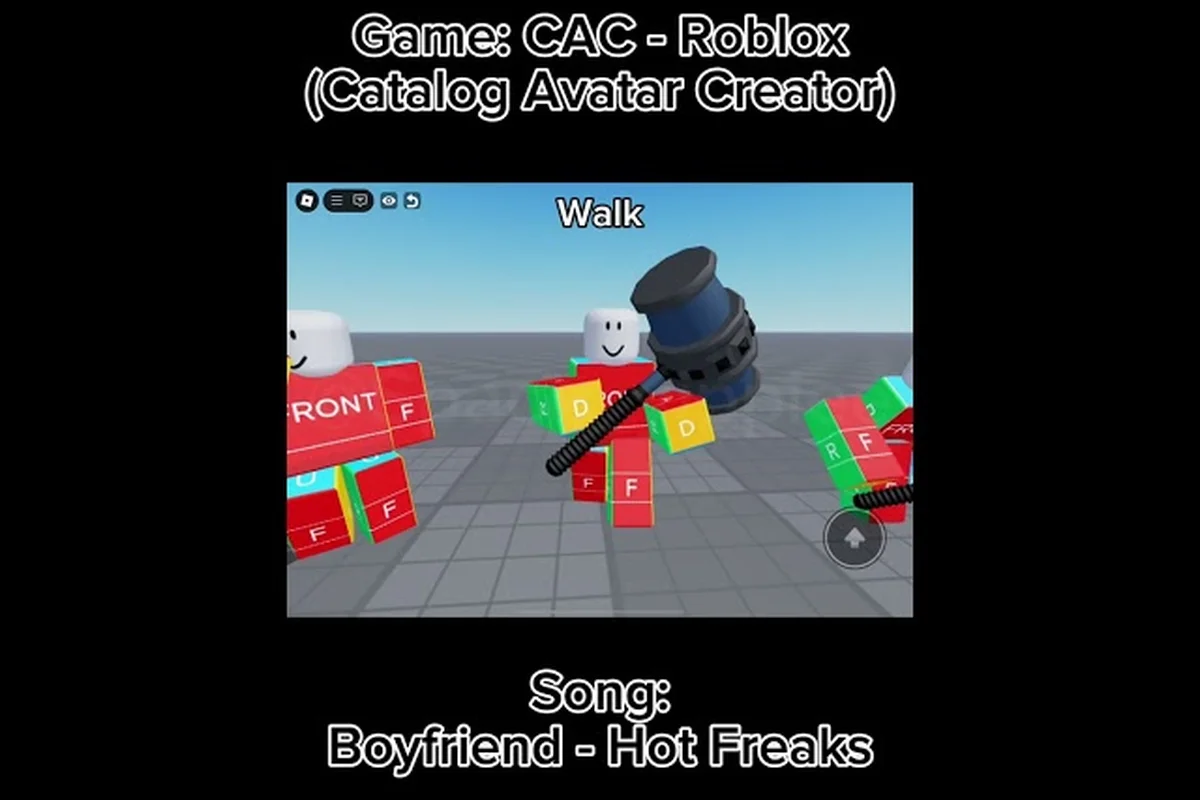
The Catalog Avatar Creator animation pack 2026 lineup has completely reshaped how players customize movement, and staying on top of the newest UGC drops means the difference between blending in and owning every lobby you walk into. Each bundle packages a walk, run, and idle animation into one equippable item, letting you preview the full move cycle before spending Robux. Whether you are hunting for a confident stride, an anime-style dash, or something that makes your avatar look like it just stepped out of a meme, this guide tracks the freshest releases and shows you exactly how to find, preview, and equip them.
What Defines the Catalog Avatar Creator Animation Pack 2026 Lineup
The animation pack 2026 wave introduced a major shift in how UGC creators structure their bundles. Instead of selling individual animations, most creators now release complete movement sets that replace your default walk, run, and idle all at once. This approach saves you Robux compared to buying each animation separately, and it guarantees that your avatar's movement feels cohesive rather than mismatched.
According to the official Catalog Avatar Creator game page on Roblox, UGC animation packs are the newest major catalog category, with each pack bundling a walk, run, and idle animation into one equippable item. Some premium packs even include extra emotes or special transition animations between movement states, which adds significant value for collectors who want the complete package.
Why Bundles Beat Single Animations
The math is simple when you compare pricing models. Individual animations typically cost between 50 and 150 Robux each, while a full animation pack 2026 release usually lands between 150 and 400 Robux. Buying a bundle saves you anywhere from 20 to 50 percent compared to piecing together the same animations separately, and that is before you factor in the exclusive animations that only appear inside packs.
UGC animation bundles also solve a practical problem: animation compatibility. When you mix animations from different creators, the transitions between walk, run, and idle can look jarring because each creator uses different timing and easing curves. Packs from a single creator use consistent animation curves, which means your avatar moves smoothly whether you are strolling through the hub or sprinting across a obby.
What Makes the 2026 Drops Different
The 2026 catalog wave introduced several technical improvements that set it apart from earlier releases. Creators now have access to better motion capture tools and more flexible rigging options, which translates to noticeably smoother movement cycles. Community reports suggest that the newest packs feature more expressive idle animations, with subtle breathing and weight shifts that make avatars feel alive even when standing still.
Another trend in the Catalog Avatar Creator animation pack 2026 scene is theme-based bundles. Instead of generic walks, creators are releasing packs built around specific aesthetics: cyberpunk struts, fantasy rogue sneaks, athletic power walks, and even cartoonish bounces. This thematic approach makes it easier to match your animation to your avatar's outfit and overall vibe.
How to Find Animations in Catalog Avatar Creator
Finding the right animation pack 2026 release requires knowing where to look inside the game and how to filter through the thousands of available options. The in-game catalog has a dedicated animations section, but navigating it efficiently takes a bit of practice.
Using the In-Game Catalog Filters
The animation tab sits alongside clothing, accessories, and body parts in the main catalog interface. You can filter by price range, sort by newest, and browse by popularity to surface trending packs. For the freshest drops, sort by "Newest" and check back every few days, since top creators release packs frequently and the algorithm does not always surface new items immediately.
| Filter Option | What It Does | Best Use Case |
|---|---|---|
| Newest | Sorts by release date | Finding fresh animation pack 2026 drops |
| Most Popular | Sorts by purchase count | Discovering community favorites |
| Price Range | Filters by Robux cost | Budget hunting for cheap bundles |
| Creator Name | Searches specific UGC makers | Following your favorite animation creators |
| Animation Type | Filters walk/run/idle/dance | Finding specific movement categories |
Community Hubs and Discord
The official Catalog Avatar Creator Discord remains one of the best resources for discovering new animation packs before they trend. Community members share their favorite animation IDs directly in dedicated channels, and creators often announce upcoming releases with preview videos. According to community reports, the Discord's animation showcase channel gets updated daily with new finds, making it an essential stop for collectors who want to stay ahead of the curve.
For a more practical walkthrough, the animation packs guide breaks down how to evaluate bundle quality before you spend Robux — a critical step given that many Catalog Avatar Creator animation pack 2026 listings mix high-quality meme animations with filler poses to inflate their price. The guide explains how to spot red flags like reused animation IDs from older packs, cross-check the preview thumbnails against actual in-game playback, and prioritize bundles that clearly list their Catalog Avatar Creator animation IDs so you can verify rarity and demand on the marketplace before committing your currency.
Reading Animation IDs
Every animation in Catalog Avatar Creator has a unique animation ID that identifies it in the catalog. These IDs appear as long numeric strings, and you can use them to search for specific animations directly or share them with friends. When you find an animation you like in a showcase video or a Discord post, copy the ID and paste it into the catalog search bar to jump straight to that item.
Previewing Animations Before You Buy
The animation preview system is one of the most valuable features in Catalog Avatar Creator, and it is surprisingly underused by new players. Before spending Robux on any animation pack 2026 release, you should always preview it on your actual avatar to check how it looks with your chosen body type and proportions.
How the Preview System Works
When you click on any animation in the catalog, the game loads a preview that shows your avatar performing the full movement cycle. You can toggle between walk, run, and idle states to see each animation individually, and some packs even let you preview emotes and special transitions. The preview uses your current avatar setup, so you can see exactly how the animation looks with your body proportions, clothing, and accessories.
| Preview Feature | What It Shows | Why It Matters |
|---|---|---|
| Walk Cycle | Your avatar's walking animation | Most visible movement state |
| Run Cycle | Your avatar's running animation | Important for gameplay and screenshots |
| Idle Pose | Standing animation | Shows personality when AFK |
| Emote Preview | Special animations | Extra value in premium packs |
| Transition Test | Walk-to-run switch | Checks animation smoothness |
Why Preview Matters for R15 Bodies
The R15 body type handles animations differently than the older R6 rig, and some animation packs that look great on one body type look awkward on the other. Since R15 has more joints and a more articulated skeleton, animations designed for it tend to have more fluid motion, but poorly optimized packs can look stiff or glitchy. Always preview on your actual body type before buying, and pay special attention to how the animation handles the transition between walk and run states.
The emote wheel guide covers additional ways to preview and equip animations, including how to set up quick-access emotes for social situations. For the Catalog Avatar Creator animation pack 2026, this is especially useful when testing meme animations or dance pack entries before committing to a loadout—since many of the pack's 50+ animation IDs share similar preview thumbnails, the emote wheel lets you cycle through them in-game without repeatedly opening the catalog menu. It also provides a faster route to assign your favorite UGC bundle animations to the F1–F5 slots, so you can switch between a dance move and a meme reaction mid-session without breaking roleplay immersion.
Top Animation Pack 2026 Categories and Trends
The animation pack 2026 catalog spans several distinct categories, each appealing to different player preferences, from high-energy dance packs built for rhythm games to subtle idle loops designed for roleplay avatars. Understanding these categories helps you narrow down your search and find packs that match your personal style, but knowing the underlying ID structure is just as critical—dance packs typically cluster within the 120–145 million ID range, while meme animations and UGC bundles sit in separate, higher-numbered blocks. Because Catalog Avatar Creator's preview system only renders a thumbnail until you equip an ID, players who skip category filtering often waste hours testing incompatible animations; learning which category maps to your intended use case—such as pairing a walk-cycle pack with a combat stance bundle—cuts that trial-and-error time in half and ensures your avatar's movements stay consistent across emotes.
Dance Packs and Social Animations
Dance packs remain one of the most popular animation categories in Catalog Avatar Creator, especially for players who spend time socializing in the hub or hosting avatar showcases. The 2026 wave introduced several new dance styles, including updated choreography for popular trends and original routines from top UGC creators. These packs typically include multiple dance moves that you can trigger through the emote wheel, giving you a full repertoire for any social situation.
Meme Animations and Comedy Packs
Meme animations have exploded in popularity over the past year, with creators turning internet-famous movements into equippable avatar animations. The 2026 catalog includes everything from exaggerated cartoon falls to absurdly confident struts inspired by viral videos. These packs are perfect for players who want to inject humor into their avatar's movement, and they often become conversation starters in public servers.
| Pack Category | Typical Price Range | Best For | 2026 Highlights |
|---|---|---|---|
| Dance Packs | 150-350 Robux | Social players | New choreography trends |
| Meme Animations | 75-200 Robux | Comedy-focused players | Viral movement references |
| Anime-Style Packs | 200-400 Robux | Anime fans | Dash animations, dramatic poses |
| Realistic Packs | 150-300 Robux | Immersion seekers | Natural movement physics |
| Themed Bundles | 250-500 Robux | Collectors | Full aesthetic packages |
Anime-Style and Fantasy Movement
Anime-inspired animation packs continue to dominate the premium tier of the 2026 catalog. These packs feature dramatic running poses, floating idle animations, and exaggerated attack-ready stances that make your avatar feel like it stepped out of a shonen series. The best anime packs use the R15 rig to full effect, with flowing motion that captures the dynamic energy of anime movement.
Building the Perfect Animation Loadout
Building a cohesive animation loadout in 2026 means treating the Catalog Avatar Creator animation pack as your foundation, not your final answer. The strongest avatar presets blend a base idle from one pack with signature gestures and walk cycles pulled from separate UGC animation bundles, layering them so each movement reads as intentional rather than recycled. For example, pairing a neutral standing pose from the 2026 core pack with a custom walk animation from a community-sourced bundle and a dance pack's transition frames creates a movement profile that feels bespoke. The key is matching motion energy to your avatar's visual theme—a sleek, futuristic outfit demands sharp, minimal animations, while a chaotic meme avatar thrives on exaggerated, high-frequency gestures. Testing each combination in the animation preview window before committing to IDs saves you from the jarring mismatch of a realistic idle suddenly breaking into a cartoonish sprint.
Mixing Packs and Single Animations
While animation packs 2026 offer excellent value, you can achieve even more customization by mixing individual animations from different sources. The key is maintaining visual consistency between your walk, run, and idle animations. If your walk is a confident strut but your idle is a nervous fidget, the mismatch will look odd. Aim for animations that share similar energy levels and motion quality.
The dance animations guide offers additional tips on combining social animations with your movement set, including how to set up emote wheels that complement your walk and run cycles. For Catalog Avatar Creator animation pack 2026 users, this matters because the pack’s 12 dance slots and 8 meme animations share the same emote wheel allocation as your locomotion IDs—so assigning a walk cycle to slot 3 will overwrite any social animation you placed there. To avoid this collision, map your dance pack’s signature moves (like the "Griddy" or "Floss" variants) to slots 7–12, leaving 1–6 reserved for UGC bundle gestures, and test the overlap in the animation preview tab before finalizing your avatar loadout.
Matching Animations to Body Proportions
Your avatar's body proportions significantly affect how animations look in practice. Players with extreme height settings or unusual body sliders often find that animations designed for standard proportions look distorted on their avatar. The preview system helps here, but you should also experiment with different animation styles to find what works with your specific build. The head shapes guide covers how body proportions interact with accessories and animations, which is useful when planning a complete avatar redesign.
Seasonal and Limited Releases
Some of the most sought-after animation pack 2026 releases are limited-time drops that disappear from the catalog after a specific period. Creators often tie these releases to holidays, game updates, or community events, and they rarely return once removed. If you see a limited animation pack that fits your style, the community consensus is to grab it immediately rather than risk missing out.
Frequently Asked Questions
What is the best way to find new Catalog Avatar Creator animation pack 2026 releases?
Sort the in-game animation catalog by "Newest" and check the official Discord server for creator announcements. Community members frequently share fresh animation IDs in dedicated showcase channels, often before they appear in the main catalog. Checking both sources weekly ensures you catch new drops early.
How do I preview an animation before buying it?
Click on any animation in the catalog to load the preview system, which shows your avatar performing the walk, run, and idle cycles. Toggle between movement states to check each animation individually, and pay special attention to how transitions look on your specific body type and proportions.
Can I mix animations from different packs?
Yes, you can equip individual walk, run, and idle animations from different sources. The key is maintaining visual consistency between states, since mismatched energy levels or motion quality will look jarring. Preview combinations before purchasing to ensure they work together.
Are meme animations worth buying?
Meme animations are excellent value if you enjoy comedic expression in your avatar's movement. They are typically cheaper than full animation packs and serve as great conversation starters in public servers. Just ensure the meme style matches your avatar's overall aesthetic before committing Robux.
What should I check before buying an animation pack?
Always preview the full walk, run, and idle cycle on your R15 avatar in-game before buying, since packs replace all three defaults. Check the creator’s reputation for animation quality, and for premium packs, confirm whether extra emotes or transitions are bundled—those add significant value to the 2026 lineup.