
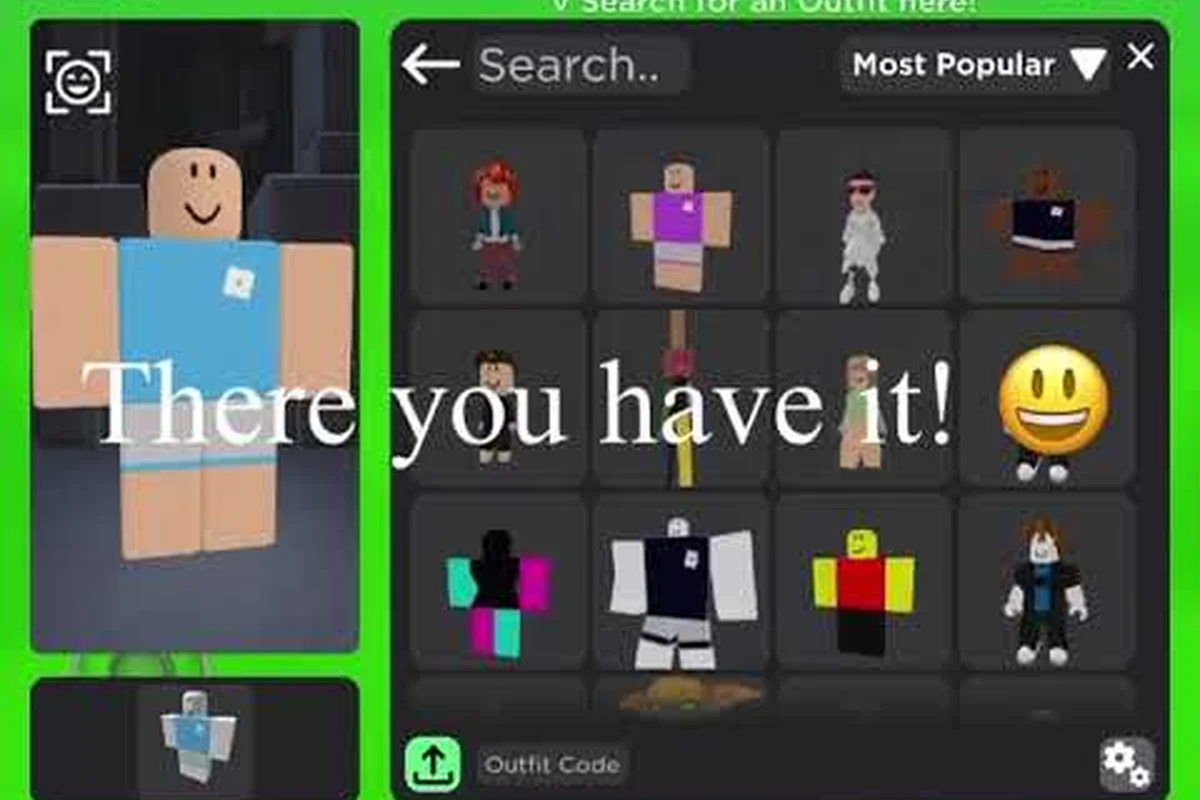
Scoring a full wardrobe without spending a single Robux is easier than most players think, and the Catalog Avatar Creator 0 robux items filter makes it a one-click process. The in-game catalog mirrors the official Roblox marketplace, which means thousands of classic faces, shirts, pants, and promotional pieces are completely free to claim and sync straight to your inventory. Whether you are rebuilding a fresh avatar after a reset or hunting for overlooked gems, this guide walks you through the exact filters, sorting tricks, and community-approved finds that keep your look fresh in 2026.
Why the 0 Robux Filter Changes Everything
| Free Item Category | Examples in Catalog | Price (Robux) | Try-On Available | Syncs to Inventory |
|---|---|---|---|---|
| Classic Faces | All classic faces | 0 | Yes | Yes |
| Classic Shirts & Pants | Many classic shirts and pants | 0 | Yes | Yes |
| Promotional Items | Promotional items | 0 | Yes | Yes |
| Discovery Method | Description | Speed of Finding New Free Items |
|---|---|---|
| Popular Items | Most worn items | Medium |
| Trending Items | Rising try-on counts | High |
| New Items | Recent drops | Very High |
| Following Creators | Check creator updates | High |
| Update Log | Check recent additions | Very High |
| Community Outfit Feed | 50M+ outfit feed | Medium |
The price filter is the single most powerful tool for budget builders because it strips away the noise of paid cosmetics and reveals the full free catalog underneath. According to the official game description on Catalog Avatar Creator's Roblox page, thousands of catalog items are completely free, including all classic faces, many classic shirts and pants, and promotional items. That is not a small handful of starter gear — it is a deep library that spans decades of Roblox history, and most of it never rotates out.
What makes this especially valuable is how the free items behave exactly like paid ones. They follow the same try-on rules, the same inventory-sync mechanics, and they work in every game that supports your avatar. That means a free classic face you claim today will still be on your character tomorrow, next week, and next year, which is something many limited-time promo items cannot guarantee.
How to Set Up the Filter in Seconds
Setting up the filter takes less than ten seconds once you know where to look. Open the in-game catalog, locate the price range dropdown, and set both the minimum and maximum values to zero. The catalog will immediately refresh to show only items that cost nothing, and you can then layer additional filters for item type, rarity, or sort order.
-
Open the catalog menu from the main hub.
-
Select the price range dropdown and enter 0 for both min and max.
-
Choose an item type like hats, faces, or shirts to narrow the list.
-
Toggle the sort by newest option to see recent free drops first.
-
Try on anything that catches your eye before committing to a purchase.
The same filter works across every category, so you can build an entire outfit — head to toe — without ever touching the Robux balance. This is the fastest route to a complete look, and it is also the best way to discover items you would never find through the trending tab alone.
What Counts as a Free Item
Free items fall into a few distinct buckets, and knowing the difference helps you prioritize what to claim first. Classic faces are the most famous category because they include the iconic smile, the chill face, and dozens of other expressions that have been free since the early days of Roblox. Classic shirts and pants make up another large chunk, offering simple but versatile clothing that layers well with modern accessories.
Promotional items are the third bucket, and these are often the most exciting because they come from events, collaborations, or milestone celebrations. Some of these are genuinely rare because they were only distributed during a specific window, yet they still show up in the 0 Robux filter. The catch is that availability can change, so grabbing them when you see them is always the safer play.
Sorting and Searching for Hidden Gems
| Filter / Sort Option | Function | Example Use Case |
|---|---|---|
| Price Range | Filter by price, including 0-Robux | Show only free items for a budget build |
| Item Type | Filter by hat, hair, face, shirt, pants, bundle, animation pack | Find only free hats |
| Rarity | Filter by rarity level | Locate rare free items |
| Sort by Newest | Show recent drops | Find fresh free items quickly |
| Sort by Trending | Show rising try-on counts | Discover popular free items |
| Sort by Price | Sort by price value | See cheapest items first |
The default catalog view shows popular items, which is helpful but also means you are looking at the same faces and shirts that everyone else wears. To find hidden gems, you need to switch your sort order and combine it with targeted searches. The sort by newest option is your best friend here because it surfaces recent drops that have not yet accumulated massive wear counts.
Trending is another useful sort because it shows items with rising try-on counts, which often signals that a new outfit combo is spreading through the community. If you want something truly unique, though, the search bar is where the magic happens. Typing in specific keywords like "black," "steampunk," or "cyber" can surface free items that match a theme you are building, even when they are buried deep in the catalog.
Using the Newest Sort for Fresh Drops
The newest sort is particularly valuable in 2026 because the catalog updates regularly with new additions. When you switch to this view, you are seeing the most recent items added to the free pool, which means you can claim them before they become widely known. This is how players end up with outfits that feel ahead of the curve, because they grabbed a piece on day one rather than waiting for it to trend.
-
Switch to sort by newest and scroll through the first few pages.
-
Note the item names and try them on to see how they layer.
-
Check the item value indicator to see if the piece has any rarity weight.
-
Claim anything that fits your aesthetic, even if you are not sure when you will wear it.
-
Revisit the newest sort every few days to catch fresh additions.
The same logic applies to the trending sort, although the intent is different. Trending items are popular right now, which means they are easier to match with other players' outfits, but they also give you a read on what the community is currently excited about.
Searching by Theme and Style
Searching by theme is the most underrated strategy for free item hunting because it turns a massive catalog into a curated selection. If you type "knight," you get armor pieces and helmets that fit a medieval look. If you type "neon," you get glowing accessories that pop in dark games. The search bar respects partial matches, so you can use single words or short phrases to narrow the field.
This approach works especially well when you pair it with the 0 Robux filter, because you are only seeing free items that match your theme. You can then sort those results by newest or trending to prioritize the freshest or most popular pieces. Community reports suggest that players who build outfits this way end up with more cohesive looks than those who just browse the popular tab, because the search forces intentionality.
Understanding Item Value and Rarity
Item value is a concept that confuses many new players because it does not always correlate with price. A free item can still be valuable in the sense that it is rare, sought after, or historically significant, even though it costs zero Robux. The item value indicator in the catalog gives you a sense of this, and learning to read it helps you make smarter claims.
Rare items in the free pool are usually promotional pieces or items that were only available for a limited time. They might not cost anything, but their scarcity gives them a different kind of worth. Some players collect these specifically because they represent a piece of Roblox history, and wearing them signals that you have been around long enough to know the game's roots.
How to Spot Rare Free Items
Spotting rare free items requires a mix of catalog knowledge and community awareness. The rarity filter in the catalog is the most direct tool, because it lets you sort by rarity level and see which free items are classified as rare or legendary. You can also check the item's page for a release date, which tells you how long ago it was added.
-
Use the rarity filter to isolate rare and legendary free items.
-
Check the release date to gauge how old the item is.
-
Look at the wear count — low wear on an old item suggests scarcity.
-
Cross-reference with community posts to see if the item is discussed as rare.
-
Claim rare items immediately, because free pools can change without warning.
Community data suggests that the rarest free items are often the oldest promotional pieces, because they were distributed before the game's player base exploded. That means fewer players had the chance to claim them, which drives up their perceived value even though they remain free.
The Difference Between Value and Price
Understanding the difference between value and price is essential for anyone serious about building a collection. Price is simply what the catalog charges, which is zero for the items in this guide. Value is a more subjective measure that accounts for rarity, demand, and historical significance. A free classic face might have low monetary value but high sentimental value for players who grew up with it.
The practical takeaway is that you should not ignore free items just because they cost nothing. Some of the most coveted pieces in the game are free, and the players who know this are the ones with the most impressive collections. The item value indicator is your guide here, but your own taste matters just as much as any number.
Limiteds and Featured Items You Can Still Get
Limited items are the crown jewels of any avatar collection, and the good news is that some of them are accessible through the free catalog. The how to buy limiteds Catalog Avatar Creator question comes up constantly, and the answer depends on whether the limited is still in rotation. Some limiteds are sold for Robux, but others were distributed as free promotional items and remain claimable.
The catalog also features a featured items section that rotates regularly, and this is worth checking because it sometimes includes free pieces. Featured items are typically chosen for their popularity or visual appeal, so they tend to be high-quality additions to any outfit. Even if you already have a full wardrobe, checking the featured section keeps you informed about what the game is currently highlighting. Featured items are typically chosen for their popularity or visual appeal, so they tend to be high-quality additions to any outfit. Even if you already have a full wardrobe, checking the featured section keeps you informed about what the game is currently highlighting, though it’s worth remembering that these selections don’t always reflect the highest tiers of power—to understand how these pieces stack up against the rarest drops, see our breakdown of Item Rarity.
Which Limiteds Are Actually Free
Not all limiteds are free, but the ones that are tend to be older promotional pieces that were never assigned a Robux price. These are the items that players hunt for, because they combine the prestige of a limited with the accessibility of a zero-cost claim. The rarity filter helps you find them, and the search bar lets you target specific names if you know what you are looking for.
-
Filter by limited in the item type dropdown.
-
Combine with the 0 Robux price range to isolate free limiteds.
-
Sort by newest to see if any recent drops qualify.
-
Check the item page for distribution details and release history.
-
Act fast — free limiteds can be removed from the catalog without notice.
Player reports indicate that the free limited pool is small but consistent, with a handful of pieces that have been available for years. These are the items that veteran players recommend to newcomers, because they offer instant collection value without any spending.
How Featured Items Rotate
The featured items section rotates on a schedule, and while the exact timing is not publicly documented, community observations suggest it changes regularly. When a new batch of featured items appears, it is worth scanning the list for free pieces because the curation team tends to mix in accessible options alongside premium ones.
The rotation also gives you a reason to revisit the catalog even if you are not looking for anything specific. Checking the featured section takes less than a minute, and it keeps you aware of what the game is currently promoting. Over time, this habit builds a mental map of the catalog that makes future searches faster and more effective.
Building Complete Free Outfits
Building a complete outfit from free items is not just possible — it is one of the most satisfying projects in the game. The key is to approach it systematically, starting with the base layers and working up to the accessories. This prevents the common problem of claiming random pieces that never quite fit together.
Start with a face, because it sets the tone for the entire avatar. Then add hair or a hat, followed by a shirt and pants. Finish with accessories like glasses, neckwear, or back items. The 0 Robux filter ensures every piece in this pipeline costs nothing, and the try-on feature lets you preview the full look before you commit.
A Step-by-Step Free Outfit Pipeline
The pipeline below works for any aesthetic, whether you are going for casual, formal, fantasy, or futuristic. Each step builds on the previous one, and the try-on feature lets you iterate until the look feels right.
-
Choose a face that matches the mood — classic smiles for friendly looks, cooler expressions for edgier styles.
-
Add hair or a hat — this frames the face and gives the avatar its silhouette.
-
Pick a shirt that fits the theme — solid colors are versatile, while patterns make a statement.
-
Select pants that coordinate with the shirt — matching colors or complementary tones work best.
-
Layer accessories — glasses, scarves, and back items add personality.
-
Preview the full outfit with try-on and adjust any piece that feels off.
This approach works because it treats the avatar as a cohesive whole rather than a random collection of items. The result is a look that feels intentional, which is exactly what makes free outfits stand out from the crowd.
Matching Accessories to Your Base
Accessories are where free outfits really shine, because they are the easiest way to add personality without changing the base silhouette. The trick is to match accessories to the colors and themes of your base layers. If your shirt is black and red, look for accessories that pick up those colors rather than introducing a clashing palette.
The search bar is your best tool here, because you can type in colors or styles and see what the free catalog offers. Searching for "black glasses" or "red scarf" surfaces options that fit your existing base, and the try-on feature confirms whether they work before you claim them. This methodical approach produces outfits that look put-together, even when every piece costs zero Robux.
Frequently Asked Questions
How do I find Catalog Avatar Creator 0 robux items quickly?
Open the in-game catalog and set the price range filter to 0 for both minimum and maximum values. This instantly hides all paid items and shows only the free pool. You can then layer additional filters for item type, rarity, or sort order to narrow the results further and find exactly what you need.
Are free items in Catalog Avatar Creator permanent?
Yes, free items sync permanently to your Roblox inventory once claimed, just like paid items. They remain available across all games that support your avatar and do not expire. The only exception is promotional items that may be removed from the catalog, but anything you already claimed stays in your inventory permanently.
What are the rarest free items in the catalog?
The rarest free items are typically older promotional pieces distributed before the player base grew large, which means fewer players had the chance to claim them. Use the rarity filter combined with the 0 Robux price range to isolate these items. Low wear counts on older pieces are a strong indicator of scarcity.
Can I get limited items without spending Robux?
Some limited items were distributed as free promotional pieces and remain claimable through the 0 Robux filter. Filter by limited in the item type dropdown and combine it with the zero price range to see what is available. These free limiteds are rare, so claim them immediately when you spot them.
How often does the featured items section update?
The featured items section rotates on a schedule that is not publicly documented, but community observations suggest it changes regularly. Checking it every few days is a good habit because it sometimes includes free pieces alongside premium ones. The rotation keeps the catalog fresh and gives you a reason to revisit.