
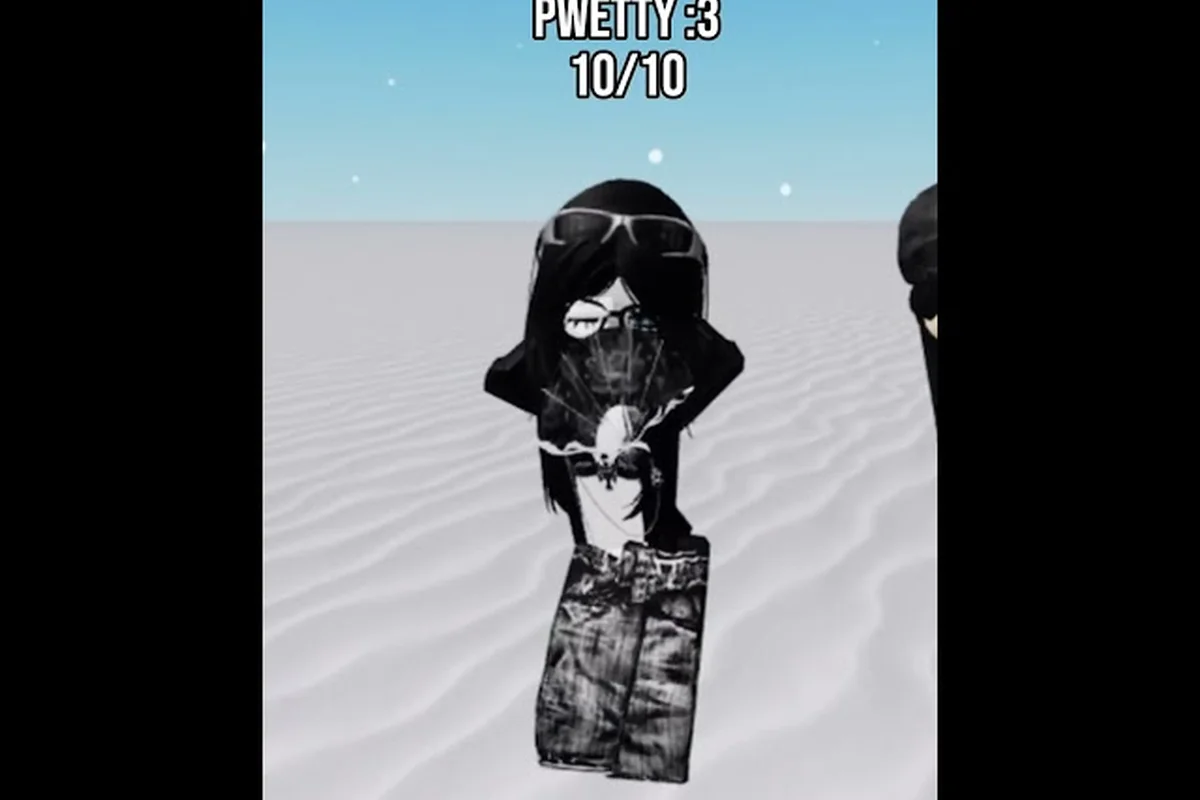
Finding the best clothing in Catalog Avatar Creator comes down to understanding how the editor layers classic textures with modern UGC pieces, and that knowledge separates a generic avatar from one that actually turns heads in the lobby. The catalog pulls from both Roblox classic clothing and creator-made UGC items, which means you have thousands of options for shirts, pants, layered jackets, and shoes — but only a fraction of them fit together well. This guide breaks down the top-performing pieces by category, explains how the layering system works, and gives you a repeatable process for building complete outfits without wasting Robux on items you will never wear again.
Best Shirts in Catalog Avatar Creator
Shirts form the visual anchor of any outfit, and the best shirts in Catalog Avatar Creator balance bold graphic placement with colors that do not clash with whatever layered clothing you plan to add on top. Classic shirts use the traditional flat texture style that renders directly onto the torso, while UGC shirts offer higher-resolution artwork and more detailed folds. According to the official Catalog Avatar Creator page on Roblox, shirts and pants are the core clothing slots available in every color, pattern, and fit, so your choice here determines how the rest of the outfit reads.
Classic Shirts vs. UGC Shirts
The distinction between classic and UGC shirts matters more than most players realize, because it changes how the shirt interacts with layered clothing. Classic shirts are flat textures that sit directly on the body mesh, which makes them ideal as a base layer under jackets and hoodies. UGC shirts, on the other hand, often have their own 3D geometry and can clip awkwardly when combined with certain layered pieces. Community reports from the Catalog Avatar Creator Discord suggest that classic shirts remain the safest choice for layering, while UGC graphic tees shine when worn standalone.
| Shirt Type | Best For | Layering Compatibility | Price Range |
|---|---|---|---|
| Classic Solid Color | Base layers, formal fits | Excellent under any jacket | 5-50 Robux |
| Classic Graphic Tee | Casual streetwear looks | Good under open hoodies | 5-50 Robux |
| UGC Graphic Tee | Standalone statement pieces | Poor with closed jackets | 50-200+ Robux |
| UGC Oversized Tee | Streetwear, kawaii styles | Fair with cropped jackets | 50-200+ Robux |
Top Shirt Picks by Style
When you are hunting for the best shirts in Catalog Avatar Creator, start with these community favorites that consistently appear in outfit showcases: the Classic Tee and Urban Hoodie dominate most style boards because they layer cleanly under jackets without clipping, a critical factor since the game's physics engine treats every layer as a separate collision mesh. For example, pairing the Varsity Jacket over the Classic Tee preserves the shirt's full texture visibility, whereas bulkier tops like the Puffer Vest often obscure chest decals entirely, forcing players to rely on the Inspect tool to verify the fit before purchasing. These picks also hold resale value in the Marketplace, making them safer investments when you are experimenting with layered clothing setups.
-
Solid black classic shirt — the backbone of emo, goth, and minimalist outfits because it pairs with virtually any pant color and layered jacket without visual conflict.
-
Pastel gradient UGC tee — a staple in kawaii and soft aesthetic builds, often paired with white pants and pastel sneakers for a cohesive pastel silhouette.
-
Oversized streetwear graphic tee — typically features bold logos or anime-inspired prints, and players report that it works best when worn without a jacket to let the graphic breathe.
-
Formal button-up classic shirt — essential for tuxedo and business looks, and it tucks cleanly under suit jackets without the bulk that UGC tops introduce.
The key insight is that your shirt choice should be driven by what you plan to wear on top of it. If you are building a layered outfit, a simple classic shirt gives you the most flexibility. If you want a standalone statement piece, a UGC graphic tee delivers more visual impact. For a deeper breakdown of how these pieces fit into different price brackets, check the clothing prices guide which covers value comparisons across the catalog.
Best Pants in Catalog Avatar Creator
Pants anchor the lower half of your avatar and determine whether your silhouette looks intentional or thrown together. The best pants in Catalog Avatar Creator range from slim-fit classics that work with almost anything to statement pieces like cargo pants and skirts that define a specific style theme. Because pants occupy a large visual area, color coordination with your shirt matters more than most players expect — a mismatched pant color can ruin an otherwise solid outfit.
Pant Styles and Their Use Cases
Each pant style serves a different aesthetic purpose, and knowing which one fits your target look saves you from buying pieces you will never use. The catalog organizes pants by fit and style, and community style themes from the Discord server show clear patterns in how players combine them:
| Pant Style | Best Matches | Style Theme | Community Rating |
|---|---|---|---|
| Slim Classic Pants | Any shirt, tucked or untucked | Universal, formal | ★★★★★ |
| Baggy Cargo Pants | Oversized tees, hoodies | Streetwear | ★★★★☆ |
| Pastel Skirts | Crop tops, pastel shirts | Kawaii | ★★★★☆ |
| Ripped Jeans | Graphic tees, leather jackets | Emo, grunge | ★★★★☆ |
| Formal Dress Pants | Button-ups, suit jackets | Business, formal | ★★★★★ |
Building the Lower Half
When you are selecting the best pants in Catalog Avatar Creator, consider how the pant silhouette interacts with your shoe choice. Baggy pants visually swallow sneakers, so they work best with chunky shoes that add visual weight at the ankle. Slim pants, by contrast, create a clean line down to any shoe style, which is why they dominate formal and minimalist builds.
-
Slim black pants are the single most versatile lower-half piece because they read as both casual and formal depending on what you pair them with.
-
Cargo pants add texture and pockets that break up the visual monotony of a plain shirt, but they demand a streetwear or military-inspired top half.
-
Skirts offer a completely different silhouette and are the foundation of kawaii and soft styles, typically paired with thigh-high socks or pastel sneakers.
-
Ripped jeans bring an edge that suits emo and grunge themes, especially when combined with dark layered jackets and chunky boots.
The practical takeaway is that your pants should either match your shirt color for a monochrome look or contrast it deliberately for a two-tone outfit. Random color combinations rarely work, and players who plan their pant color around their shirt report far fewer outfit failures. If you are still exploring which items fit your style, the classic clothing guide covers free and budget-friendly options that pair well with these pant styles.
Layered Clothing and How to Wear It
Layered clothing is where Catalog Avatar Creator separates itself from simpler avatar editors, because jackets, sweaters, coats, and hoodies render over the body and can be worn with shirts and pants underneath. Understanding how to wear layered clothing in Catalog Avatar Creator unlocks a second dimension of outfit customization that classic clothing alone cannot provide. The official game description confirms that layered clothing renders over the body like jackets and sweaters, and you can mix classic shirts under layered hoodies as a common combo.
The Layering System Explained
The layering system works by stacking clothing slots, with layered pieces rendering on top of your base shirt and pants. This means your base layer choice directly affects how the layered piece looks — a busy graphic tee under a closed jacket creates visual noise, while a solid classic shirt under the same jacket looks clean. Community testing shows that closed jackets hide your shirt entirely, so the shirt only matters for the collar and sleeves that peek out, while open hoodies and jackets reveal the full shirt design and demand more careful coordination.
Layered Clothing Combinations That Work
Players have developed reliable formulas for layered outfits, and these combinations consistently appear in community showcases: the "techwear stack" pairs a cropped jacket over a longline tee with cargo pants to create visual depth, while the "formal-casual hybrid" layers a fitted blazer over a graphic hoodie—a trick that works because the game's physics engine treats each layer as a separate mesh, so contrasting textures (denim over nylon, cotton under leather) prevent clipping and read as intentional design rather than accidental overlap.
-
Classic shirt + open hoodie — the most popular combo because the hoodie adds streetwear volume while the shirt provides a contrasting color at the chest and sleeves.
-
Classic shirt + closed bomber jacket — a clean, sporty look where the shirt only appears at the collar, making color matching simple.
-
Graphic tee + cropped jacket — the cropped cut reveals the lower half of the graphic, creating a deliberate two-tone effect that works well in streetwear builds.
-
Long-sleeve classic shirt + vest — a layering trick that adds depth without the bulk of a full jacket, popular in formal and business outfits.
Avoiding Layering Mistakes
The most common layering mistake is combining a busy UGC shirt with a busy layered jacket, which creates visual chaos that reads as sloppy. Another frequent error is ignoring clipping — some UGC shirts have 3D geometry that pokes through open jackets, and players report that previewing the full outfit before buying is the only reliable way to catch this. The editor allows you to preview items for free before purchasing, which the official page highlights as a core feature, so always test the complete combination rather than buying pieces blind.
The preview-first rule is the single most important habit for layered outfits, because it catches clipping and color conflicts before you spend Robux. When you are ready to refine your layering technique further, the clothing tips guide includes advanced coordination strategies that go beyond basic stacking.
Best Shoes and Complete Outfit Silhouettes
Shoes are the finishing touch that completes any outfit, and the best clothing in Catalog Avatar Creator always includes a deliberate shoe choice rather than an afterthought. The official catalog description notes that shoes complete the silhouette and are among the most-tried-on items, which reflects how much players care about getting this slot right. A mismatched shoe style can undermine an otherwise perfect outfit, while the right pair ties the whole look together.
Shoe Styles by Outfit Type
Different outfit styles demand different shoe silhouettes, and matching them correctly is a skill that experienced players develop over time: a bulky layered hoodie from the best shirts Catalog Avatar Creator has to offer pairs naturally with chunky sneakers to balance the upper body's volume, while slim-fit pants from the best pants Catalog Avatar Creator selection call for low-profile runners or classic skate shoes to keep the leg line clean. The cause-and-effect is visual weight—oversized tops without substantial footwear make the avatar look top-heavy in the 3D preview, whereas pairing a fitted tee with heavy boots creates an awkward disconnect at the ankle. For example, when you layer a long coat over a hoodie using Catalog Avatar Creator layered clothing mechanics, switching to a high-top silhouette anchors the outfit and prevents the lower half from appearing underdressed, a trick that separates polished looks from beginner mistakes in the catalog browser.
| Outfit Style | Recommended Shoes | Why It Works |
|---|---|---|
| Streetwear | Chunky sneakers | Visual weight balances baggy pants |
| Formal | Dress shoes | Clean line complements slim pants |
| Kawaii | Pastel sneakers or flats | Soft colors match pastel palette |
| Emo/Goth | Combat boots | Dark, heavy silhouette matches theme |
| Minimalist | Simple white or black sneakers | Neutral color keeps focus on clothing |
Building a Complete Silhouette
A complete outfit requires coordination across all slots, and the best clothing in Catalog Avatar Creator works as a system rather than individual pieces. Since each accessory layer (shirts, pants, jackets, and hats) independently clips or hides depending on the torso type you select, the process that community players recommend follows a consistent order: lock in the base shirt first to establish the neckline and sleeve length, then build the pants around the waistline, and finally add layered clothing like vests or overshirts to mask any seam gaps. This sequencing prevents the common issue where a bulky jacket forces your equipped shirt to glitch through the collar, which is the top complaint in the game's clothing feedback threads.
-
Choose your style theme first — decide whether you are building streetwear, formal, kawaii, emo, or minimalist before picking any items.
-
Select the layered piece second — the jacket or hoodie defines the silhouette, so it should be the anchor of your outfit.
-
Match the shirt to the layered piece — use a solid classic shirt under closed jackets and a graphic tee under open pieces.
-
Pick pants that match the silhouette — baggy pants for streetwear, slim pants for formal, skirts for kawaii.
-
Finish with shoes that balance the bottom half — chunky shoes for baggy pants, clean shoes for slim pants.
This order prevents the common mistake of buying individual items that look great alone but clash when combined—a frequent issue when players grab the best shirts Catalog Avatar Creator offers without checking how their colors and textures interact with the pants. Players who follow this sequence report that their outfits come together faster and require fewer Robux because they avoid wasted purchases. For example, pairing a dark, textured jacket with a bright, glossy pair of pants often breaks the silhouette, forcing a costly re-purchase. By prioritizing the base layer first, then the outer layer, and finally accessories, you ensure each piece complements the next, and you can test the full look in the preview mode before committing your currency.
The Color Coordination Rule
Color coordination is the invisible skill that separates polished avatars from messy ones, and it applies across all clothing slots. The rule that community players cite most often is to limit your outfit to two dominant colors plus one accent, which keeps the silhouette cohesive without looking monotonous. A black-and-white outfit with a red accent, for example, reads as intentional, while a five-color outfit reads as random. Neutral colors like black, white, and gray form the safest base, with accent colors added through graphic tees, shoes, or layered pieces.
How to Buy Clothes in Catalog Avatar Creator
Knowing how to buy clothes in Catalog Avatar Creator efficiently saves you time and Robux, and the process involves more than just clicking the first item that catches your eye. The editor provides a searchable catalog with categories for each clothing type, and the official page confirms that the catalog includes both Roblox classic clothing and UGC clothing from creators. Understanding the search and preview workflow ensures you make informed purchases.
The Purchase Workflow
The buying process follows a straightforward sequence that experienced players optimize for speed: open the Avatar Editor, tap the shirt or pants category, and scroll to the Best sorting tab to surface the highest-rated items like the classic Black Tee or the Denim Jeans. From there, select your size (S, M, L, or XL) and hit the purchase button, which instantly deducts Robux from your balance and equips the item. Veterans skip the search bar entirely, relying on saved outfit presets to re-buy seasonal limiteds before they rotate out of the catalog, cutting the entire transaction down to under ten seconds.
-
Open the clothing category — navigate to shirts, pants, layered clothing, or shoes in the editor menu.
-
Use search filters — filter by style, color, or creator to narrow down the thousands of available items.
-
Preview the item — try it on your avatar to check fit, color, and clipping before committing.
-
Test the full outfit — add the item to your current outfit and preview the complete combination.
-
Purchase only after previewing — buy the item only when you have confirmed it works with your existing pieces.
Avoiding Common Buying Mistakes
The most expensive mistake players make is buying items without previewing them in the context of their full outfit. A shirt that looks perfect in the catalog thumbnail can clash with your pants or clip through your jacket, and the preview feature exists specifically to catch these issues. Another common error is impulse-buying items that fit a style theme you do not actually use, which is why the style-first approach matters — you should know your target look before you start browsing.
Players also report that checking the creator behind UGC items helps predict quality, since established creators tend to produce more consistent sizing and artwork. The community Discord maintains lists of trusted creators, and newer players often ask for recommendations there before making their first purchases. If you are looking to expand your wardrobe without spending much, the avatar items guide covers free and budget-friendly options across all categories.
Budgeting Your Clothing Purchases
Clothing prices in Catalog Avatar Creator range from a few Robux for classic pieces to hundreds for premium UGC items, and smart budgeting ensures you get the most value from your spending. The strategy that community players recommend is to build a neutral base wardrobe first — solid black and white shirts, slim pants, and simple shoes — before spending on statement pieces. This approach guarantees you always have a complete outfit, even when your budget is tight, and it makes the statement pieces you buy later stand out more.
Frequently Asked Questions
What is the best clothing in Catalog Avatar Creator for beginners?
The best clothing in Catalog Avatar Creator for beginners is a neutral base wardrobe: solid black and white classic shirts, slim black pants, and simple sneakers. These pieces cost little, pair with almost anything, and give you a complete outfit immediately. Add statement pieces like graphic tees or layered jackets once your base is solid.
How do I wear layered clothing in Catalog Avatar Creator?
To wear layered clothing in Catalog Avatar Creator, select a jacket, hoodie, or sweater from the layered clothing category and apply it over your shirt. Use a solid classic shirt under closed jackets and a graphic tee under open hoodies for the best visual result. Always preview the full combination before buying.
What are the best shirts in Catalog Avatar Creator?
The best shirts in Catalog Avatar Creator are solid classic shirts for layering and UGC graphic tees for standalone looks. Solid black and white classics work under any jacket, while oversized UGC tees shine in streetwear outfits. Pastel UGC tees are top picks for kawaii styles, and formal button-ups suit business looks.
How do I buy clothes in Catalog Avatar Creator?
To buy clothes in Catalog Avatar Creator, open the clothing category, use search filters to narrow options, and preview items on your avatar before purchasing. Test the full outfit combination to catch clipping and color conflicts. Purchase only after confirming the item works with your existing pieces.
What are the best pants in Catalog Avatar Creator?
The best pants are slim classic pants for versatility, baggy cargo pants for streetwear, and pastel skirts for kawaii themes. Ripped jeans anchor emo looks, while formal dress pants finish business outfits. Always preview pants against your layered jacket and shoe silhouette in the editor before buying.