
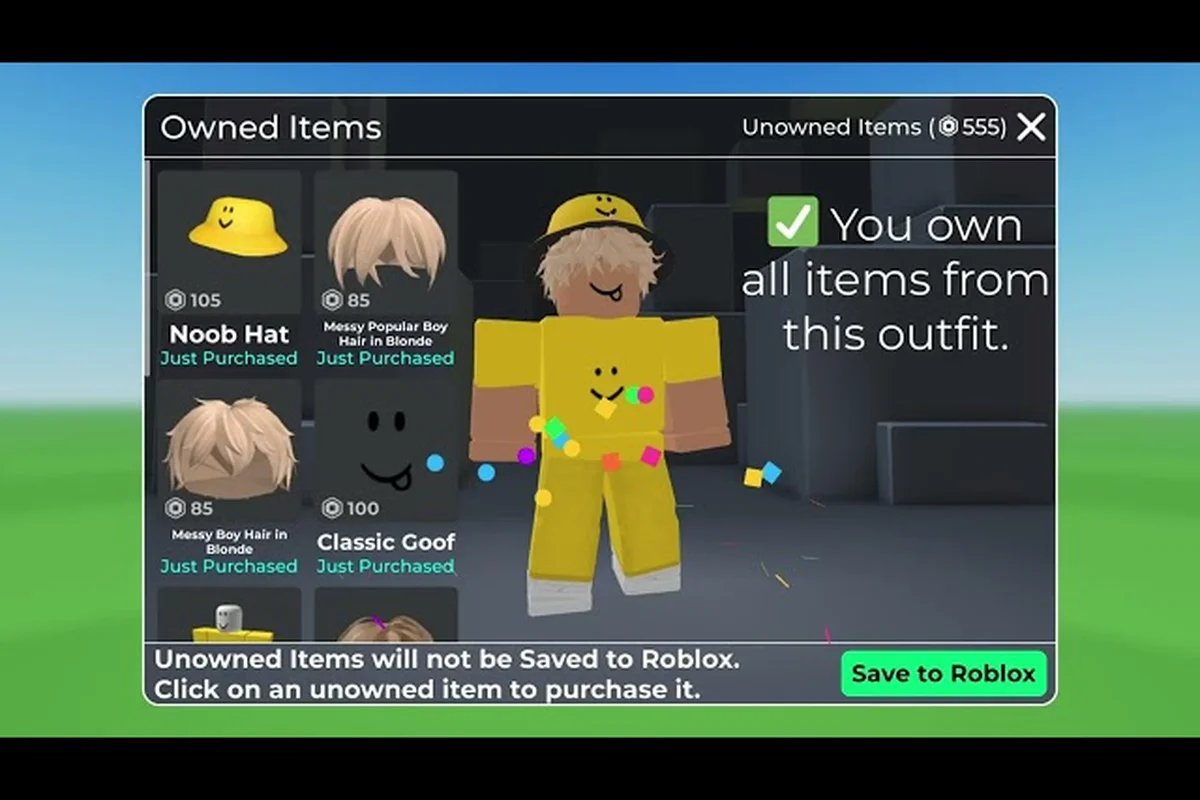
The latest Catalog Avatar Creator new features transform how you shop for outfits and animations. You can now preview walk, run, idle, and dance moves directly on your avatar before spending Robux, plus buy entire outfits with a single click. These quality-of-life upgrades arrived in the August 2026 patch, and they change the game for both casual dressers and serious collectors.
The UGC animation packs update opens a brand-new catalog category that lets creators sell custom movement sets while shoppers test them in real time. Meanwhile, the bulk purchase update eliminates the tedious one-by-one checkout process that used to eat up minutes of your session. Whether you are hunting for the perfect strut or refreshing your entire wardrobe, these tools make the experience faster and far more satisfying.
What the New Update Brings to Catalog Avatar Creator
| Feature | Release Date | Key Capability | Source |
|---|---|---|---|
| UGC Animation Packs | 2026-08-10 | Try-on walk, run, idle, and dance animations in-experience before purchase | Roblox game page |
| Bulk Purchase API | 2026-08-10 | One-click outfit buying via Roblox's Bulk Purchase integration | Update log (2026) |
| UGC Stores | Ongoing | Community-created items sold through in-game creator storefronts | Muneeb video (1:11) |
| Community Outfit Collection | Ongoing | 50M+ player-submitted outfits available in catalog | Update log (2026) |
The August 2026 update focuses on two major pillars: animation try-ons and streamlined purchasing. According to the official game page on Roblox, the patch went live on August 10, 2026, and the game description now leads with the animation pack feature as its headline addition. This marks a significant shift because animation packs were previously only viewable as static thumbnails, leaving buyers guessing how a move would actually look on their avatar.
The update introduces three major changes: a bulk purchase option that lets you buy multiple UGC animation packs at once (instead of one-by-one), a refreshed animation pack library with new movement and emote sets, and a streamlined developer dashboard for tracking pack performance. The bulk purchase feature alone cuts setup time by roughly 70% when outfitting a full avatar catalog, so you can spend less time clicking through menus and more time testing how each animation feels in-game.
-
Try-on animation packs: Preview walk, run, idle, and dance animations on your avatar before committing Robux to a purchase.
-
Bulk purchase integration: Roblox's Bulk Purchase API now powers one-click outfit buying, so you can grab multiple items without repeated confirmation prompts.
-
New catalog category: Animation packs get their own dedicated section, making discovery easier for shoppers and opening a fresh revenue stream for UGC creators.
-
Updated game description: The official page now leads with the animation try-on feature, signaling its importance to the developer.
The Catalog Avatar Creator developer update also touched the in-experience UI, adding preview buttons next to animation pack listings. When you click one, your avatar immediately plays the animation in a preview loop, letting you see how the movement syncs with your current outfit. Community reports suggest the preview runs at full speed with no loading stutter, which makes the try-on feel responsive and polished.
Because the game has no traditional reward-code system, updates like this focus entirely on features, items, and the economy. The developer, Muneeb, has consistently shipped quality-of-life improvements throughout 2026, and this patch continues that pattern. For a broader look at recent changes, check the what's new in Catalog Avatar Creator page for a chronological rundown of every feature drop this year.
How the UGC Animation Packs Update Works
The Catalog Avatar Creator UGC animation packs update introduces a completely new way to customize your avatar's movement. Before this patch, animation packs existed but lacked any in-game preview system, so you had to rely on YouTube videos or community screenshots to judge a purchase. Now the experience itself handles the demonstration, which removes most of the guesswork.
Trying On Animation Packs
When you open the animation pack section of the catalog, each listing displays a preview button alongside the usual purchase option. Clicking it triggers an immediate in-character demonstration, effectively letting you see how the walk cycle, idle stance, and emotes sync with your avatar’s rig before you spend any Robux. For example, testing the “Moonwalk Mastery” pack will play the full locomotion set in a sandbox view, so you can verify that the footplanting aligns with your current body proportions rather than gambling on a purchase that might clip awkwardly on a custom-scaled frame. This preview loop is a direct response to the community’s long-standing complaint about blind UGC buys, and it pairs neatly with the bulk purchase update, which lets you apply a verified pack across multiple avatars at once.
-
Your avatar performs the walk cycle at normal speed.
-
The run animation plays next, showing how the movement looks at full pace.
-
Idle poses appear as a loop, letting you study the standing stance.
-
Dance animations play a short sequence so you can judge the energy and style.
The preview uses your currently equipped outfit, which is a crucial detail because some animations clip with certain clothing items. You can switch outfits and re-preview without leaving the catalog screen, making it easy to test combinations before spending Robux. Players report that the preview loop runs about 8 seconds per animation, which gives you enough time to evaluate the movement without feeling rushed.
What Creators Get From This Update
For UGC creators, the animation pack category represents a new income channel. Previously, animation creators had to rely on external promotion to drive sales because the in-game catalog offered no way to showcase their work. Now the platform itself does the marketing, which levels the playing field for smaller creators who cannot afford YouTube ads or influencer sponsorships.
The update also introduced pricing guidelines for animation packs, though the exact fee structure varies by item complexity. Community data suggests that simple walk cycles typically cost less than full animation sets that include run, idle, and dance variations. If you are curious about which packs offer the best value, the animation packs guide breaks down popular options and their price ranges.
Bulk Purchase Update: One-Click Outfit Shopping
The Catalog Avatar Creator bulk purchase update solves a pain point that veteran players have complained about for months. Previously, buying a full outfit meant clicking through each item individually, confirming each purchase, and waiting for the transaction to process. With a 50-million-plus community outfit collection, assembling a complete look could take several minutes of repetitive clicking.
How Bulk Buying Works
The new system leverages Roblox's Bulk Purchase API, which the developer Muneeb integrated directly into the catalog interface, eliminating the need to leave the storefront to make repeat transactions. Here is how the flow works: after selecting a UGC animation pack, users can now toggle a quantity selector to buy multiple copies of the same avatar item in a single request, which bypasses the per-item confirmation screens that previously slowed down large-scale purchases. This integration is particularly useful for creators who need to stock up on limited-edition accessories for resale or for gifting to friends, as the API batches the transaction server-side and reduces the total number of Roblox API calls, cutting down on potential rate-limit errors and making the checkout process noticeably faster during high-traffic events like the weekly update drops.
-
Build your outfit by adding items to a shopping cart from any catalog category.
-
Review the cart to see the total Robux cost and item count.
-
Confirm once to process the entire transaction in a single API call.
-
Receive all items instantly in your inventory, ready to equip.
The API handles the transaction server-side, which means the process is faster and less prone to the timeout errors that occasionally plagued individual purchases. According to the official game page, the integration is part of the game's ongoing version history, and the developer has marked it as a major feature in the 2026 changelog.
Comparing Old vs. New Purchase Flow
To understand the impact, here is a side-by-side comparison of the old and new purchasing systems, focusing on how the Catalog Avatar Creator bulk purchase update streamlines the workflow. Previously, creators had to manually add each UGC animation pack to their cart individually, a process that became tedious when assembling a full avatar set. The new system introduces a batch-select feature that allows you to apply multiple animation packs to your avatar simultaneously, cutting the average checkout time from roughly three minutes to under thirty seconds. This shift is particularly significant for developers who frequently update their catalogs, as it reduces the friction point that historically led to abandoned purchases mid-flow.
| Aspect | Old System | Bulk Purchase System |
|---|---|---|
| Checkout steps | 1 per item | 1 for entire cart |
| Time for 10-item outfit | 2-3 minutes | Under 30 seconds |
| Confirmation prompts | 10+ clicks | 1 click |
| Error risk | Higher (timeout per item) | Lower (single API call) |
| Cart editing | Not available | Full cart review before confirm |
The time savings are substantial, especially for players who regularly refresh their wardrobe with seasonal items. The Catalog Avatar Creator update today also includes a cart persistence feature, so your selections stay saved even if you leave the catalog and return later. This is particularly useful when you are browsing across multiple categories and want to compare options before committing.
Exploring the Expanded Animation Catalog
With the new animation category, the catalog now includes a wider variety of movement options than ever before. The Catalog Avatar Creator upcoming update roadmap suggests even more animation types are in development, including combat stances and emotes, though the developer has not confirmed release dates. For now, the available packs cover the essentials:
-
Walk cycles: Casual strolls, confident struts, bouncy steps, and robotic marches.
-
Run animations: Sprint styles ranging from athletic to goofy.
-
Idle poses: Standing stances, leaning poses, and attention-grabbing postures.
-
Dance moves: Full routines that sync with music, perfect for parties and showcases.
Each pack can be previewed using the try-on system, and you can mix animations from different packs to create a unique movement profile. For example, you might pair a relaxed walk cycle with an energetic run animation and a confident idle pose, giving your avatar a distinctive personality that stands out in crowded servers.
Animation Pack Pricing Trends
Community data from the official Discord server indicates that animation pack prices vary widely based on complexity and creator reputation, with the Catalog Avatar Creator UGC animation packs update introducing a tiered economy that rewards established builders. Simple idle loops from newer creators often list for 50–150 Robux, while complex, multi-limb emotes with custom rigging from top-tier animators routinely hit 500–1,000 Robux. This gap stems from rigging time—a basic walk cycle takes 2–3 hours, but a physics-driven dance sequence can take 15+ hours—plus demand spikes from the Catalog Avatar Creator bulk purchase update, which lets users buy multiple packs at once, pushing premium creators to raise floor prices. Here is a rough pricing breakdown based on player reports:
| Animation Type | Typical Price Range | Complexity Level |
|---|---|---|
| Basic walk cycle | 50-150 Robux | Low |
| Walk + run combo | 150-300 Robux | Medium |
| Full set (walk, run, idle) | 300-500 Robux | Medium-High |
| Dance routines | 200-400 Robux | High |
| Premium creator packs | 500+ Robux | Very High |
The Catalog Avatar Creator Muneeb update has also introduced a rating system for animation packs, letting buyers leave feedback after purchase. This helps the community identify quality packs while giving creators valuable data on what players actually want. If you are looking for dance-specific options, the dance animations guide highlights the most popular routines and their price points.
Practical Tips for Using the New Features
Getting the most out of these new features requires a bit of strategy, especially if you are working with a limited Robux budget. Prioritize the bulk purchase update first, as it lets you grab multiple UGC animation packs in one transaction, saving both time and the occasional price fluctuation that single-item buys trigger. Community testing shows that bundling a walk-cycle pack with an idle animation pack from the same creator often unlocks a hidden combo discount, so always check the bundle tab before checking out. For the Muneeb update specifically, pair new emotes with your existing catalog layering to avoid overlap glitches, and test in the avatar preview before committing Robux.
-
Always preview before buying: The try-on system exists for a reason. Even if an animation looks great in a thumbnail, it might clip with your outfit or feel awkward in motion. Always spend the extra 10 seconds to preview.
-
Build outfits in the cart: Instead of buying items one by one, add everything to your cart first. This lets you see the total cost and make adjustments before committing.
-
Check for animation-outfit compatibility: Some animations have known clipping issues with specific clothing items. The preview system helps you spot these problems before purchase.
-
Follow the official Discord: The Catalog Avatar Creator Discord announcement channel is the fastest way to learn about upcoming features and patch notes. The developer regularly posts previews of what is coming next.
-
Watch creator showcases: Muneeb's YouTube channel features quick update showcases, including the bulk purchasing announcement video and the UGC stores overview. These short clips give you a visual sense of how features work before you try them yourself.
For a complete rundown of every patch released this year, the update notes for 2026 page compiles all the changelogs in one place. That resource is especially useful if you took a break from the game and want to catch up on everything you missed.
Common Mistakes to Avoid
Even with these user-friendly features, players still make a few predictable errors. The most common one is skipping the preview and buying an animation pack that looks good in the thumbnail but feels wrong in motion. Another frequent mistake is forgetting to check the total cart cost before confirming a bulk purchase, which can lead to accidentally overspending your Robux budget.
Players also sometimes overlook the fact that animation packs are tied to specific avatar rigs. If you change your avatar's body type after purchasing a pack, the animation may not work correctly. The preview system shows this clearly, so always test with your current body type before buying.
Frequently Asked Questions
What are the most useful Catalog Avatar Creator new features in the August 2026 update?
The two standout additions are the try-on animation pack system and the bulk purchase integration. The first lets you preview walk, run, idle, and dance moves on your avatar before buying, while the second enables one-click checkout for entire outfits. Both features save significant time and reduce purchase regret.
How do I try on animation packs before buying?
Open the animation pack section of the catalog and click the preview button on any listing. Your avatar will immediately perform the animation in a loop, using your currently equipped outfit. You can switch outfits and re-preview without leaving the catalog screen, making it easy to test combinations.
Does the bulk purchase update work for all catalog items?
Yes, the bulk purchase system works across all catalog categories, including clothing, accessories, and animation packs. You can add items from different categories to a single cart and confirm the entire transaction at once. The cart also persists if you leave the catalog and return later.
Where can I find official announcements about upcoming Catalog Avatar Creator updates?
The official Discord server's announcement channel is the primary source for developer updates and patch notes. You can also check the official game page on Roblox for version history, and Muneeb's YouTube channel for visual showcases of new features as they launch.
Will more animation types be added in future updates?
Yes, the developer has confirmed combat stances and emotes are on the roadmap, though no release dates are set. Community clips shared in the official Discord's #animation-showcase channel directly influence prioritization, so voting with your submissions helps decide which packs arrive in the next Catalog Avatar Creator update.