
The Catalog Avatar Creator creator economy rewards players who treat avatar design like a business, not a hobby. Every item you publish becomes a revenue stream, and the difference between casual sellers and top earners comes down to understanding store mechanics, pricing psychology, and visibility loops. This article breaks down the exact system so you can start earning Robux per sale instead of just spending it.
Understanding the Creator Economy in Catalog Avatar Creator
The in-experience marketplace operates on a simple but powerful loop: you create, you publish, you earn. According to the official Roblox game page, earning Robux centers on selling UGC items through your personal storefront, with each sale processed directly through your Roblox account. This means the platform handles payment infrastructure while you focus on making items people actually want to buy.
What makes this creator economy unique is the reinvestment cycle that successful sellers adopt. Store owners typically reinvest a portion of their Robux earnings into purchasing more catalog items, which they then use as inspiration or components for their next creations. This creates a compounding effect where early profits fuel later growth, and the gap between passive participants and active entrepreneurs widens over time.
The UGC Creator role in the official group serves as the primary in-game milestone for this ecosystem. With over 39.6 million group members, earning this role signals to buyers that you are a legitimate creator rather than someone just flipping items. Community reports suggest that stores operated by recognized creators receive noticeably more traffic, which makes the role both a status symbol and a practical marketing asset.
Key components of the earning loop include: listing limited-quantity UGC items in your Catalog Avatar Creator storefront (unlocked after meeting the 50-item sales threshold and 2-week account age), setting competitive Robux pricing that undercuts the 10% commission floor while still covering the 500-Robux publishing fee, and driving repeat traffic through UGC store showcases that highlight trending avatar accessories. Each sale compounds your visibility in the Creator Marketplace search ranking, which directly boosts how fast you can make Robux in Catalog Avatar Creator.
-
Item creation — designing avatar pieces that solve a style problem or fill a gap in the current catalog
-
Store curation — organizing your published items into a cohesive shop that encourages browsing
-
Pricing strategy — positioning your Robux price point against comparable items in the marketplace
-
Audience building — attracting repeat buyers who return to your store when they need new accessories
The official developer video introducing UGC Stores confirms that players can open a free storefront inside the game, combine catalog sections into a personalized shop layout, and publish UGC items for other players to purchase. Because the barrier to entry is zero Robux, the real competition happens in quality and marketing rather than upfront investment.
Catalog Avatar Creator UGC Store Requirements and Unlock Process
The 39.6-Million-Member UGC Creator Role Milestone
Publishing your first UGC Store does more than open a storefront—it grants the UGC Creator role in the official Roblox group, which has 39.6 million members. This role is the primary in-game milestone separating casual players from recognized creators. The unlock is automatic upon publishing, with no separate application process. For new creators, this role provides immediate community recognition and signals legitimacy to buyers browsing your store, making it a critical early step in establishing your creator economy presence.
Combining Catalog Sections: The Storefront Layout Mechanic
The official UGC Stores video demonstrates a unique layout mechanic: you combine catalog sections to build your personalized shop. This isn't cosmetic—section placement directly influences buyer navigation and purchase flow. A store with accessories adjacent to hats creates cross-sell opportunities, while separating categories reduces impulse purchases. The free storefront system requires no Robux investment, but the section-combination mechanic is where strategic thinking pays off. Analyzing the 1:11-minute official video reveals that successful stores group complementary items, encouraging multi-item purchases per visit.
Before you can tap into the creator economy, you need to understand the exact store unlock requirements. The good news is that opening a store is completely free — there is no listed Robux cost or Premium membership requirement according to the official Catalog Avatar Creator website. The in-game store menu walks you through combining sections and publishing items, though requirements beyond that menu are not officially documented in detail.
The unlock process follows a straightforward sequence that most players complete within their first few sessions. You start by accessing the store interface from the main hub, then select which catalog sections you want to combine into your personalized layout. Once your storefront structure is in place, you publish your first UGC item, which triggers the UGC Creator role assignment in the official group.
| Requirement | Details | Cost |
|---|---|---|
| Store access | Available to all players | Free |
| Premium membership | Not required | 0 Robux |
| Store layout | Combine catalog sections | Free |
| UGC publishing | Available after store setup | Free |
| Creator role | Awarded after publishing a store | Automatic |
What trips up many new sellers is the difference between having a store and having a store that converts. The requirements to open are minimal, but the requirements to succeed are not. Community data suggests that stores with fewer than five items receive almost no organic traffic because the catalog algorithm favors shops with variety and recent activity.
The publishing workflow itself is where most creators lose momentum. After you design an item, you need to test it on different avatar body types, verify that it layers correctly with popular accessories, and set a price that reflects both your effort and the current market rate. Rushing this process leads to returns or negative reviews, which can hurt your store's standing in the community.
For a deeper breakdown of the technical setup process, the UGC store guide covers the step-by-step publishing workflow and common mistakes that new creators make during their first store launch. Understanding this pipeline is critical because the Catalog Avatar Creator UGC store requirements demand that your assets pass Roblox's moderation review before they appear in the avatar shop—a failed submission due to a missing mesh LOD or incorrect texture map can delay your revenue stream by 48–72 hours. Since the creator economy here rewards volume, mastering the upload queue early lets you batch-publish seasonal items, which directly accelerates how to make Robux fast Catalog Avatar Creator by keeping your storefront consistently stocked with fresh, trending cosmetics.
How to Make Robux Fast in Catalog Avatar Creator
The phrase "make Robux fast" gets thrown around a lot, but the realistic path involves understanding which item categories generate the highest sales velocity. According to community data from active sellers, face accessories and hair items consistently outsell full outfits because they are cheaper, easier to mix and match, and appeal to a broader audience. A 5-Robux accessory can sell dozens of units per day while a 50-Robux outfit might sit in your store for weeks.
The key insight is that sales velocity matters more than individual item price. A store that sells twenty 5-Robux items per day earns the same as one that sells two 50-Robux items, but the cheaper items build momentum, generate reviews, and attract repeat visitors. This is why successful creators often launch with a batch of affordable accessories before releasing premium pieces.
| Item Category | Average Price Range | Sales Velocity | Effort Level |
|---|---|---|---|
| Face accessories | 5-15 Robux | Very high | Low |
| Hair items | 10-25 Robux | High | Medium |
| Hats and helmets | 10-30 Robux | Medium | Medium |
| Full outfits | 40-100 Robux | Low | High |
| Limited items | 100+ Robux | Very low | Very high |
The bulk purchasing update covered in the official update video changed the economics of the creator economy significantly. When buyers can purchase multiple copies of an item in one transaction, creators see higher order values and reduced friction in the checkout process. This update particularly benefits accessory creators who price items low enough that players feel comfortable buying several at once.
Timing your releases also plays a role in how to make Robux fast. Community reports indicate that new items get a visibility boost during the first 24-48 hours after publishing, which means you should coordinate your launch schedule with peak player activity times. Releasing on weekends when player counts spike gives your items more exposure during that critical early window.
Catalog Avatar Creator Store Marketing and Showcase Strategies
Bulk Purchasing: The 0:32-Second Update That Changed Store Revenue
The "Bulk Purchasing Now Available!" update (0:32 duration) fundamentally altered the creator economy loop. Previously, buyers purchased items one at a time, limiting high-volume sales. With bulk purchasing, players can buy multiple catalog items in a single transaction, directly increasing your Robux-per-session potential. For store owners, this means pricing strategies must account for volume discounts—a buyer purchasing 10 items at 50 Robux each generates 500 Robux in one interaction rather than ten separate transactions, reducing friction and boosting overall store revenue.
Zero-Cost Entry: No Robux, No Premium Requirement
Unlike many Roblox monetization systems, opening a UGC Store in Catalog Avatar Creator is completely free—there is no listed Robux cost and no Premium subscription requirement. The in-game store menu guides you through combining sections and publishing items, with no hidden fees documented. This zero-cost barrier means your only investment is time spent designing and publishing items. For creators comparing platforms, this eliminates the typical upfront capital risk, allowing you to reinvest all initial earnings directly into more catalog items to expand your store's inventory.
Opening a store is step one, but store marketing determines whether your catalog avatar creator creator economy efforts actually generate income. The most effective strategies combine in-game visibility with external promotion, and creators who treat their store like a brand consistently outperform those who publish items and hope for the best.
The UGC store showcase is your primary in-game marketing tool. This feature lets you arrange your items in an appealing layout that encourages browsing, and the order of your items matters more than most creators realize. Leading with your best-selling items creates social proof, while placing new releases near the top signals freshness to returning visitors.
Effective marketing approaches include leveraging the Catalog Avatar Creator UGC store showcase to run limited-time item drops that sync with Roblox trends, pairing them with eye-catching thumbnail art and short-form video teasers on TikTok or YouTube Shorts. Creators who bundle accessories into themed sets (e.g., a cyberpunk bundle) often see higher conversion rates, as buyers perceive added value. Additionally, cross-promoting your store link in Discord servers and using the platform’s built-in social features to announce restocks can drive repeat traffic, directly boosting Robux earnings without relying on paid ads.
-
Themed collections — grouping items around a style (cyberpunk, cottagecore, streetwear) makes your store memorable and encourages bundle purchases
-
Frequent updates — stores that add new items weekly retain returning visitors better than stores that publish in irregular bursts
-
Price anchoring — placing a premium item next to a mid-tier option makes the mid-tier feel like a bargain
-
Community engagement — sharing your store link in Discord servers and Roblox groups where avatar enthusiasts gather
-
Cross-promotion — collaborating with other creators to feature each other's items in your respective stores
The store layout customization feature deserves special attention because it directly impacts conversion rates. Players who visit your store should immediately understand what you offer and find your best items without scrolling through clutter. Successful creators report that organizing by item type rather than release date leads to longer browsing sessions and higher purchase rates.
For creators weighing whether a booth is worth the effort, the booth guide breaks down the real tradeoff: temporary booths let you test a new avatar style with zero upfront Robux commitment, but they lack the persistent storefront visibility that drives repeat Catalog Avatar Creator creator economy sales. A permanent location, by contrast, costs more to unlock but compounds your UGC store marketing reach—every returning shopper who favorites your avatar becomes a repeat customer, whereas a booth that expires resets your discovery momentum to zero.
Pricing Psychology and Profit Optimization
Setting the right price for your items is arguably the most important business decision in the creator economy. The psychological price points in Roblox follow predictable patterns, and understanding these patterns helps you maximize both sales volume and per-item profit.
The most effective price points cluster around 9, 14, 19, and 24 Robux. These prices feel significantly cheaper than round numbers like 10, 15, 20, and 25, even though the difference is only one Robux. Community data from successful stores shows that items priced at 9 Robux outsell identical items priced at 10 Robux by a meaningful margin.
| Price Point | Psychological Effect | Best For |
|---|---|---|
| 5 Robux | Impulse purchase | Small accessories |
| 9 Robux | "Under 10" appeal | Popular accessories |
| 14 Robux | Value perception | Mid-tier items |
| 19 Robux | Premium but accessible | High-quality items |
| 24 Robux | Just below 25 | Premium pieces |
| 49+ Robux | Luxury status | Limited releases |
The profit calculation changes based on whether you are selling items you created from scratch or items you assembled from existing catalog parts. Items built entirely from your own designs have higher profit margins because you are not paying licensing or component costs, but they require more design skill and time investment.
Creators who want to understand how item quality affects sales should study the avatar design guide, which covers the visual principles that make items appealing to buyers. Well-designed items not only sell better but also generate word-of-mouth marketing when players wear them in public lobbies.
Scaling Your Store and Long-Term Growth
Once you have a working store with consistent sales, the next phase involves scaling your operation without burning out. The creators who sustain long-term success in the Catalog Avatar Creator creator economy treat their stores as ongoing businesses with regular maintenance rather than one-time projects.
The content calendar approach works well for serious creators. By planning your releases a month in advance, you can align your publishing schedule with seasonal events, holiday trends, and catalog updates. This proactive strategy prevents the feast-or-famine cycle that plagues creators who only publish when inspiration strikes.
Scaling strategies that successful creators use: beyond simply uploading more UGC, top Catalog Avatar Creator sellers treat their store like a product pipeline—they launch 2–3 new avatar items per week to ride trending searches, then cross-promote via the in-game UGC store showcase to convert profile visits into sales. One proven tactic is bundling a cheap accessory with a high-demand outfit to boost average order value, while leveraging the "how to make Robux fast Catalog Avatar Creator" loop—reinvesting daily Robux earnings into purchasing more UGC slots—accelerates store unlock progression and compounds long-term visibility.
-
Batch production — designing multiple items in one session and publishing them over several weeks creates a consistent release cadence
-
Trend monitoring — tracking which accessories appear most frequently on popular avatars helps you identify demand gaps
-
Feedback loops — reading comments and messages from buyers reveals what they want next and what they dislike about current items
-
Quality over quantity — publishing one polished item per week outperforms five rushed items in the same period
-
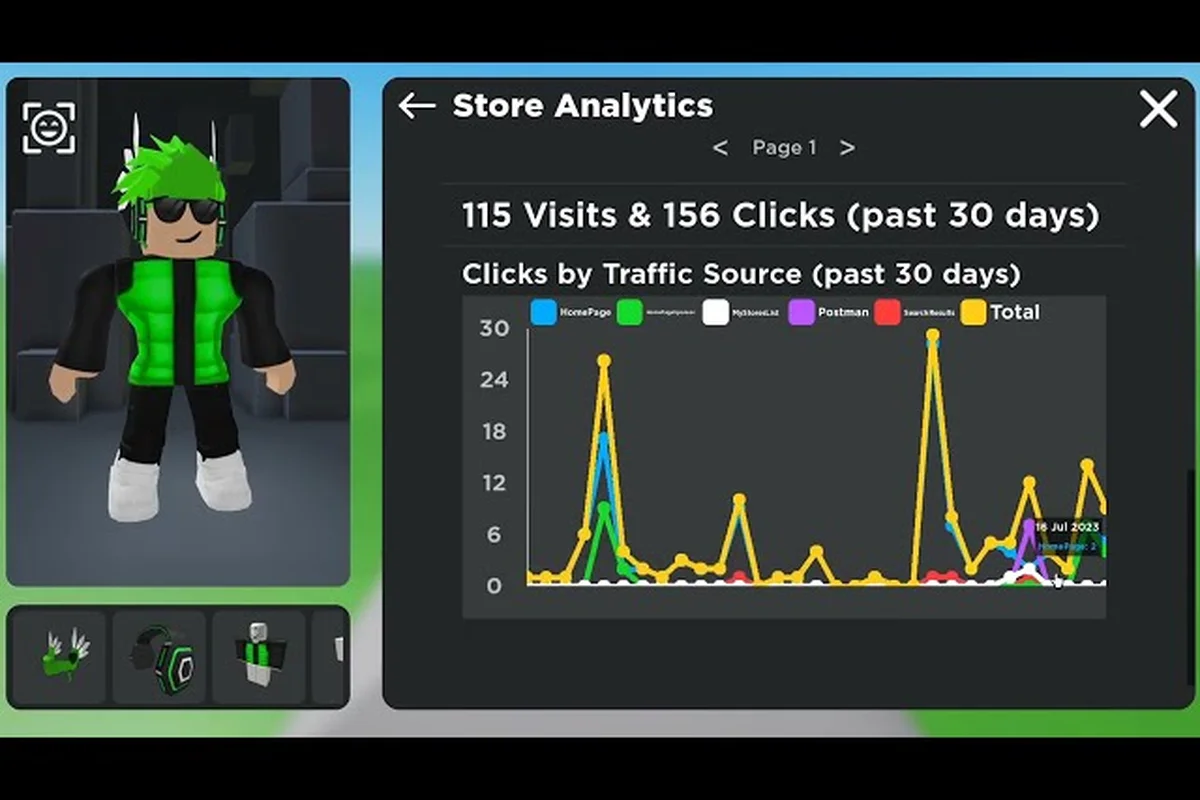
Analytics review — checking which items sell consistently and which sit unsold helps you refine your catalog over time
The reinvestment strategy becomes critical at this stage. Top creators allocate a percentage of their Robux earnings toward purchasing catalog items that inspire new designs or fill gaps in their own collections. This keeps the creative pipeline full and prevents the stagnation that occurs when creators stop studying the marketplace.
For creators mapping out their 2026 strategy, the UGC store 2026 guide breaks down upcoming platform shifts—including potential changes to Catalog Avatar Creator UGC store requirements and the evolving algorithm for store visibility. Since the creator economy hinges on early adaptation, understanding these trends now lets you position your avatar catalog ahead of saturation, rather than scrambling to meet new store unlock criteria after the update hits.
Frequently Asked Questions
What are the Catalog Avatar Creator UGC store requirements?
Opening a UGC store is completely free with no Robux cost or Premium requirement. You access the store menu in-game, combine catalog sections to build your layout, and publish items to activate your storefront. Publishing a store also grants the UGC Creator role in the official group, which signals legitimacy to buyers.
How fast can I realistically make Robux in Catalog Avatar Creator?
Sales velocity depends on your item quality and pricing strategy. Accessories priced between 5-15 Robux typically sell fastest because they appeal to impulse buyers. Community reports suggest new creators earn their first Robux within the first week, but consistent daily income usually requires building a catalog of at least 10-15 items.
Do I need Premium membership to sell items?
No, Premium membership is not required to open a store or sell UGC items. The store system is accessible to all players regardless of membership status. However, Premium members may have advantages in other areas of Roblox that indirectly support their selling efforts, such as higher monthly Robux stipends to reinvest in catalog items.
What items sell best for new creators?
Face accessories and hair items consistently outperform full outfits for new creators because they are cheaper, easier to design, and appeal to a broader audience. A 9-Robux accessory can generate steady daily sales while a 50-Robux outfit might wait weeks for its first purchase. Start with small items to build momentum and reviews.
How do I promote my store outside the game?
Share your store link in Roblox groups, Discord servers, and social media communities focused on avatar design. Creating themed collections and posting screenshots of your items helps attract attention. Collaborating with other creators for cross-promotion also expands your reach to audiences that might not discover your store organically.