
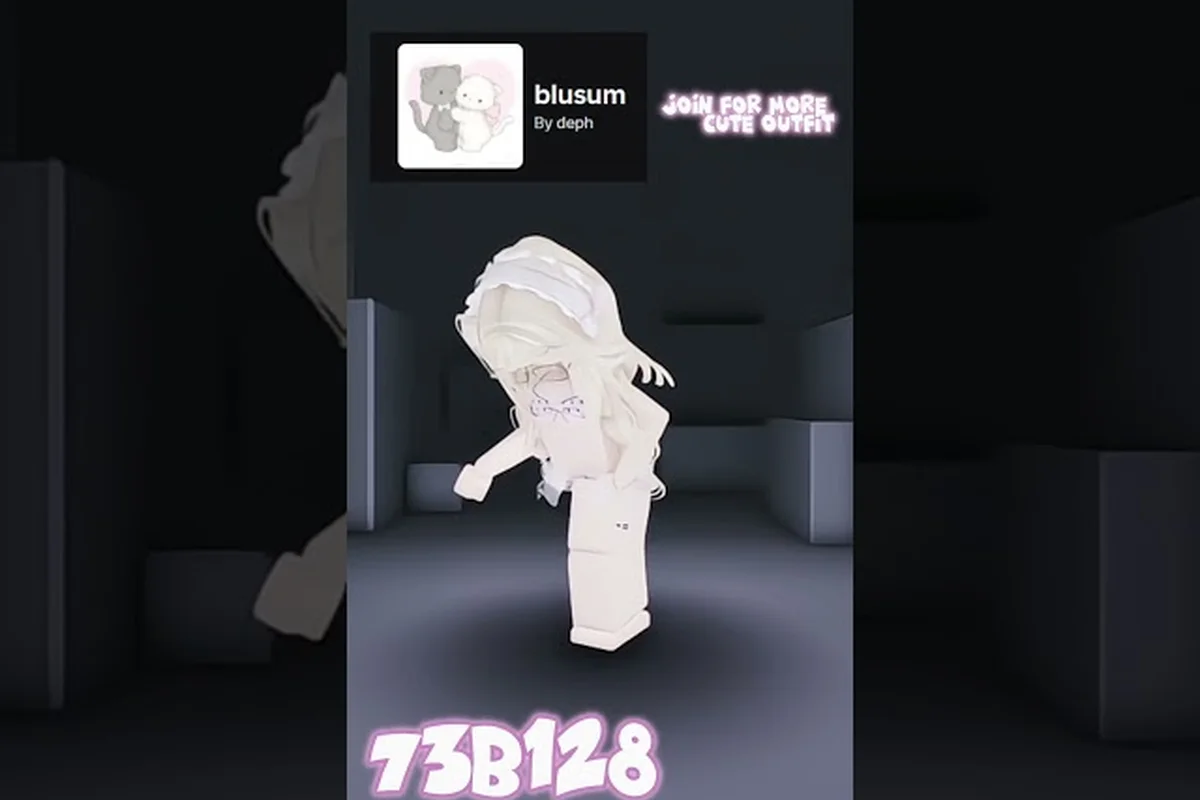
Catalog Avatar Creator outfit sharing has transformed how players build and trade looks, turning every avatar into a shareable creation with a single code. The system matters because it removes the tedious work of recreating outfits item-by-item, letting you copy an entire style in seconds and even bulk-purchase every piece at once. Whether you want to show off your latest fit or grab a trending look from the community feed, understanding the outfit button and code system unlocks the full social side of the game. Get ready to publish, browse, and load outfits like a pro.
Understanding the Outfit Sharing System
| Sharing Method | Code Format | Load Time | Bulk Purchase Support | Typical Use Case |
|---|---|---|---|---|
| YouTube comment | 8–12 character alphanumeric | Instant preview load | Yes | Sharing outfit codes from video descriptions |
| Discord server | 8–12 character alphanumeric | Instant preview load | Yes | Community outfit drops and themed contests |
| Group post | 8–12 character alphanumeric | Instant preview load | Yes | Roblox group-exclusive outfit giveaways |
The core of Catalog Avatar Creator outfit sharing revolves around a simple idea: every community-created outfit gets a unique code that anyone can enter to load the complete look instantly. According to the official Catalog Avatar Creator experience page, over 50 million community-created outfits are browseable in-game, which gives you a massive pool of styles to explore. This system works because it separates the act of finding an outfit from the act of equipping it — you can preview anything, save what you like, and buy items only when you are ready.
The outfit button appears in the main interface and opens the code-entry menu where you paste a shared code. Once entered, the full outfit loads for preview, letting you see exactly how it looks on your avatar before committing. From there, you can save it to your saved outfits list or use the Bulk Purchase button to buy every item at once through Roblox's Bulk Purchase API. This is the fastest way to get a complete look without adding items one at a time, which is why experienced players rely on it heavily.
Outfit codes are the backbone of the entire sharing ecosystem, and they work across all community outfits published in the game. Players exchange these codes in YouTube comments, Discord servers, and group posts, creating a thriving culture of style sharing that extends far beyond the game itself. The system is designed to be frictionless — you never need to know item IDs or manually assemble a look when a code can do it for you.
How Codes Work Across Platforms
The beauty of outfit codes is their portability. A code generated in-game works identically whether you found it on Discord, Reddit, or a friend's profile. This cross-platform compatibility is what makes community outfit sharing so powerful, because it turns the game into a social hub where trends spread rapidly.
The Role of the Outfit Button
The outfit button is your gateway to this entire system, and it appears in two key places: the code-entry menu and the community browse interface. When you click it, you get immediate access to both loading codes and browsing the massive collection of player-created looks. The button also serves as your publishing tool, letting you generate a shareable code for any outfit you have saved.
How to Find Outfits in Catalog Avatar Creator
| Community Outfit Metric | Value |
|---|---|
| Total browseable community outfits | 50,000,000+ |
| Search filters available | Style, theme, free items |
| Outfit code entry steps | 3 (open menu → paste code → load preview) |
| Bulk Purchase API coverage | All items in a single outfit |
| Verified video guide duration (GuideRealm) | 1:01 |
| Verified video guide duration (watermelony!) | 22:21 |
Finding outfits in Catalog Avatar Creator is surprisingly straightforward, but knowing where to look makes a huge difference in the quality of styles you discover. The in-game community feed surfaces trending and popular outfits, giving you a constant stream of fresh ideas without leaving the experience. You can search by style, theme, or even filter for free items, which is perfect when you are working with a limited budget.
The search functionality is robust enough that you can narrow down results to specific aesthetics, whether you want something gothic, minimalist, or aggressively colorful. Each outfit in the results shows a preview, and you can try it on instantly to see how it looks with your current avatar proportions. This try-before-you-commit approach saves you from wasting Robux on items that look great in the catalog but awkward on your actual avatar.
Beyond the in-game browser, the community has built an extensive network of outfit-sharing spaces. Discord servers dedicated to Catalog Avatar Creator often have dedicated channels where players post their latest creations alongside their codes, and these communities tend to surface trending outfits faster than the in-game feed. YouTube tutorials frequently include code lists in their descriptions, which is another reliable source for discovering high-quality looks that other players have already vetted.
Using the Community Feed Effectively
The community feed is where popular outfits live, and it updates regularly based on player engagement. Outfits that get loaded, saved, and shared frequently rise to the top, which means the feed naturally filters for quality. When you find something you like in the feed, you can load it immediately or save it for later, making it easy to build a collection of go-to looks.
Searching by Theme and Budget
The search filters are your best friend when you have a specific vision in mind. You can combine theme filters with the free-items toggle to find Catalog Avatar Creator popular outfits that cost zero Robux, which is a game-changer for players who want style without spending. The system also remembers your search history, so returning to a half-finished search is effortless.
Publishing Your Own Outfits
Publishing your own outfits is where Catalog Avatar Creator outfit sharing becomes truly rewarding, because it transforms you from a consumer into a creator. To publish, you start by building an outfit you love, either from scratch or by modifying an existing look. Once you are satisfied, the publish button generates a unique code that anyone can use to load your creation.
The publishing process is designed to be immediate — there is no approval queue or moderation delay, so your outfit becomes available to the community the moment you hit publish. This instant gratification encourages experimentation, because you can iterate on a design and push updates without friction. The code stays the same even if you tweak the outfit later, which means your shared links never break.
When you publish, your outfit enters the community pool and becomes eligible for the trending feed. Outfits that gain traction through loads and saves climb the rankings, which can bring significant visibility to your creations. This creates a positive feedback loop where good designs get discovered, shared, and celebrated, which is exactly what makes the outfit sharing community so vibrant.
Step-by-Step Publishing Process
-
Build your outfit — assemble the look you want using the full catalog of items.
-
Preview and refine — check how it looks from all angles and make adjustments.
-
Hit the publish button — generate your unique outfit code instantly.
-
Copy and share — distribute your code on Discord, YouTube, or social media.
-
Track engagement — watch your outfit climb the community rankings.
Growing Your Audience Through Outfits
If you want to grow an audience around your creations, consistency is key. Players who publish regularly and share their codes across platforms tend to build followings faster because they stay visible in the community feed. Engaging with commenters and incorporating feedback into updated versions also helps, because it signals to the algorithm that your outfits are worth surfacing. Some creators even build entire branding around their style, using consistent color palettes and themes that make their work instantly recognizable.
Loading Community Outfits by Code
Loading community outfits by code is the fastest way to expand your wardrobe, and the process takes less than a minute once you know the steps. A complete video walkthrough by GuideRealm shows the entire flow: open the outfit-code menu, paste the code, and the full outfit loads for preview. From there you can save it to your avatar or buy the complete look with a single bulk purchase.
The code system is forgiving, too — you can enter codes with or without spaces, and the game handles both formats seamlessly. This might sound minor, but it prevents the frustration of copy-paste errors that plague other games with stricter code validation. Codes are also case-insensitive, which further reduces the chance of typos breaking your load.
When you load a community outfit, you get the complete look exactly as the creator designed it, including layered clothing, accessories, and any special effects. This fidelity matters because it means you are experiencing the outfit as intended, not a degraded approximation. If you love the look but want to tweak it, you can save it to your own outfits and modify it freely, which gives you a perfect starting point for your own creations.
The Bulk Purchase Advantage
The Bulk Purchase button is the hidden gem of the outfit-loading system, because it solves the problem of acquiring dozens of items individually. Instead of clicking through each item and confirming separate purchases, one click buys everything in the outfit. This saves significant time and reduces the chance of accidentally skipping an item, which is especially valuable for complex outfits with many components.
Saving Outfits for Later
Loading a community outfit does not force you to commit immediately — you can save it to your personal collection and come back later. This is perfect for when you spot a great look but want to compare it against a few others before spending Robux. Your saved outfits persist across sessions, so you can build a curated library of looks that you rotate through based on your mood or the occasion. For a deeper look at managing your personal collection, check out our guide on saving outfits.
Comparing Outfit Sources and Their Value
Not all outfit sources are created equal, and understanding the tradeoffs helps you find the best looks efficiently. The table below breaks down the main sources you will encounter and what each one offers.
| Source | Strengths | Weaknesses | Best For |
|---|---|---|---|
| In-game community feed | Massive volume, instant preview | Quality varies, can be overwhelming | Browsing inspiration |
| Discord servers | Curated by enthusiasts, direct creator access | Requires joining servers, manual code entry | Finding niche aesthetics |
| YouTube tutorials | Visual demonstration, often includes code lists | Codes can expire, video length varies | Learning specific styles |
| Friend recommendations | Trusted taste, immediate feedback | Limited volume, social dependency | Quick reliable picks |
The in-game feed excels at volume, giving you access to the full 50-million-outfit collection, but it can feel like drinking from a firehose. Discord communities offer curation and direct access to creators who often explain their design choices, which is invaluable when you want to understand why an outfit works. YouTube tutorials combine visual demonstration with practical code lists, making them ideal for learning specific techniques or recreating looks you see in videos.
Quality Signals to Watch For
When evaluating outfits, pay attention to engagement metrics like load counts and save rates, because they indicate how many players actually liked a look enough to use it. Outfits with high engagement but low item counts often represent clever uses of free items, which are worth studying if you want to maximize style on a budget. Conversely, outfits with massive item counts might look impressive but could be impractical for everyday wear, so consider your actual use case before committing.
Matching Outfits to Your Style
The best outfit sources are the ones that align with your personal aesthetic, so it pays to explore multiple channels until you find communities that match your taste. If you love gothic looks, a Discord server dedicated to dark aesthetics will serve you far better than the general feed. For a broader overview of standout looks worth trying, our best outfits collection highlights community favorites across multiple styles.
Advanced Outfit Sharing Strategies
Once you master the basics of Catalog Avatar Creator outfit sharing, you can start using advanced strategies to get more value from the system. One powerful approach is to use outfit codes as a discovery tool — load a popular outfit, then examine its components to understand which items drive the look. This deconstruction technique helps you learn what makes outfits work, which improves your own designs.
Another strategy involves using the free-items filter to build zero-Robux outfits that still look premium. Many of the most popular outfits in the game use clever combinations of free items, and studying these can teach you how to maximize visual impact without spending. The free outfits guide covers this approach in depth, showing how to create shareable looks that cost nothing.
For creators, the advanced play is to build outfits that are both visually striking and technically efficient. Outfits with fewer items load faster and are easier for others to bulk-purchase, which removes friction from the sharing process. This might sound counterintuitive, but minimalism often wins in the sharing economy because it lowers the barrier to adoption.
Analyzing Trending Outfit Patterns
Trending outfits often share common patterns, and recognizing these can help you predict what will perform well. Seasonal themes, color trends, and popular media crossovers all drive engagement, so staying aware of the broader cultural context gives you an edge. When you spot a pattern early, you can create outfits that ride the wave before the trend saturates.
Building a Signature Style
The most successful outfit creators develop a recognizable signature that makes their work identifiable at a glance. This could be a specific color palette, a recurring accessory, or a particular silhouette that appears across their designs. A signature style builds a following because players know what to expect, and it makes your outfits more shareable because they carry your brand. Consistency matters more than volume — a dozen distinctive outfits outperform a hundred generic ones.
Frequently Asked Questions
How do I share outfits in Catalog Avatar Creator?
To share outfits, open the outfit menu and select the publish option on any saved outfit. The game generates a unique code that you can copy and share anywhere. When someone enters your code, they load your exact outfit for preview and can save or bulk-purchase it. This is the core of Catalog Avatar Creator outfit sharing.
Can I use community outfits without spending Robux?
Yes, many community outfits use only free items, and you can filter the community feed to show zero-Robux looks. When you load an outfit that contains paid items, you can preview it for free and decide whether to buy. The Bulk Purchase button makes acquiring paid outfits fast, but you are never forced to spend.
Where do I find the outfit button in the game?
The outfit button appears in the main avatar interface and in the community browse menu. It opens the code-entry screen where you can paste shared codes, and it also gives access to your saved outfits. The button is always visible in the primary navigation, so you can access it from anywhere in the experience.
How do I make my outfits popular in the community?
Popularity comes from a combination of design quality, timing, and promotion. Publish outfits that match current trends, share your codes on Discord and YouTube, and engage with players who comment on your work. Outfits that get loaded and saved frequently rise in the community feed, which brings more visibility.
What happens when I load an outfit code?
Entering a code instantly loads the full community outfit for preview, so you can see exactly how it looks without manually recreating each item. From there, save it to your personal outfits or use Bulk Purchase to buy every item at once via Roblox's API. The outfit stays in your saved list even if the creator updates their design.