
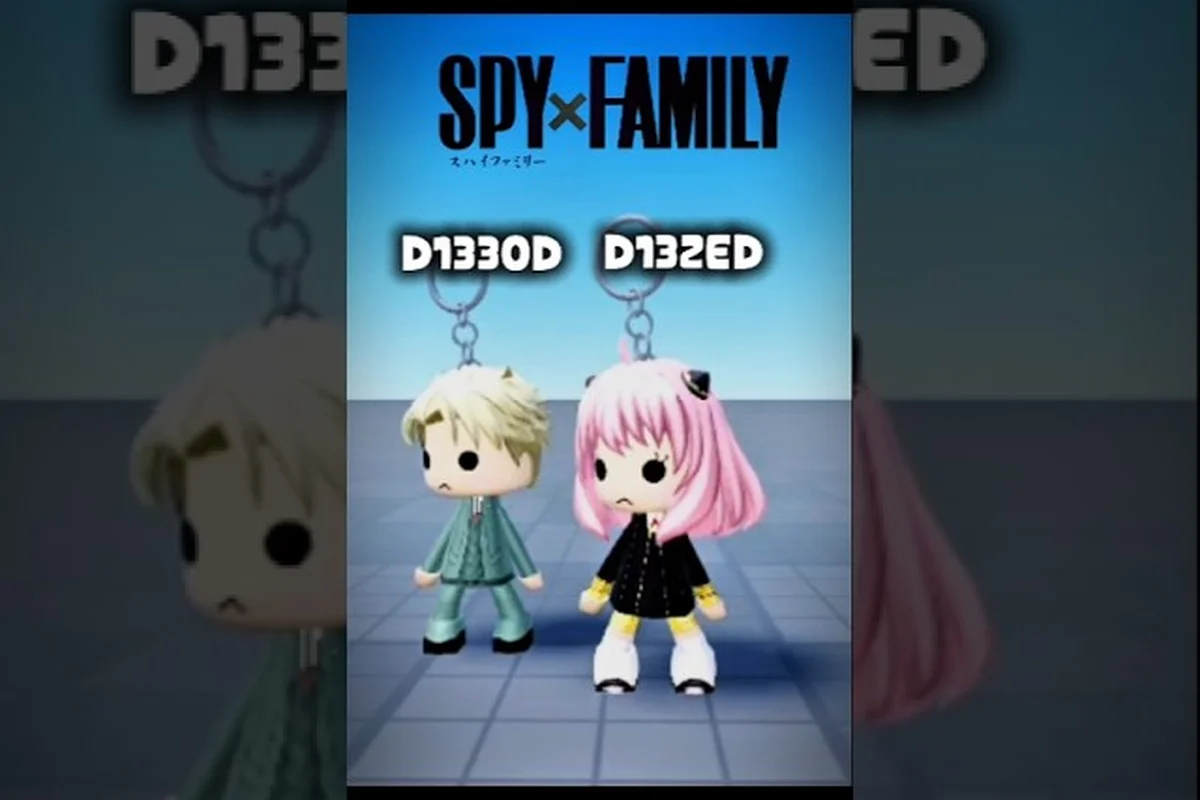
The Catalog Avatar Creator outfit challenge turns a solo styling session into a community-wide creative sprint. Instead of endlessly scrolling through millions of avatars, you get a specific theme, a deadline, and a shareable code that lets anyone preview your look instantly. This matters because themed challenges are the fastest way to build a recognizable avatar identity while discovering Catalog Avatar Creator best outfit combos that you would never assemble on your own. Get ready to load, save, and remix your way through aesthetic, emo, goth, and kawaii prompts. The fastest way to build a recognizable avatar identity while discovering Catalog Avatar Creator best outfit combos that you would never assemble on your own. Get ready to load, save, and remix your way through aesthetic, emo, goth, and kawaii prompts, then use Outfit Search to filter those saved looks by theme or item so your next remix starts from a combo you already love.
Understanding the Outfit Challenge Format
A Catalog Avatar Creator outfit challenge typically runs as a timed event inside the community Discord or through in-game group posts. The host announces a theme such as Aesthetic Pastel, Emo Night Out, or Goth Academia, then players submit an outfit code that represents their interpretation. According to community data, challenges usually stay open for 24 to 72 hours, which gives enough time to experiment without losing momentum.
The core loop is simple: read the prompt, build the outfit, publish it, and share the code. What makes this format compelling is that the code carries the entire look, so judges and other players can load your exact combination without hunting for individual items. The official Roblox page for Catalog Avatar Creator confirms that an outfit code is a shareable identifier for any community-created outfit, and entering it loads the full look instantly for preview.
Challenge Entry Requirements
Most challenges have a few consistent rules that hosts enforce to keep judging fair. Understanding these before you start saves you from disqualification over a technicality. For example, many hosts require you to load your entry through a specific outfit code rather than just posting a screenshot, so they can verify the exact items used in Catalog Avatar Creator. Others ban save slot swaps mid-challenge or restrict entries to combos built from a shared item pool, ensuring nobody sneaks in paid accessories after the deadline. Reading the host's pinned rules post once — especially the section on outfit favorites and code formatting — takes under a minute but prevents your best outfit combo from being thrown out before judging even begins.
-
Theme adherence: Your outfit must clearly reflect the announced theme, not just reuse an old saved look.
-
Code visibility: You need to publish the outfit so the code can be shared publicly.
-
Item budget: Some challenges restrict Robux-only items or require at least one free item.
-
Submission format: Hosts usually ask for the code plus a screenshot in a specific Discord channel.
The entry process rewards players who understand how Catalog Avatar Creator outfit save slots work, because you will often build multiple drafts before settling on a final submission. Each save slot stores a complete outfit snapshot — clothing, accessories, colors, and layered item order — so you can iterate on a theme without losing earlier versions. For example, if a challenge asks for a "cyberpunk mercenary" look, you might save one draft using the Neon Visor and Techwear Jacket, then a second swapping in the Holographic Pauldrons, and compare them side-by-side before committing. Since Catalog Avatar Creator outfit favorites cap how many looks you can bookmark, treating save slots as a version-control system prevents you from overwriting a strong combo while experimenting with riskier accessory pairings.
How to Load Outfit Codes for Challenges
Loading a code is the first mechanical skill you need for any Catalog Avatar Creator outfit challenge. The process takes less than a minute once you know where the menu lives, but first-time users often miss the button because it sits inside the outfit browser rather than the main avatar editor. GuideRealm's step-by-step tutorial shows the exact flow: open the outfit-code menu, paste the code, and the full outfit loads for preview.
From that preview screen, you can save the look to your avatar or purchase the complete outfit with a single bulk buy. This is especially useful when a challenge host shares the winning codes after an event, because you can instantly try on every top entry without recreating each item manually. The game's own documentation notes that codes work across all community outfits published in the game, which means you can pull looks from YouTube comments, Discord threads, and group posts.
Step-by-Step Code Loading
Here is the exact sequence for loading any outfit code, whether you are entering a challenge or just previewing a friend's submission. Open Catalog Avatar Creator, tap the Outfits tab on the left sidebar, then click the Import/Code button (the </> icon) at the bottom of the outfit panel. Paste the full code string — including the CAAC- prefix and any hyphens — into the text field and press Load. The game parses the code into individual clothing IDs, accessory slots, and color overrides, so if a code fails, it is almost always because one character was dropped during copy-paste rather than because the outfit itself is invalid.
| Step | Action | What Happens |
|---|---|---|
| 1 | Open the avatar editor | You see your current avatar and the item browser |
| 2 | Find the outfit-code menu | Usually a button labeled "Outfit Codes" or a code icon |
| 3 | Paste the code | The game validates the code and fetches the outfit data |
| 4 | Preview the loaded outfit | You can rotate, zoom, and check every item slot |
| 5 | Save or purchase | Apply the outfit to your avatar or buy the full look |
The how to load outfit codes Catalog Avatar Creator workflow becomes second nature after two or three attempts. If a code fails to load, it is usually because the outfit was unpublished or the code was mistyped, so double-check for extra spaces when pasting.
Themed Outfit Codes and Community Events
Themed outfit codes are the backbone of the Catalog Avatar Creator outfit challenge scene. The community Discord regularly hosts threads for aesthetic, cute, emo, goth, kawaii, anime, school, casual, and formal categories, with free and 0-Robux codes being especially popular among newer players. This variety means you can always find a challenge that matches your preferred style or pushes you into an unfamiliar one.
What separates a strong themed entry from a generic one is how well the individual pieces reinforce the prompt. An emo challenge entry might combine dark layered hair, a band tee, ripped jeans, and a choker, while a kawaii entry leans into pastel colors, oversized accessories, and cute face expressions. The best entries often mix one or two unexpected items that still fit the theme, which is why browsing community submissions before building your own is a smart move.
Popular Challenge Themes
Here is a breakdown of the most common themes and the item categories that typically define them. For example, a "Retro Gamer" theme usually leans on the 8-bit accessories and arcade-inspired shirts, while a "Streetwear" theme pulls from the hoodie and sneaker categories to hit the challenge's style tags. Understanding these category-to-theme mappings matters because the Catalog Avatar Creator outfit challenge scores entries against a hidden rubric that weights specific item slots differently — so loading an outfit code that matches the expected categories is often the difference between a passing score and a top-three finish.
| Theme | Core Items | Color Palette | Difficulty |
|---|---|---|---|
| Aesthetic | Oversized hoodies, beanies, film-grain accessories | Muted earth tones, soft beige | Easy |
| Emo | Layered hair, band tees, studded belts | Black, deep red, charcoal | Medium |
| Goth | Corsets, long coats, silver jewelry | Black, purple, burgundy | Medium |
| Kawaii | Pastel skirts, plush accessories, heart motifs | Pink, mint, lavender | Easy |
| Anime | Spiky hair, school uniforms, glowing eyes | Varies by character | Hard |
Community reports suggest that Catalog Avatar Creator best outfit combos often emerge from cross-theme experimentation, such as mixing goth silhouettes with kawaii color accents. This works because the challenge's scoring panel evaluates contrast between accessory categories and base clothing layers, so a dark Victorian corset paired with pastel pink hair and a bubblegum backpack triggers higher visual-diversity flags than staying within one aesthetic lane. Players who save these hybrids to multiple Catalog Avatar Creator outfit save slots can quickly re-load them between rounds, letting them A/B test which cross-theme pairings climb the leaderboard fastest.
Managing Outfit Save Slots and Favorites
Your Catalog Avatar Creator outfit save slots are the workspace where challenge drafts live before submission. Most players keep at least three to five slots rotating during an active challenge: one for the current draft, one for a safe backup, and one for an experimental wildcard. This setup prevents you from losing a strong look when you decide to push a risky idea further.
The favorites system works alongside save slots as a long-term library. When you load a code from a challenge winner or a community thread, marking it as a favorite lets you return to it later without searching through the full 50-million-plus outfit collection. This is particularly useful for building a personal reference library of styles you want to remix in future challenges.
Save Slot Strategy for Challenges
Here is a practical slot allocation that many challenge participants use. Save slot 1 typically holds a “utility base” outfit — neutral skin tone, default face, and no accessories — so you can build a fresh entry from scratch without clearing a finished look. Slot 2 is reserved for the current challenge WIP, letting you iterate on layering and accessory placement between sessions. Slots 3–5 store completed submissions or strong combo templates you might reuse, such as a monochrome streetwear stack or a pastel fantasy set. Slot 6 often becomes the “experiment” slot for testing risky Catalog Avatar Creator outfit combos before committing them to a challenge entry, because overwriting a polished save with an unproven concept is the most common way participants lose a look they liked.
| Slot | Purpose | Example Use |
|---|---|---|
| Slot 1 | Active draft | The outfit you are currently refining for the theme |
| Slot 2 | Backup | A safe, on-theme look you can submit if the wildcard fails |
| Slot 3 | Wildcard | An experimental combo that might win or flop |
| Slot 4 | Reference | A past winner or community favorite you want to study |
| Slot 5 | Free rotation | Temporary space for trying loaded codes |
Using Catalog Avatar Creator outfit favorites as a separate layer from save slots keeps your active workspace clean while still preserving looks you want to revisit. Save slots are best reserved for challenge entries you're actively iterating on — swapping a jacket, testing a layered shirt combo, or adjusting accessory placement — because each slot overwrite is instant and irreversible. Favorites, by contrast, act as a non-destructive archive: pin a finished look there before dismantling it, and you can reload that exact outfit code later without sacrificing one of your limited save slots. This matters in a Catalog Avatar Creator outfit challenge where judges may ask for a previous submission to be re-shown or tweaked, and you don't want to rebuild a 14-piece outfit combo from memory just because you needed the slot for a new theme.
Building Winning Outfit Combos for Challenges
Winning a Catalog Avatar Creator outfit challenge is rarely about spending the most Robux. Community judges tend to reward cohesion, theme clarity, and creative item pairings over raw item value. Some of the most celebrated entries use entirely free items arranged in a way that feels intentional and polished.
The strongest approach is to start with a silhouette, then layer accessories that reinforce the theme without overcrowding the avatar. For an aesthetic challenge, you might begin with an oversized hoodie and wide-leg pants, then add a beanie, a small bag, and a subtle face accessory. The key is that every item earns its place; if removing an accessory does not weaken the look, it probably should not be there.
Combo Building Principles
These principles come from observing winning entries across multiple community events, where the same structural patterns repeat regardless of theme. For example, in the 2024 Halloween "Spooky Silhouette" challenge, the top three outfits all anchored on a single dark base layer—typically the Void Black Hoodie or Shadow Cloak—then stacked no more than two accent colors at low saturation to preserve the silhouette. The cause-and-effect logic is straightforward: the Catalog Avatar Creator renderer flattens high-contrast accessories at thumbnail size, so outfits that read clearly in the 128×128 preview grid outperform busier combos even when the full-size render looks impressive. Winning entries also tend to reuse the same saved outfit slots for base templates, swapping only one accessory per round to maintain visual identity while iterating fast enough to submit multiple variations before the deadline.
-
Silhouette first: Nail the overall shape before adding details.
-
Color discipline: Stick to two or three colors that match the theme.
-
One statement piece: Let one item anchor the look, such as a dramatic coat or bold hair.
-
Accessory restraint: Two to four well-chosen accessories beat eight random ones.
-
Theme echo: Every item should quietly reinforce the prompt.
The Catalog Avatar Creator outfit codes tutorial aspect of challenges also matters here, because publishing your draft and loading it back through the code system lets you see the outfit exactly as judges will see it. This round-trip check catches rendering mismatches that the preview thumbnail can hide — for example, a layered jacket that clips through a shoulder accessory in the live render but looks fine in the editor's simplified preview. If you have spare Catalog Avatar Creator outfit save slots, keep one dedicated to "judge view verification" so you can quickly export, reload, and compare without overwriting your work-in-progress combo.
Advanced Challenge Tactics and Community Participation
Once you are comfortable with the basics, the Catalog Avatar Creator outfit challenge becomes a deeper game of iteration and community reading. Watching how previous winners interpreted similar themes gives you a baseline for what resonates, while studying the losing entries reveals common pitfalls like over-accessorizing or ignoring the color palette entirely.
Active participation in the community Discord also surfaces free and 0-Robux outfit codes that you can load and study. These codes are especially valuable because they prove that strong looks do not require premium items, which lowers the barrier for everyone. The community feed in-game surfaces trending and popular outfits, giving you a real-time pulse on what styles are currently winning attention.
Iteration Workflow
Here is a repeatable workflow for refining a challenge entry from first draft to final submission. Start by saving your base combination to one of the Catalog Avatar Creator outfit save slots, then load it back after each tweak so you can compare silhouette, accessory layering, and color balance without rebuilding from scratch. Next, re-enter the outfit code into the Catalog Avatar Creator outfit codes tutorial flow to confirm the code still resolves cleanly — a broken or outdated code is the most common reason entries get skipped. Finally, check the look against the challenge's theme keywords, swap one underperforming accessory for a higher-contrast alternative from your outfit favorites, and submit only after the code loads correctly on a fresh avatar preview.
| Phase | Action | Time Investment |
|---|---|---|
| 1 | Read the prompt and collect reference looks | 10 minutes |
| 2 | Build a first draft in a save slot | 20 minutes |
| 3 | Load the draft via code to preview it fresh | 5 minutes |
| 4 | Adjust items based on the preview | 15 minutes |
| 5 | Get feedback from the community thread | Varies |
| 6 | Finalize and submit the code | 5 minutes |
This workflow leverages the code system as a self-review tool, which is a tactic many players overlook. Loading your own outfit through the code menu forces you to see it with fresh eyes, because the preview screen strips away the familiarity of the editing interface.
Frequently Asked Questions
What is a Catalog Avatar Creator outfit challenge?
A Catalog Avatar Creator outfit challenge is a themed community event where players build an avatar around a prompt like aesthetic, emo, goth, or kawaii, then submit a shareable outfit code. Hosts judge entries on theme adherence, creativity, and cohesion, and winners often get featured in community threads.
How do I load an outfit code in Catalog Avatar Creator?
Open the avatar editor, find the outfit-code menu, paste the code, and the full outfit loads for preview. From there you can save it to your avatar or buy the complete look with a bulk purchase. Codes work across all community outfits published in the game.
Do I need Robux to enter outfit challenges?
No, many challenges explicitly welcome free and 0-Robux outfits. Community data shows that winning entries often use entirely free items arranged with strong color discipline and theme clarity. Some challenges may have optional premium categories, but free participation is almost always available.
How many outfit save slots should I use for a challenge?
Most players rotate three to five slots during an active challenge: one for the active draft, one for a safe backup, one for an experimental wildcard, and one or two for reference looks. This setup prevents losing a strong draft when you push a risky idea further.
Where can I find active outfit challenges?
The community Discord is the primary hub for active outfit challenges, with regular threads for aesthetic, cute, emo, goth, kawaii, anime, and formal themes. The in-game community feed also surfaces trending outfits, and YouTube comments under Catalog Avatar Creator tutorials frequently share challenge codes.