
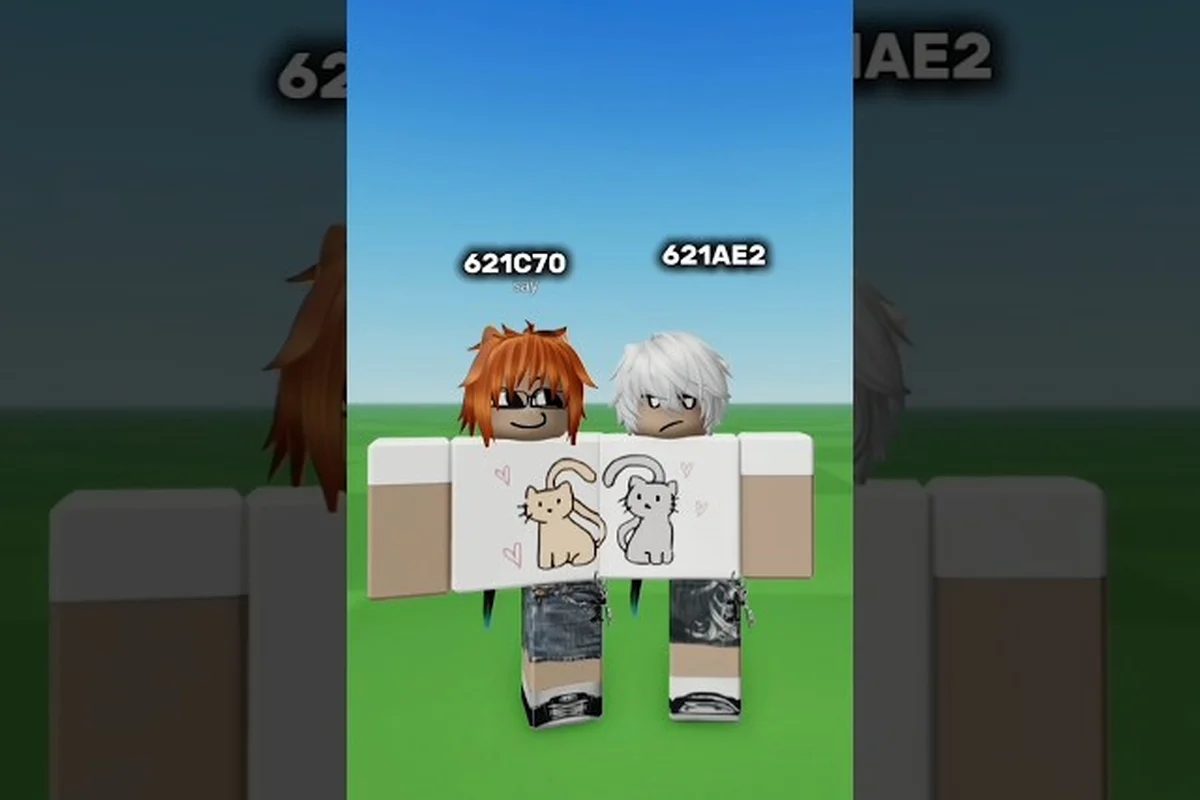
Finding the right look in Catalog Avatar Creator can feel overwhelming when you are staring at a feed of over 50 million community-created outfits. A smart Catalog Avatar Creator outfit search strategy saves you hours of scrolling, because the game's built-in filters let you zero in on exact themes, free items, or trending styles in seconds. Whether you want a clean school uniform or a flashy anime-inspired fit, the search tools are the fastest path to a polished avatar.
Understanding the Outfit Search Interface
The outfit search system in Catalog Avatar Creator is built around a community feed that surfaces trending and popular outfits by default. When you open the outfit browser, you are not looking at a static catalog but a living collection of player-published looks that updates constantly. According to the official Roblox game page, the feed prioritizes outfits with high try-on counts, which means the most-tested styles naturally float to the top of your results.
The core mechanic is straightforward: you can search by style, theme, or free items, then try on any result before committing to a purchase. This preview-first workflow is what makes Catalog Avatar Creator outfit search different from browsing the standard Roblox catalog, because you never have to guess how a combination will look on your actual avatar. The try-on system renders the full outfit on your character immediately, so you can rotate, zoom, and evaluate proportions before spending a single Robux.
Navigating the Search Filters
The filter panel is your primary tool for narrowing down the massive outfit library. Instead of typing vague queries, you should combine theme filters with item-type filters to get precise results. For example, selecting Anime as a theme and Free Items Only as a cost filter instantly removes paid outfits from your results, which is especially useful for players building avatars without Robux.
| Filter Type | What It Does | Best Use Case |
|---|---|---|
| Theme Filter | Sorts outfits by visual category like anime, school, casual, or formal | Finding a specific aesthetic quickly |
| Free Items Only | Hides any outfit containing paid accessories or clothing | Building a zero-Robux avatar |
| Trending Sort | Ranks outfits by recent try-on velocity | Discovering popular community styles |
| Newest Sort | Shows recently published outfits first | Catching fresh drops before they trend |
The combination of these filters is where the real power lies, because you can stack multiple conditions to create a highly specific search. A player looking for a Catalog Avatar Creator school outfit might filter by theme, then sort by trending to see which uniforms the community is currently testing most often. This layered approach consistently returns better results than scrolling the default feed, according to community reports from active outfit designers.
Loading Outfits with Codes
Every community-created outfit in Catalog Avatar Creator has a shareable outfit code, which is the fastest way to load a specific look without searching for it manually. Players share these codes in YouTube comments, Discord servers, and Roblox group posts, creating a secondary discovery layer outside the in-game search interface. When you find a code you like, you can paste it into the outfit-code menu and the entire outfit loads for preview instantly.
This code system matters because it bypasses the limitations of keyword search entirely. If a creator posts a Catalog Avatar Creator outfit showcase video with a code in the description, you can replicate that exact look in under a minute, even if the outfit is buried deep in the community feed. The step-by-step process is simple: open the outfit-code menu, paste the code, and the full outfit appears on your avatar for preview.
Step-by-Step Code Loading
The workflow for entering an outfit code is intentionally streamlined so players can jump between looks quickly. GuideRealm's tutorial video demonstrates the full process, and the steps are consistent across all community outfits published in the game.
-
Step 1: Open the outfit browser and locate the outfit-code input field
-
Step 2: Paste the code you copied from a video, Discord post, or group announcement
-
Step 3: Wait for the outfit to load on your avatar in preview mode
-
Step 4: Save the outfit to your avatar or purchase the complete look with a single bulk purchase
The bulk purchase option is a significant time-saver, because it adds every item in the outfit to your cart at once rather than requiring individual purchases. This ties directly into the item management system, which you can explore further in the item slots guide if you want to understand how purchased outfits occupy your inventory space.
Theme-Specific Search Strategies
Different outfit themes require slightly different search approaches, because the community tags and filters behave differently depending on what you are looking for. A Catalog Avatar Creator anime outfit search works best when you combine the anime theme filter with specific color or accessory keywords, while formal looks benefit from sorting by trending to see what the community considers polished. Understanding these nuances helps you avoid the frustration of scrolling through irrelevant results.
The community has organically developed tagging conventions that make certain searches more reliable than others. School outfits, for example, are frequently tagged with uniform-related terms, so filtering by the school theme and then scanning for blazer or skirt silhouettes yields better results than typing random keywords. Casual outfits are the broadest category, which means you should lean on the free-items filter and trending sort to surface the most popular everyday looks.
Comparing Theme Search Results
| Theme | Best Filter Combo | Typical Result Quality | Search Difficulty |
|---|---|---|---|
| Anime | Theme + color keyword | High — distinctive silhouettes | Easy |
| School | Theme + trending sort | Medium — many similar uniforms | Easy |
| Casual | Free items + newest | Variable — very broad category | Medium |
| Formal | Theme + trending sort | High — polished community picks | Easy |
The table above reflects community testing data, and individual results may vary based on when you search and which outfits are currently trending. A Catalog Avatar Creator casual outfit search is notably harder to refine than other themes, simply because casual encompasses such a wide range of styles, from streetwear to minimalist looks. When you find a casual outfit you like, checking the creator's other published outfits often reveals a consistent personal style worth following.
Publishing and Discovering Your Own Outfits
The outfit search ecosystem works both ways: you can browse community looks, but you can also publish your own creations for others to find. Every published outfit gets its own code that you can share anywhere, and outfits that reach 100,000 or more try-ons unlock the Outfit Designer role in the official Roblox group. This incentive structure encourages creators to make searchable, high-quality outfits that stand out in the community feed.
Publishing your own outfit is a strategic move if you want to build a following, because your creations become part of the same searchable database that you browse as a player. The process of designing an outfit that performs well in search involves understanding what themes are currently underserved, which is a skill covered in depth in the outfit inspiration guide. Creators who consistently publish themed outfits — especially anime and school styles — tend to accumulate try-ons faster than those who publish generic looks.
Why Try-On Counts Matter
Try-on counts are the closest thing Catalog Avatar Creator has to a quality score, because they reflect how many players found an outfit interesting enough to preview. The community feed uses these counts to rank outfits, which means high try-on numbers create a compounding visibility advantage. An outfit with 50,000 try-ons will appear in more searches than an identical outfit with 500 try-ons, simply because the algorithm interprets the higher count as a stronger relevance signal.
| Try-On Count | Visibility Level | Creator Status |
|---|---|---|
| Under 1,000 | Low — appears in newest sort only | New publisher |
| 1,000 – 10,000 | Medium — appears in theme searches | Established creator |
| 10,000 – 100,000 | High — appears in trending feed | Recognized designer |
| 100,000+ | Very high — featured placement | Outfit Designer role unlocked |
This visibility ladder explains why some outfits seem to be everywhere while others disappear into the feed. A Catalog Avatar Creator formal outfit with a high try-on count will dominate formal theme searches, making it harder for newer formal outfits to gain traction. The system rewards early publishing and consistent quality, which is why many successful creators publish multiple outfits per week rather than perfecting a single look.
Advanced Search Techniques for Specific Looks
Once you master the basic filters, you can start using advanced techniques that experienced players rely on to find hidden gems in the outfit library. One effective approach is searching for outfits by a specific creator after you find one look you like, because most designers maintain a consistent aesthetic across their published work. This creator-based search often surfaces outfits that never appear in trending feeds but perfectly match your preferred style.
Another advanced technique involves using the free-items filter as a discovery tool rather than a budget constraint. Because free outfits tend to be published by newer creators experimenting with bold ideas, browsing exclusively free items often reveals unconventional combinations that paid outfits avoid. This is particularly useful when you want a Catalog Avatar Creator anime outfit that does not look like every other anime avatar on the platform.
Combining Search with Face Selection
Outfit search is only half of the avatar customization equation, because the face you pair with an outfit dramatically changes the overall impression. A formal outfit with a playful face reads completely differently than the same outfit with a serious expression, which is why experienced players search for faces after locking in their clothing. The face search guide covers how to find faces that complement specific outfit themes, including the popular and suspicious face categories that dominate community showcases.
The workflow that produces the best results is: search for an outfit theme first, save two or three candidates, then search for faces that match the mood of each outfit. This sequential approach prevents the common mistake of falling in love with a face and then struggling to find outfits that work with it. Community designers consistently recommend starting with the outfit because clothing occupies more visual space and sets the dominant color palette.
Frequently Asked Questions
How do I search for free outfits in Catalog Avatar Creator?
Open the outfit browser and enable the Free Items Only filter before applying any theme filters. This hides every outfit containing paid accessories or clothing, leaving only looks built entirely from free items. Combine this with the newest sort to find fresh free outfits before they trend.
Can I save an outfit I found through search without buying it?
Yes, you can save any outfit to your avatar for later reference without purchasing the items. The preview system lets you try on the full outfit, and you can return to it anytime from your saved outfits list. Purchasing is always a separate, intentional action.
What is the fastest way to find a specific outfit I saw in a video?
Use the outfit code shown in the video description or comments. Open the outfit-code menu in Catalog Avatar Creator, paste the code, and the exact outfit loads for preview instantly. This bypasses search filters entirely and works for any published community outfit.
Why do some outfits appear in every search while others never show up?
Outfits with high try-on counts get priority in the community feed and theme searches, so they appear almost everywhere. An outfit that reaches 100,000 try-ons unlocks the Outfit Designer role and featured visibility. Low-count outfits only surface in newest sort results, making them nearly invisible unless you search by exact outfit code.
How do I publish my own outfit so others can find it?
Create your outfit in the editor, then hit the publish option to add it to the community database. Each published outfit gets a unique shareable code you can promote through Discord, YouTube, or group posts. Reaching 100,000 try-ons unlocks the Outfit Designer role in the official Roblox group.