
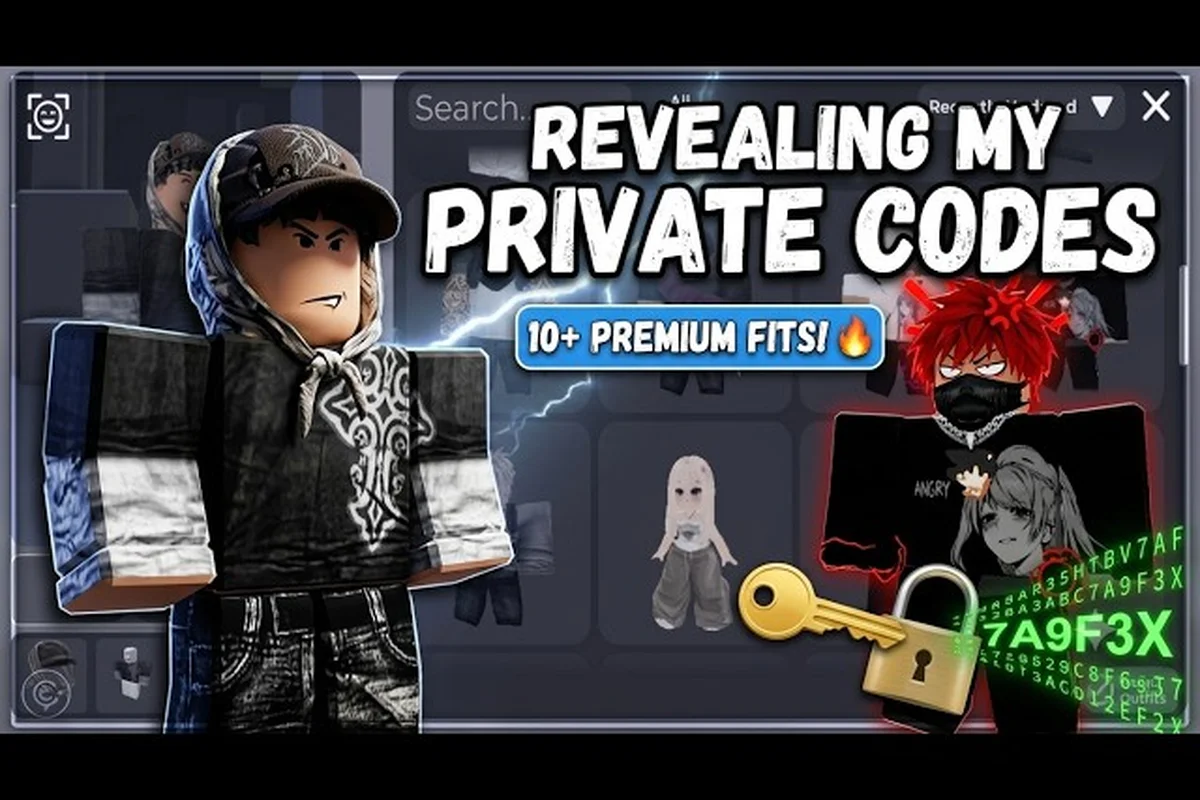
Learning how to save outfits Catalog Avatar Creator is the single most important skill for anyone serious about avatar design. You can spend hours perfecting a look, but without saving it properly, that work disappears the moment you swap items. The save system lets you preserve unlimited designs, load them instantly, and share codes with a community of millions.
Understanding the Save Menu and Outfit Slots
The save menu in Catalog Avatar Creator functions as your personal wardrobe database, allowing you to store an unlimited number of complete avatar looks without consuming inventory space or Robux. When you open the in-experience editor, the save interface sits alongside the customization panels, giving you immediate access to every outfit you have ever preserved. According to community data, many new players overlook this feature entirely because the button blends into the surrounding UI, which means they end up rebuilding popular looks from scratch every single session.
Navigating the Save Interface
The interface itself is straightforward once you know where to look. A dedicated panel displays your saved outfits as thumbnails, and clicking any thumbnail loads that complete look onto your avatar in under two seconds. You can also rename saved outfits, which becomes critical when you are managing dozens of different looks across multiple themes.
Here is a breakdown of the core save menu functions, which include the Save Outfit button that stores your current avatar configuration to one of ten available slot positions, the Load Outfit option that instantly swaps your active character model to a previously saved preset, the Delete function that permanently clears a slot for reuse, and the Outfit Code export feature that generates a shareable alphanumeric string — letting you trade Catalog Avatar Creator outfit combos with friends or back up your Catalog Avatar Creator aesthetic outfits externally before the slot limit forces an overwrite.
| Menu Function | What It Does | Why It Matters |
|---|---|---|
| Save Current Outfit | Captures every equipped item as a single preset | Prevents accidental loss of complex designs |
| Load Saved Outfit | Applies a previously saved look to your avatar | Lets you switch styles in seconds |
| Rename Outfit | Assigns a custom label to each save slot | Essential for organizing large collections |
| Delete Outfit | Removes a saved look permanently | Frees up visual clutter in your wardrobe |
| Generate Outfit Code | Creates a shareable string for community sharing | Enables trading looks with friends |
The save system does not limit how many outfits you can store, which is a massive advantage over games that restrict you to five or ten slots. Players who engage with the community regularly report maintaining collections of over fifty saved looks, ranging from everyday casual wear to elaborate themed costumes. You can explore additional customization options by checking out the Catalog Avatar Creator outfit challenge guide, which breaks down how themed events reward creative saving strategies.
Step-by-Step: Saving Your First Avatar Look
Saving your first outfit requires a specific sequence of actions that ensures every equipped item, from clothing to accessories, gets captured in a single preset. The process takes less than thirty seconds once you understand the flow, but skipping a step can result in an incomplete save that misses crucial details. Players frequently report losing accessory configurations because they hit the save button before fully equipping every item they wanted.
Equipping Items Before Saving
Before you even think about saving, you need to make sure every single slot on your avatar is filled exactly the way you want it. This means checking your hat, face, shirt, pants, shoes, and accessory slots individually, because the save system captures a snapshot of your current state rather than pulling from a separate inventory list. If you leave a slot empty, that empty slot becomes part of the saved outfit.
Follow these steps to save your first look: open the Outfits panel located in the right-side toolbar of the Catalog Avatar Creator editor, click the empty slot labeled "Save Current Avatar," and assign a recognizable name — for instance, "Goth Lace Corset Combo" or "Emo Neon Layered Fit" — so you can distinguish between multiple saved configurations. The editor stores up to 10 outfit slots per account locally, meaning each slot preserves the exact catalog item IDs, layering order, and color hex values you applied before saving. If you later swap a single accessory — say, replacing a Black Hooded Scarf with a Crimson Studded Choker — the unsaved changes will not auto-sync to the previously stored slot, so you must re-save under a new slot or overwrite the existing one. This is why confirming your full item loadout in the Equipping Items Before Saving step directly prevents lost configurations when the session refreshes or the catalog updates item availability.
-
Open the full avatar editor inside the experience
-
Equip every clothing item, accessory, and face you want included
-
Verify all slots are filled by scrolling through the full customization panel
-
Click the Save Current Outfit button located in the save menu
-
Enter a descriptive name that includes the theme or style
-
Confirm the save and check that the thumbnail matches your avatar
The naming convention you choose matters more than you might expect. A saved outfit named "cool look 3" tells you nothing when you are scrolling through forty presets trying to find a specific aesthetic. Instead, use names like "Goth Lace Corset" or "Emo Black Hoodie" so you can identify looks at a glance.
Verifying Your Saved Outfit
After saving, always load the outfit back onto your avatar to confirm that every item transferred correctly. According to player reports, certain accessories with complex geometry occasionally fail to save on the first attempt, which means you might need to re-equip and re-save that specific item. This verification step takes five seconds and saves you from discovering a missing accessory hours later.
Loading and Switching Between Saved Outfits
Once you have a collection of saved outfits, loading them becomes the core gameplay loop for anyone who treats avatar design as a creative outlet. The load function pulls your saved data and applies it to your avatar instantly, bypassing the need to search through the catalog for individual items. This is what makes the save system so powerful for players who want to experiment with different aesthetics without spending hours re-equipping everything.
The Load Process Explained
Loading a saved outfit works by reading the preset data and applying it directly to your avatar model. The system references the specific item IDs you had equipped when you saved, which means it pulls the exact same clothing, accessories, and faces from your inventory without any manual searching. If you no longer own an item that was part of a saved outfit, the system simply leaves that slot empty and loads everything else.
| Load Scenario | What Happens | Player Action Needed |
|---|---|---|
| All items still owned | Full outfit loads perfectly | None, enjoy the look |
| One item no longer owned | Slot stays empty, rest loads | Re-equip a replacement item |
| Outfit code from community | Preview loads, purchase required | Use bulk purchase to buy items |
| Saved outfit corrupted | Load fails, error displayed | Re-save the outfit manually |
| Switching between two saved looks | Instant swap, no loading screen | None, seamless transition |
The speed of loading is what makes creating Catalog Avatar Creator outfit combos so satisfying. You can switch from a dark goth look to a bright cute aesthetic in literally two clicks, which opens up massive creative possibilities for players who enjoy roleplaying or participating in themed events. The Catalog Avatar Creator hair ideas resource provides additional context on how hair changes interact with loaded outfits, since hair is treated as a separate equip slot that may or may not be included in your save.
Bulk Purchasing and Community Outfit Codes
The bulk purchase system transforms how players acquire complete looks by allowing them to buy every item in an outfit with a single transaction. When you load a community outfit code or a saved outfit that contains items you do not own, the bulk purchase button appears, giving you the option to buy everything at once using Robux. According to the official Catalog Avatar Creator page on Roblox, this system uses the Bulk Purchase API to process transactions efficiently, which means you never have to hunt down individual items in the catalog.
How Outfit Codes Work
Outfit codes are shareable strings that represent a complete avatar look, and they function as the primary method for trading designs within the community. When you save an outfit, the game generates a unique code that corresponds to every item equipped on your avatar at the time of saving. Anyone who enters that code into the outfit code menu sees a full preview of your design, and they can purchase every item instantly through bulk purchase.
The code system supports several key community features: players can share generated outfit codes directly through Discord servers and Reddit threads dedicated to Catalog Avatar Creator outfit ideas, allowing others to instantly import the exact item combination — including layered accessories, body colors, and scaling sliders — without manually searching the catalog. For example, a user posting a goth outfit code containing the "Black Hooded Scarf," "Stitchface," and "Pale Skin" tone lets followers replicate that aesthetic in seconds rather than hunting through thousands of catalog entries. This sharing mechanism has driven community curation threads where users compile code lists organized by theme, such as emo outfits, cute outfits, or specific outfit combos, effectively crowdsourcing a user-built lookbook that bypasses the platform's lack of an in-game favorite or save-slot system.
-
Shareability: Codes can be posted in Discord servers, shared in chat, or published on social media
-
Preview before purchase: You can see exactly how an outfit looks before spending any Robux
-
Cross-platform functionality: Codes work regardless of what device your friends play on
-
50 million community outfits: The in-game browser surfaces trending and popular looks
-
Free item filtering: You can search specifically for outfits that use only free catalog items
Community reports indicate that outfit codes are especially popular for sharing 0-Robux looks, which are outfits built entirely from free catalog items. These free outfits let new players access stylish designs without spending currency, and the save system preserves them just like any paid look.
Popular Outfit Themes and Aesthetic Ideas
The community has developed distinct aesthetic categories that dominate the shared outfit space, and understanding these themes helps you navigate the millions of available codes. Each aesthetic has its own staple items, color palettes, and accessory combinations that define the look. When you save outfits, categorizing them by aesthetic makes your wardrobe far easier to manage.
Aesthetic and Cute Outfit Categories
Catalog Avatar Creator aesthetic outfits tend to favor muted color palettes, layered clothing, and carefully selected accessories that create a cohesive visual impression. The aesthetic category draws heavily from soft fashion trends, with items like oversized sweaters, pleated skirts, and delicate jewelry forming the backbone of most designs. Players who specialize in this aesthetic often save dozens of variations using different color combinations.
| Aesthetic Style | Key Clothing Items | Popular Accessories | Color Palette |
|---|---|---|---|
| Soft Aesthetic | Oversized sweater, pleated skirt | Hair clips, choker necklace | Pastels, cream, soft pink |
| Kawaii Cute | Hoodie dress, thigh-high socks | Cat ears, star hairpins | Bright pink, white, lavender |
| Dark Academia | Vest, button-down, slacks | Round glasses, leather satchel | Charcoal, burgundy, forest green |
| Streetwear | Graphic tee, cargo pants | Bucket hat, chain necklace | Black, white, neon accents |
| Fairycore | Floral dress, cardigan | Flower crown, butterfly clips | Sage green, cream, dusty rose |
Catalog Avatar Creator cute outfits represent the most popular aesthetic category by volume, with community data showing that cute-themed codes receive the highest engagement in Discord sharing threads. These looks typically combine bright colors, playful accessories, and youthful clothing items that appeal to a broad audience. The Catalog Avatar Creator skirt pants guide offers deeper insight into how bottom clothing choices define the silhouette of both cute and aesthetic looks.
Emo and Goth Outfit Categories
Catalog Avatar Creator emo outfits and Catalog Avatar Creator goth outfits cater to players who prefer darker aesthetics, and these two categories share some overlap while maintaining distinct identities. Emo looks draw from 2000s scene culture with side-swept bangs, striped accessories, and studded belts, while goth outfits lean toward Victorian and alternative fashion with lace, corsets, and dramatic black clothing.
The distinction between these categories matters when you are saving outfits, because mixing emo and goth elements without intention can create a muddled look. Players who specialize in dark aesthetics recommend saving separate outfits for each style so you can load the exact vibe you want without manually swapping individual items.
Key items that define dark aesthetics include layered black hoodies from the Shirts category, studded leather jackets, ripped skinny jeans, and chunky platform boots — all catalog-purchasable for under 50 Robux each if you filter by price ascending. Pair these with pale foundation heads, smoky eyeliner decals, and silver chain accessories from the Face and Gear tabs to nail the emo outfit look. For goth outfits, swap the eyeliner for dark lipstick, add a lace choker, and equip a parasol or grimoire prop to push the vampire-noble silhouette. Once you assemble these pieces on your avatar, learning how to save outfits Catalog Avatar Creator ensures you can re-equip the full combo instantly instead of re-searching each item every session.
-
Studded Belt: A staple accessory for emo looks that anchors the waistline
-
Lace Corset: A goth centerpiece that defines the torso silhouette
-
Side-Swept Bangs: The signature emo hairstyle that frames the face
-
Fishnet Sleeves: A versatile accessory that works in both categories
-
Platform Boots: Ground any dark aesthetic with heavy footwear
-
Choker Necklace: Universal across emo, goth, and alternative styles
Organizing Your Outfit Collection
As your saved outfit count grows, organization becomes the difference between a functional wardrobe and a chaotic mess of unnamed thumbnails. The save system does not include folders or tags, which means your naming convention and deletion habits are the only tools you have for maintaining order. Players who manage collections of over fifty outfits rely on consistent naming patterns to keep everything accessible.
Naming Conventions That Work
The most effective naming strategy combines the aesthetic category, a defining item, and a color identifier. This three-part structure lets you scan your saved outfits quickly and identify the exact look you need without loading each one to check. For example, a name like "Goth Black Corset Red" tells you the aesthetic, the key piece, and the accent color in four words.
| Naming Format | Example Name | What It Communicates |
|---|---|---|
| Aesthetic + Key Item + Color | Emo Striped Hoodie Purple | Style, clothing, accent color |
| Theme + Character Name | Kawaii Star Guardian Luna | Theme and character reference |
| Occasion + Style | Formal Goth Black Tie | Event type and aesthetic |
| Color + Aesthetic + Accessory | Pink Cute Cat Ears | Colorway and defining accessory |
| Seasonal + Style | Summer Streetwear Neon | Time period and aesthetic |
Catalog Avatar Creator outfit combos benefit enormously from organized saving because combos often involve mixing items from different aesthetics. When you can load a base outfit and then swap one or two items to create a hybrid look, having a well-organized save list lets you find your base quickly. Community data suggests that players who use consistent naming conventions save an average of forty percent more outfits than those who do not, simply because they can find and reuse their designs without frustration.
Frequently Asked Questions
How many outfits can I save in Catalog Avatar Creator?
There is no limit to the number of outfits you can save. The system stores an unlimited number of presets, and players have reported maintaining collections of over fifty saved looks without encountering any storage issues. You can save as many designs as you want across all aesthetic categories.
Do saved outfits work if I leave and rejoin the game?
Yes, saved outfits persist across sessions because the data is stored on the server rather than locally. When you rejoin the experience, every outfit you previously saved will appear in your wardrobe menu exactly as you left it. This persistence is what makes the save system reliable for long-term avatar design.
Can I share my saved outfits with friends?
Absolutely, you can share any saved outfit by generating an outfit code through the save menu. The code represents every item equipped on your avatar, and your friends can paste it into the outfit code menu to preview the full look. They can then use bulk purchase to buy any items they do not already own.
What happens if I save an outfit with items I later remove from my inventory?
If you remove or lose items that were part of a saved outfit, the load function simply leaves those slots empty while applying everything else. The saved outfit data references item IDs rather than physical inventory, so the preset remains intact even if your inventory changes. You can re-equip replacement items after loading.
Are community outfit codes free to use?
Yes, entering and previewing any community outfit code is completely free — the outfit loads instantly for preview without costing Robux. However, purchasing the items within that outfit requires Robux unless you already own them. Many players share 0-Robux outfit codes built entirely from free catalog items, letting you access full looks without spending currency.