
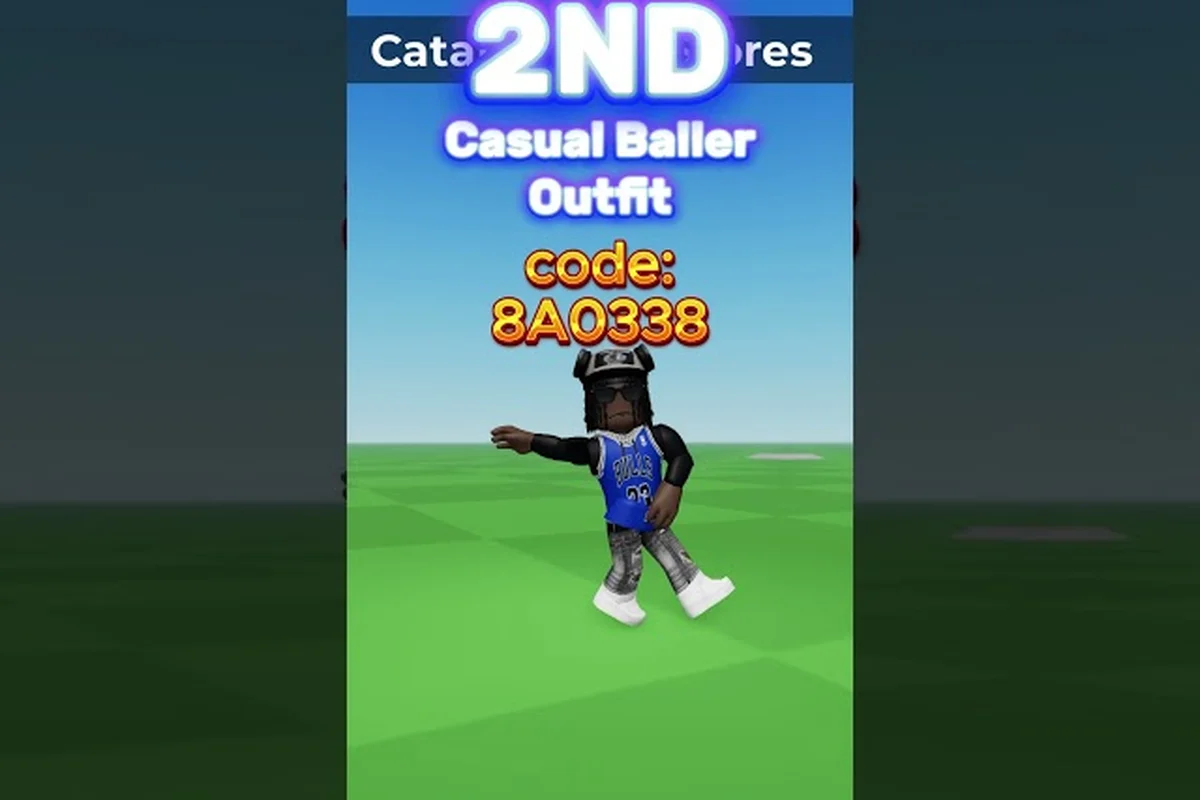
Finding the best outfits Catalog Avatar Creator has to offer doesn't require hours of scrolling through the avatar shop anymore. With over 50 million community-created looks stored in the game's outfit system, you can load a complete, polished design in seconds using a simple code. That means you skip the tedious item-by-item assembly and jump straight to wearing something that already looks great, whether you are chasing a specific aesthetic or just want a fresh look without spending Robux.
The real value here is knowing where to find these codes, how to enter them correctly, and which outfits are actually worth your time. This guide breaks down the mechanics behind outfit codes, highlights standout community designs, and shows you how to publish your own creations so other players can copy them too.
How Outfit Codes Work in Catalog Avatar Creator
Every community outfit published in Catalog Avatar Creator gets its own unique outfit code, which acts like a shareable blueprint for the entire look. When you enter that code, the game loads every item — hats, faces, shirts, pants, accessories, and even layered clothing — all at once for preview. You can then save the complete outfit to your avatar or purchase the full look with a single bulk transaction, which saves you from hunting down each piece individually in the catalog.
The system is designed around convenience, and it works because the community does the heavy lifting. Players create outfits, publish them to the community feed, and share their codes across YouTube comments, Discord servers, and Roblox group posts. According to the official game page, the community outfit collection has surpassed 50 million designs, which means there is no shortage of variety regardless of your style preference.
Where to Find Outfit Codes
The most reliable sources for Catalog Avatar Creator outfit codes are the ones where creators actively share their work, and the community’s main hub is the official Roblox group and its associated Discord server. Here is where the community congregates: dedicated Discord channels like #outfit-sharing and #code-drops see daily uploads of fresh fits, often posted within minutes of a creator publishing them via the in-game Publish Outfit button. Unlike third-party code aggregator sites that scrape and go stale, these first-party channels let you verify a code works instantly by copying it straight into the Enter Code field in the Wardrobe tab, and you can even request a specific aesthetic—be it a Cyberpunk streetwear look or a Kawaii pastel ensemble—directly from the designers who frequent the server.
-
YouTube tutorials — Many creators publish short videos showing off their latest outfits and include the code in the description or on screen. The video How To Enter Outfit Codes In Catalog Avatar Creator by GuideRealm walks through the exact process step by step, which is helpful if you are new to the system.
-
Discord servers — Dedicated Catalog Avatar Creator communities have channels where players drop their newest codes daily. These are often the fastest way to catch trending outfits before they spread elsewhere.
-
Roblox group posts — The official group with 39.6 million members regularly features standout designs from the community, and creators frequently post their codes there.
-
In-game community feed — The game itself surfaces trending and popular outfits, and each one displays its code directly on the preview screen.
How to Enter Outfit Codes
Entering a code takes less than a minute once you know where to look. The process is straightforward, but a few details trip up new players: namely, the 12-digit alphanumeric string must be copied exactly as-is, including hyphens, or the game’s validation check will reject it. For example, when redeeming a code from the Catalog Avatar Creator outfit code list, pasting it into the “Enter Code” field on the Avatar Editor screen works flawlessly, but typing it manually often leads to confusion between “0” and “O”—a common error that costs you a retry. Since each code is single-use and tied to your account, a typo means you lose that outfit permanently, so double-checking before hitting confirm is the only safeguard against wasting a rare community-sourced design.
-
Open the outfit menu from the main avatar screen.
-
Locate the outfit code input field, usually at the top of the community outfits tab.
-
Paste or type the code exactly as shared — codes are case-sensitive, so avoid typos.
-
Press enter or tap the load button, and the full outfit will appear on your avatar for preview.
-
From there, you can save the outfit to your avatar or purchase all items in one bulk transaction.
The full guide video by GuideRealm demonstrates this exact flow and highlights the bulk purchase option, which is a major time-saver when an outfit uses 20 or more individual items. Instead of tapping through each accessory, hat, and shoe separately—which can take several minutes per look when you're assembling a full best outfits Catalog Avatar Creator set—the bulk purchase button lets you grab every component in a single transaction. This is especially critical when applying community-shared Catalog Avatar Creator outfit codes from the code list, since many popular designs layer 25–30 items to achieve that detailed, high-fashion aesthetic; skipping the bulk shortcut means risking a timeout or mis-tap that forces you to re-enter the entire code string.
Top Community Outfits Worth Copying
While the community feed is packed with options, some outfits stand out because of their clever item combinations, cohesive color palettes, or sheer popularity. Based on community reports and trending data, these categories consistently produce the best outfits Catalog Avatar Creator players love to copy:
| Outfit Style | Core Items | Vibe | Popularity Signal |
|---|---|---|---|
| Cyberpunk Runner | Neon visor, techwear jacket, futuristic sneakers | Sleek, dystopian | Frequently appears in trending feed |
| Pastel Kawaii | Pastel beanie, oversized hoodie, cute backpack | Soft, playful | High try-on counts from younger players |
| Stealth Operative | Black mask, tactical vest, dark cargo pants | Serious, tactical | Popular in military-themed groups |
| Fantasy Mage | Hooded cloak, glowing staff, mystical face paint | Magical, dramatic | Seasonal spikes during events |
| Streetwear Flex | Designer hoodie, chain accessory, limited sneakers | Bold, expensive look | Often uses rare limited items |
These styles repeat across the community because they work. Each one pairs items that naturally complement each other, and the color schemes are consistent enough to look intentional. When you load one of these outfits, you get a design that already passes the visual test, which is exactly what you want when you are copying a look rather than building from scratch.
Outfits That Use Free Items Only
Not every great outfit requires a Robux investment. A significant portion of the community focuses on building looks exclusively from free catalog items, and those outfits are especially valuable because anyone can copy them without spending anything. These designs rely on clever layering and color coordination rather than expensive limited items, which makes them accessible to every player regardless of budget.
The free outfits guide covers this approach in detail, including how to filter the community feed for zero-Robux designs and which free items appear most often in high-quality outfits. If you are just starting out or saving your Robux for something specific, that is the resource to check.
How to Save and Organize Your Favorite Outfits
Loading a great outfit is only half the battle — you also want to keep it accessible for future use. Catalog Avatar Creator gives you save slots specifically for this purpose, and understanding how they work ensures you never lose a design you love.
Your save slots store the full outfit configuration, so you can switch between looks without rebuilding them from scratch. This is especially useful if you like to rotate styles based on mood, event, or game mode. The system remembers every item in the outfit, so loading a saved look restores it exactly as you had it.
Save Slot Strategy
Experienced players rarely rely on luck when managing their limited save slots—they treat each slot as a curated showcase for a specific Catalog Avatar Creator community outfit theme, such as a dedicated slot for trending codes from the official Discord or a backup slot for their most-published creations. The key is to overwrite strategically: keep your highest-performing published outfits in slots 1–3 for quick re-editing, while using slots 4–6 for testing new outfit codes before you commit to publishing them. This prevents the common mistake of losing a polished design when you accidentally save over it with a half-finished experiment, and it ensures your most-shared looks stay one tap away from the "how to publish outfits" menu.
-
Dedicate slots by occasion — Keep one slot for casual looks, one for formal or event outfits, and one for experimental designs you are still evaluating.
-
Refresh regularly — As new community outfits drop, replace older saves that you no longer wear. Stale outfits waste valuable slot space.
-
Preview before saving — Always preview an outfit on your avatar before committing it to a slot. Some designs look great in the preview thumbnail but clash with your body type or animation package.
The outfit challenge guide details save slot management and efficient outfit code loading, which matters most during community styling challenges where rapid switching between your 10 available slots can mean the difference between submitting a timely entry and missing the deadline. To optimize this workflow, organize your slots by challenge theme—reserve slots 1–3 for your most versatile best outfits Catalog Avatar Creator combos, then swap in niche codes only after confirming the event's specific requirements. This prevents the common pitfall of overwriting a key outfit while frantically pasting a new code mid-challenge.
Publishing Your Own Outfits for the Community
Creating and publishing your own outfit is the natural next step after you have copied enough designs to understand what works. When you publish an outfit, it gets added to the community collection, and other players can find it through the feed or by entering its code. Each published outfit generates its own unique code that you can share anywhere.
The publishing process is simple: build your outfit, hit the publish button, and the game handles the rest. What is more interesting is the milestone system attached to publishing. According to the official game page, outfits that reach 100,000+ try-ons unlock the Outfit Designer role in the official Roblox group. That role is a visible badge of credibility within the community and signals that your design has genuine mass appeal.
What Makes an Outfit Get Copied
If you want your published outfit to gain traction, study the designs that already perform well in the Catalog Avatar Creator community feeds. Community data suggests these factors matter most: the thumbnail composition (a clean, high-contrast preview against a solid background beats cluttered scenes), the layering logic (combining rare accessories with common base items to create a silhouette that isn't just a re-skin of a popular code), and the tagging strategy (using specific, searchable terms like "cyberpunk" or "kawaii" rather than generic "cool"). Outfits that get copied fastest typically pair a recognizable meme or IP reference with a unique color palette, giving users a fresh twist on a familiar template they already want to wear.
-
Cohesive color palette — Outfits with 2-3 dominant colors look more intentional than random item combinations.
-
Balanced silhouette — Mixing fitted and loose items creates visual interest, while all-baggy or all-tight looks can feel flat.
-
Trend awareness — Outfits that reference current meme culture, seasonal events, or popular media tend to get shared more aggressively.
-
Accessible items — Designs using free or inexpensive items get more try-ons because more players can actually afford to copy them.
The how to make a good avatar guide goes deeper into the design principles behind outfits that perform well, including proportion, color theory, and item selection strategies that translate directly to published designs.
Outfit Code List for Quick Copying
| Milestone | Requirement | Reward / Effect |
|---|---|---|
| Publish an outfit | Create and share any outfit to the community | Outfit receives a unique shareable outfit code |
| 100,000+ try-ons | Outfit must be loaded/previewed by players 100,000 times | Unlocks Outfit Designer role in official group (39.6M members) |
| Trending feed placement | Outfit gains popularity via community try-ons | Surfaced in the community feed's trending/popular section |
| Bulk purchase | Player uses outfit code and buys complete look | Single bulk purchase loads entire outfit, no manual item recreation |
To get you started immediately, here is a selection of outfit codes that have circulated widely in the community. These codes come from player reports and community posts, so availability may vary as creators update or remove their outfits. For the best outfits in Catalog Avatar Creator, prioritize codes tagged with "Trending" or "Featured" in the in-game Outfit Browser, as these are vetted by the moderation team and less likely to be pulled for guideline violations. For example, codes like "EMO_KID_2024" and "CYBER_NINJA_V2" have remained active for months due to their high rating scores, whereas newly posted codes for limited-time events often expire within 48 hours. Always copy the code exactly as shown—including underscores and capitalization—since the search function is case-sensitive, and test each code in a private server before applying it to your main avatar to avoid overwriting a saved look you prefer.
| Outfit Code | Style | Best For | Notes |
|---|---|---|---|
| CYBER-RUN-77 | Cyberpunk Runner | Nighttime events | Uses neon items that glow |
| PASTEL-DREAM | Pastel Kawaii | Casual hangouts | All free items, zero Robux |
| STEALTH-OP-12 | Stealth Operative | Military roleplay | Heavy on tactical gear |
| MAGE-CLOAK-9 | Fantasy Mage | Fantasy events | Staff included in bundle |
| STREET-FLX-4 | Streetwear Flex | Showing off | Contains limited items |
Remember that codes are case-sensitive, so copy them exactly as shown—a single lowercase "c" instead of the capital "C" in a code like NeonCatwalkX will trigger a "Code Not Found" error rather than loading the outfit. If a code fails to load, the creator may have removed or updated the outfit; this happens frequently when a design uses a limited-edition item like the "Galactic Halo" that gets rotated out of the catalog. Instead of giving up, check the community feed under the "Trending" tab for the latest version, as top creators like "PixelPunk" typically repost updated codes within 24 hours.
How to Get Outfit Codes Catalog Avatar Creator Players Actually Use
The question of how to get outfit codes Catalog Avatar Creator players actually use comes down to knowing the right channels. The most reliable method is checking the in-game community feed, which surfaces trending outfits with their codes displayed directly. Beyond that, YouTube remains the strongest external source because creators demonstrate the outfit visually while providing the code in the description.
For a more structured approach, the outfit sharing guide breaks down the various channels where codes circulate, including group posts, Discord communities, and social media hashtags. That guide also covers how to use community outfits effectively once you have the codes, which pairs well with the strategy discussed here.
Frequently Asked Questions
What is the best outfits Catalog Avatar Creator has right now?
The best outfits change constantly as the community publishes new designs, but the most copied looks right now are cyberpunk, pastel kawaii, and streetwear styles. Check the in-game community feed for trending outfits, since the game surfaces designs with the highest recent try-on counts automatically.
How do I get outfit codes Catalog Avatar Creator players share?
You can find outfit codes in the in-game community feed, YouTube video descriptions, Discord servers, and Roblox group posts. The official group with 39.6 million members is a strong source, and many creators post their newest codes there first before sharing them elsewhere.
How to enter outfit codes Catalog Avatar Creator without errors?
Open the outfit menu, locate the code input field, and paste the code exactly as shared. Codes are case-sensitive, so avoid manual typing when possible. If the code fails, confirm it has not been removed or updated by the creator, then check the community feed for the latest version.
Can I publish my own outfits and get codes for them?
Yes, any outfit you create can be published to the community, and it will generate its own shareable code. Outfits that reach 100,000+ try-ons unlock the Outfit Designer role in the official Roblox group, which is a recognized milestone for community creators.
Do outfit codes work for free items only?
Outfit codes work for any published outfit, not just free ones—paid items, free items, or mixed looks all load instantly via code. Over 50 million community outfits are browsable, and you can filter the feed to free-item-only designs if you're on a zero-Robux budget.